


What Is Autoscaling and How Does It Work?

.png)
Demand on a service is rarely constant. It rises and falls with the time of day, launches, and usage patterns. Provision for the peak and you pay for idle capacity most of the time; provision for the average and you fall over when traffic spikes. Autoscaling solves this by changing capacity automatically to match whatever demand is happening right now.
For AI workloads, where the compute, especially GPUs, is expensive, this matters a great deal. Autoscaling lets a service grow to handle a surge and shrink back when it passes, so you get responsiveness when you need it without paying for it when you do not.
This guide explains what autoscaling is, how it works, the main types, and why it matters for running services efficiently.
What is autoscaling?
Autoscaling is the automatic adjustment of the compute resources allocated to a service based on real-time demand. Rather than running a fixed amount of capacity, the system monitors signals like traffic, CPU, or queue length and adds or removes capacity so that supply tracks demand without manual intervention.
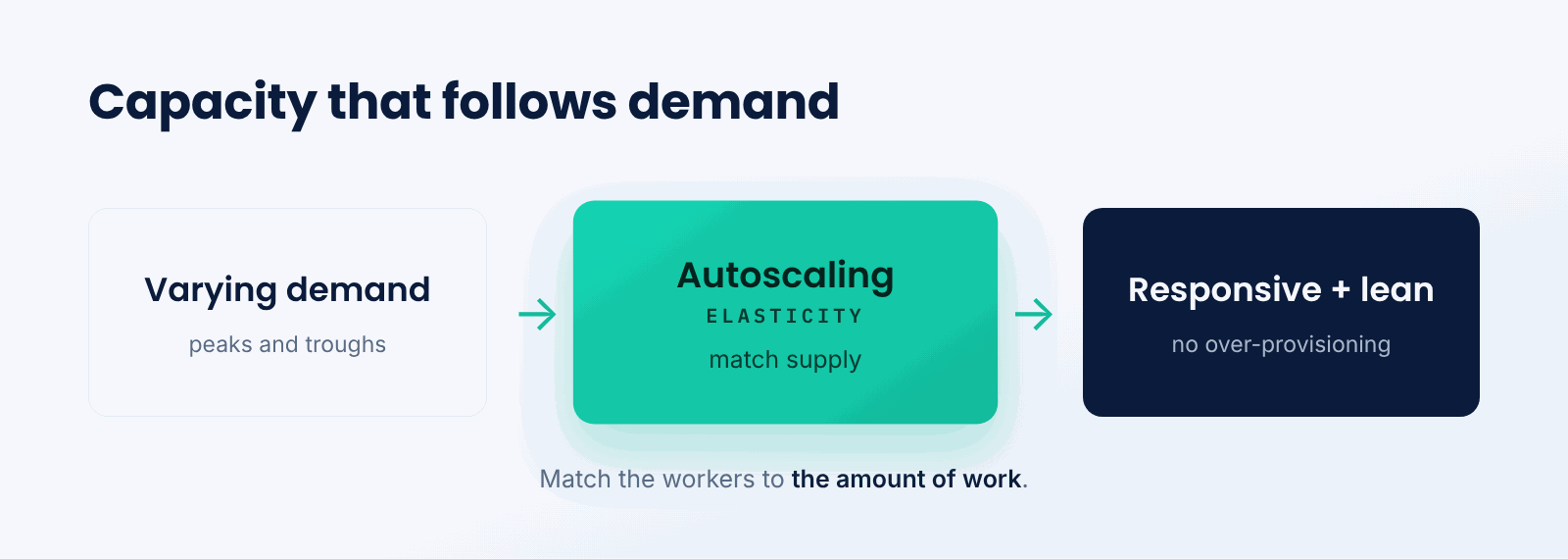
Think of it like a store adding cashiers as queues grow and sending them on break when it is quiet. Customers are served quickly at busy times, and staff are not standing idle when it is slow. Autoscaling does this for compute, matching the number of workers to the amount of work.
The key idea is elasticity. Instead of a fixed allocation sized for a guess about demand, capacity flexes with reality, improving both responsiveness and cost efficiency.
How does autoscaling work?
Autoscaling watches demand signals and changes capacity against defined rules.
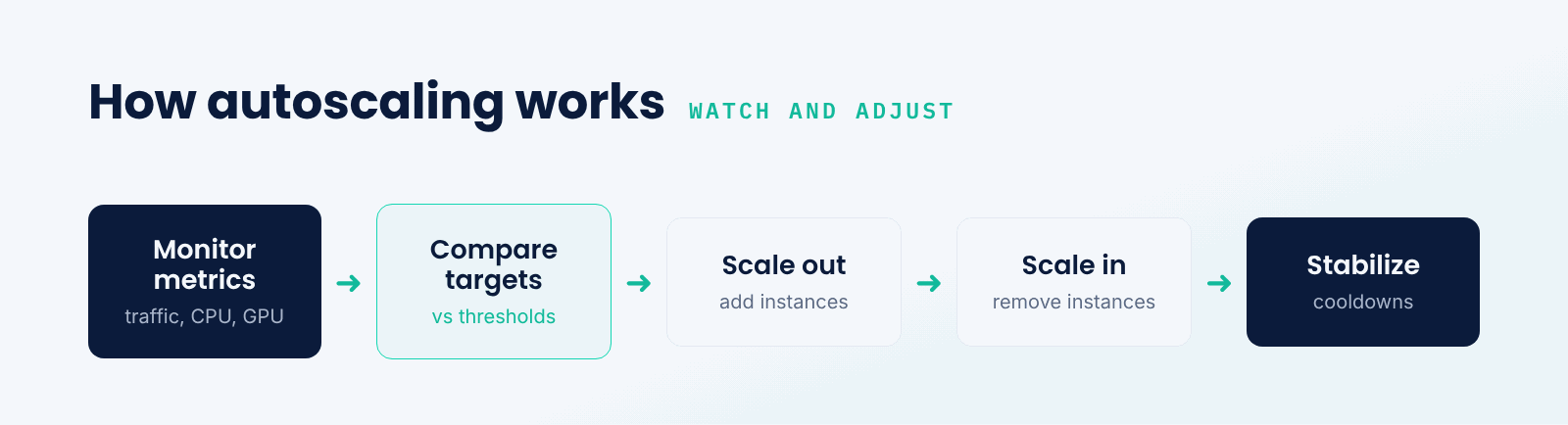
- Monitor metrics. Signals like request rate, CPU, GPU, or queue length are tracked.
- Compare to targets. Metrics are checked against thresholds you define.
- Scale out. When demand exceeds the target, more instances are added.
- Scale in. When demand falls, instances are removed to save cost.
- Stabilize. Cooldowns prevent rapid flapping as the system settles.
Good autoscaling is about the right signals and thresholds. Scale too slowly and users feel the lag during a surge; scale too aggressively and you waste money or thrash, so tuning the rules to the workload is what makes it effective.
Scale out vs. scale up vs. scale to zero
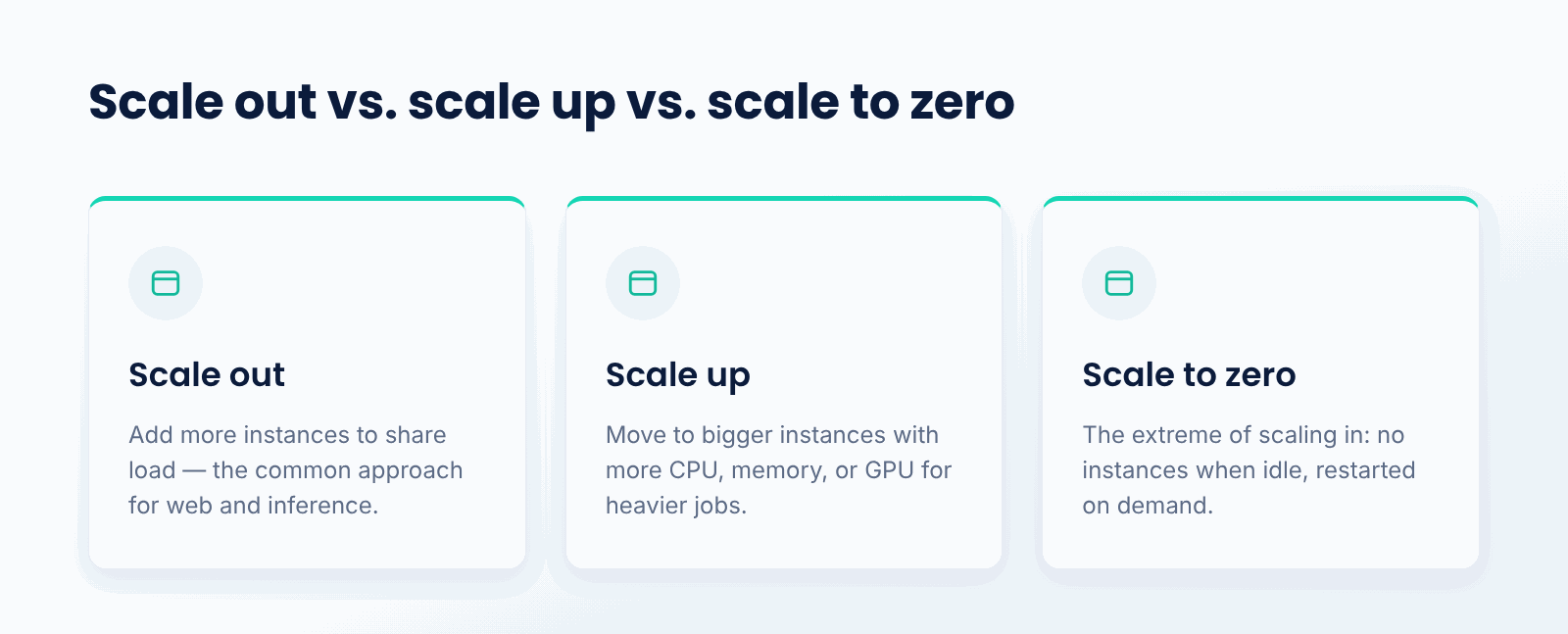
Autoscaling takes a few forms. Scaling out, or horizontal scaling, adds more instances of a service to share the load, the most common approach for web and inference workloads. Scaling up, or vertical scaling, moves to bigger instances with more CPU, memory, or GPU for heavier individual jobs. Scaling to zero is the extreme of scaling in, dropping to no instances when fully idle and starting again on demand.
These are complementary. Most services scale out and in with load, may scale up for larger workloads, and can scale to zero when idle time is significant. Together they let capacity match demand across its whole range.
Why does autoscaling matter?
- Handles spikes. It keeps services responsive when demand surges.
- Controls cost. It removes capacity when idle so you do not overpay.
- Removes manual work. Capacity adjusts without someone watching dashboards.
- Improves reliability. Scaling with load helps avoid overload and outages.
- Optimizes GPUs. For costly accelerators, it balances performance against spend.
What are the challenges?
- Right signals. Choosing metrics that truly reflect load takes care.
- Scaling lag. New instances, especially GPU ones, take time to come online.
- Thrashing. Poorly tuned rules can add and remove capacity too often.
- Cost control. Without limits, scaling out can run up unexpected bills.
When do you need autoscaling?
You need it whenever demand varies and you care about both responsiveness and cost, which is most production services. The more variable the traffic and the more expensive the compute, the more autoscaling pays off.
A service with perfectly steady, predictable load could run a fixed size. But any workload with peaks and troughs, especially on GPUs, benefits from capacity that follows demand rather than sitting fixed.
Best practices for autoscaling
- Scale on metrics that genuinely reflect load for your workload.
- Set sensible min and max bounds to protect responsiveness and budget.
- Use cooldowns to prevent rapid scaling flapping.
- Account for startup time, pre-warming where cold starts hurt.
- Combine scale out, scale up, and scale to zero as the workload needs.
- Monitor scaling behavior and cost so rules can be tuned over time.
Conclusion
Autoscaling automatically matches a service's compute to its demand, adding capacity under load and removing it when demand falls. It keeps applications responsive during spikes while avoiding the cost of permanently provisioning for the peak. Through scaling out, up, and even to zero, it lets capacity follow real demand, which is especially valuable for expensive GPU workloads.
TrueFoundry provides autoscaling for model deployments on your own infrastructure, scaling GPU-backed services with demand and down to zero when idle. As AI workloads vary, autoscaling is how teams keep them both responsive and cost-efficient.

Govern, Deploy and Trace AI in Your Own Infrastructure
Frequently Asked Questions
What is autoscaling in simple terms?
It lets a service automatically add compute when demand rises and remove it when demand falls. You stay responsive during busy periods without paying for extra capacity when things are quiet.
What is the difference between scaling out and scaling up?
Scaling out adds more instances to share the load, the common approach for web and inference. Scaling up moves to bigger instances with more CPU, memory, or GPU for heavier individual jobs. Many systems use both.
How does autoscaling decide when to scale?
It monitors signals like request rate, CPU/GPU usage, or queue length and checks whether they cross the thresholds you set. When demand crosses a threshold it adds or removes capacity, with cooldowns to avoid scaling back and forth too fast.
How is autoscaling related to scale to zero?
Scale to zero is the extreme of scaling in: dropping to no instances when fully idle. Standard autoscaling normally keeps at least one running, while scale to zero pays nothing when idle at the cost of a cold start.
Why does autoscaling matter for GPUs?
Because GPUs are expensive, running a fixed number sized for peak wastes money off-peak, while too few fail under load. Autoscaling GPU services with demand balances performance and cost, which is central to affordable AI.


- © 2022 ENSEMBLE Technologies



Subscribe to our newsletter
The latest news, articles, and resources sent to your inbox


