This guide explains how to use TrueFoundry’s built-in Secrets Detection guardrail to protect sensitive credentials from being exposed in LLM interactions and MCP tool invocations.
Secrets Detection can be applied to all four guardrail hooks: LLM Input, LLM Output, MCP Pre Tool, and MCP Post Tool—providing comprehensive protection across your entire AI workflow.

What is Secrets Detection?

Secrets Detection is a built-in TrueFoundry guardrail that identifies and handles sensitive credentials and secrets in text content. It runs directly within the AI Gateway without requiring external API calls, providing fast and cost-effective secret detection.

Key Features

  1. Comprehensive Secret Recognition: Detects a wide range of sensitive credentials including:
    • AWS access keys and secret keys
    • API keys (OpenAI, Anthropic, Google, etc.)
    • JWT tokens and bearer tokens
    • Private keys (RSA, SSH, PGP)
    • Database connection strings
    • OAuth tokens and refresh tokens
    • Generic high-entropy strings that may be secrets
  2. Flexible Operation Modes:
    • Validate: Detect secrets and block requests/responses that contain them
    • Mutate: Detect secrets and redact them with configurable replacement text, allowing the request to continue
  3. Zero External Dependencies: Runs entirely within the AI Gateway with no external API calls, ensuring low latency and no additional costs.

Adding Secrets Detection Guardrail

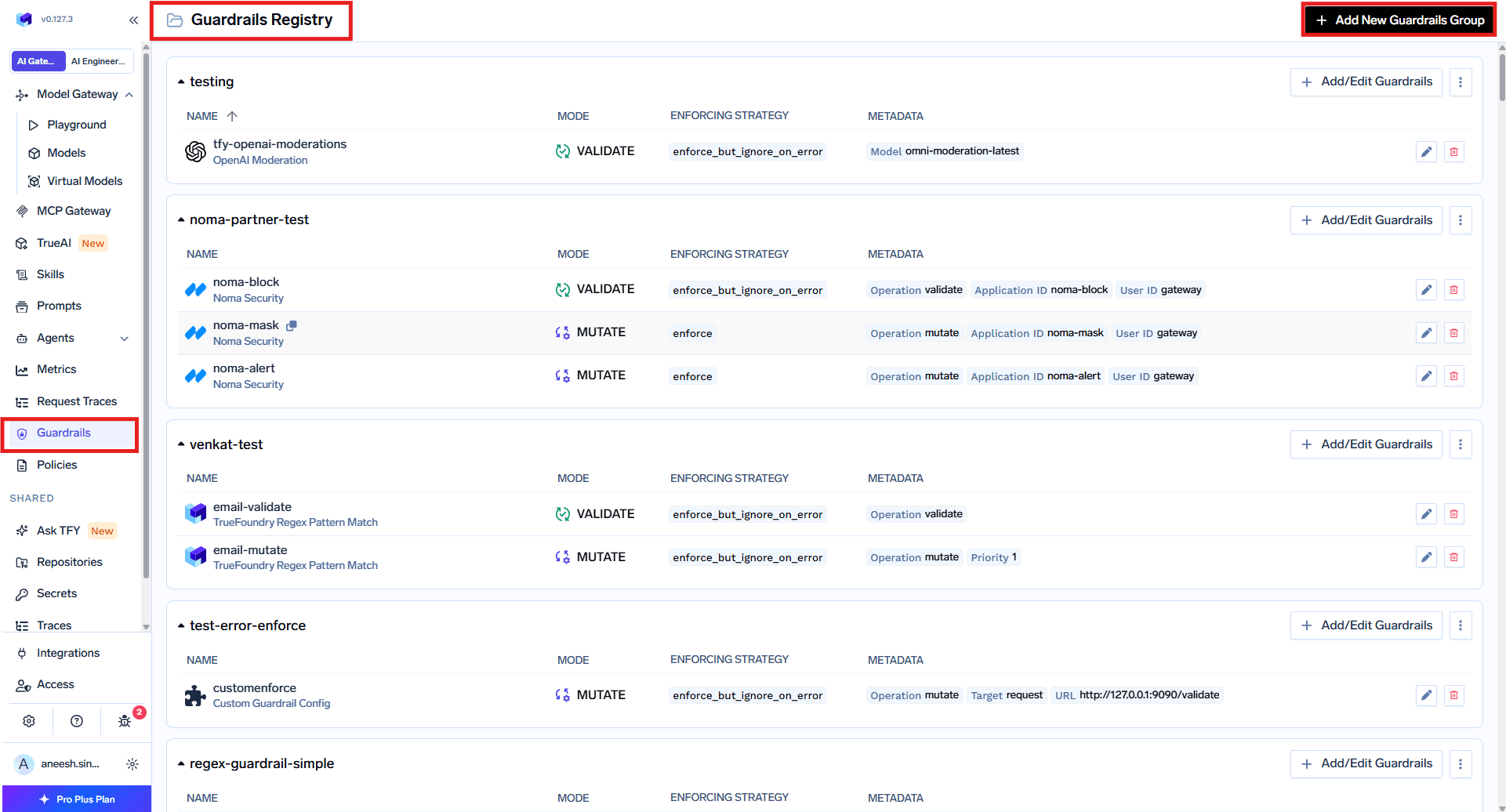
To add Secrets Detection to your TrueFoundry setup, follow these steps:
1

Navigate to Guardrails

Go to the AI Gateway dashboard and navigate to the Guardrails section.
2

Create or Select a Guardrails Group

Create a new guardrails group or select an existing one where you want to add the Secrets Detection guardrail.
3

Add Secrets Detection Integration

Click on Add Guardrail and select Secrets Detection from the TrueFoundry Guardrails section.
TrueFoundry guardrail selection interface showing Secrets Detection option
4

Configure the Guardrail

Fill in the configuration form:
  • Name: Enter a unique name for this guardrail configuration (e.g., secrets-detection)
  • Description: Optional description for this guardrail (default: “Detects likely credentials/secrets (AWS keys, API keys, JWT tokens, private keys)”)
  • Operation: Choose the operation mode:
    • validate: Detect and block requests containing secrets
    • mutate: Detect and redact secrets, allowing the request to continue
  • Redaction Text (for mutate mode): Text to replace detected secrets (default: ***REDACTED***)
5

Save the Configuration

Click Save to add the guardrail to your group.

Configuration Options

ParameterDescriptionDefault
NameUnique identifierRequired
Operationvalidate (block) or mutate (redact)validate
PriorityExecution order for mutate guardrails (lower runs first)1
Enforcing Strategyenforce, enforce_but_ignore_on_error, or auditenforce
Redaction TextReplacement text (mutate mode only)***REDACTED***
See Guardrails Overview for details on Operation Modes and Enforcing Strategy.

How It Works

Validate Mode

When configured in validate mode, the guardrail scans the content for secrets and blocks the request if any are detected. Example:
Input: "Use this API key: sk-abc123xyz456 to authenticate"
Result: Request blocked with error message indicating secret detected

Mutate Mode

When configured in mutate mode, the guardrail scans the content for secrets and replaces them with the configured redaction text. Example:
Input: "Use this API key: sk-abc123xyz456 to authenticate"
Output: "Use this API key: ***REDACTED*** to authenticate"

Detected Secret Types

The Secrets Detection guardrail identifies a comprehensive set of secret patterns across multiple categories. Below is the complete list of detected secret types.

Cloud Provider Credentials

Secret TypePattern DescriptionExample Format
AWS Access Key IDAWS access key identifiersAKIA followed by 16 alphanumeric characters
AWS Secret Access KeyAWS secret keys with contextual keywords40-character base64 string near secret or access keywords
Google API KeyGoogle Cloud API keysAIza followed by 35 characters
Google OAuth TokenGoogle OAuth access tokensya29. followed by 20+ characters
Azure SAS TokenAzure Shared Access Signature tokensURL parameters with sv= and sig=
Azure Storage Account KeyAzure storage account keysAccountKey= followed by 88-character base64 string
Azure Storage Connection StringFull Azure storage connection stringsDefaultEndpointsProtocol=...AccountKey=...
Digital Ocean Personal Access TokenDO API tokensdop_v1_ followed by 64 hex characters
Databricks Personal Access TokenDatabricks API tokensdapi followed by 32 alphanumeric characters
Cloudant Authenticated URLIBM Cloudant database URLs with credentialsCloudant URLs containing embedded credentials
Firebase Cloud Messaging Server KeyFCM server keysAAAA prefix with 140+ character token
SoftLayer API TokenIBM SoftLayer API tokens64-character tokens in SoftLayer API URLs

AI/ML Provider API Keys

Secret TypePattern DescriptionExample Format
OpenAI API KeyOpenAI API secret keyssk- prefix with T3BlbkFJ marker, or sk- with 20+ characters
Anthropic API KeyAnthropic Claude API keyssk-ant-api followed by version and 90+ characters
Airtable Secret TokenAirtable personal access tokenspat followed by 14 characters, dot, and 64 hex characters

Code Repository & Package Manager Tokens

Secret TypePattern DescriptionExample Format
GitHub Fine-Grained PATGitHub fine-grained personal access tokensgithub_pat_ followed by 20-255 characters
GitHub Personal TokenGitHub classic personal access tokensghp_, gho_, ghu_, ghs_, or ghr_ followed by 36 characters
GitLab TokenVarious GitLab token typesglpat-, gldt-, glft-, glsoat-, glrt-, GR1348941, etc.
NPM TokenNPM authentication tokensnpm_ followed by 30+ characters
NPM .npmrc Auth TokenTokens in .npmrc configuration_authToken= with npm token or UUID format
PyPI TokenPython Package Index tokenspypi- followed by base64 identifier and 70+ characters
Artifactory CredentialJFrog Artifactory API keysAKC followed by 10+ alphanumeric characters
Artifactory Encrypted PasswordEncrypted Artifactory passwordsAP followed by hex digit and 8+ characters

Communication & Collaboration Platforms

Secret TypePattern DescriptionExample Format
Slack TokenSlack API tokens (various types)xoxb-, xoxa-, xoxp-, xoxr-, xoxs- formats
Slack Bot TokenSlack bot authentication tokensxox[abpors]- followed by numeric segments
Slack Webhook URLSlack incoming webhook URLshttps://hooks.slack.com/services/T.../B.../...
Discord Bot TokenDiscord bot authentication tokensThree-part token with M, N, or O prefix
Discord Webhook URLDiscord webhook URLshttps://discord.com/api/webhooks/...
Telegram Bot TokenTelegram bot API tokens8-10 digit bot ID followed by 35-character token

Payment & E-Commerce

Secret TypePattern DescriptionExample Format
Stripe Publishable KeyStripe public API keyspk_live_ followed by 20+ characters
Stripe Secret KeyStripe secret/restricted API keyssk_live_ or rk_live_ followed by 24+ characters
Square Access TokenSquare API access tokensEAAA followed by 60 characters
Square OAuth SecretSquare OAuth client secretssq0csp- followed by 43 characters
Shopify TokenShopify API tokensshpat_, shppa_, or shpss_ followed by 32 hex characters

Database Connection Strings

Secret TypePattern DescriptionExample Format
MongoDB Connection StringMongoDB connection URLs with credentialsmongodb://user:password@host
MySQL Connection StringMySQL connection URLs with credentialsmysql://user:password@host
PostgreSQL Connection StringPostgreSQL connection URLs with credentialspostgresql://user:password@host

Private Keys & Certificates

Secret TypePattern DescriptionExample Format
Private Key (Generic)RSA, EC, DSA, or encrypted private keys-----BEGIN PRIVATE KEY----- blocks
RSA/DSA/EC Private KeySpecific algorithm private keys-----BEGIN RSA PRIVATE KEY----- blocks
OpenSSH Private KeyOpenSSH format private keys-----BEGIN OPENSSH PRIVATE KEY----- blocks
PGP Private KeyPGP/GPG private key blocks-----BEGIN PGP PRIVATE KEY BLOCK-----
SSH2 Encrypted Private KeySSH2 encrypted private keys-----BEGIN SSH2 ENCRYPTED PRIVATE KEY-----
PuTTY Private KeyPuTTY PPK format private keysPuTTY-User-Key-File- header
CertificateX.509 certificates-----BEGIN CERTIFICATE----- blocks

Authentication Tokens & Credentials

Secret TypePattern DescriptionExample Format
JWT TokenJSON Web TokenseyJ... three-part base64 structure
Basic Auth CredentialsCredentials embedded in URLs://username:password@ in URLs
PasswordPassword assignments in code/configpassword=, pass=, pwd= with quoted values
Generic SecretGeneric secret/token/key assignmentssecret=, token=, key= with 20+ character values

Other Services

Secret TypePattern DescriptionExample Format
Twilio Account SIDTwilio account identifiersAC followed by 32 hex characters
Twilio API Key SIDTwilio API key identifiersSK followed by 32 hex characters
Twilio Auth TokenTwilio authentication tokens32-character hex tokens with auth_token context
SendGrid API KeySendGrid email API keysSG. followed by 22 and 43 character segments
Mailchimp API KeyMailchimp API keys32 hex characters followed by -us and datacenter number
Mapbox Access TokenMapbox API tokenspk. or sk. followed by 30+ characters
Notion Integration TokenNotion API integration tokenssecret_ followed by 32+ characters
Linear API KeyLinear project management API keyslin_api_ followed by 40+ characters
Dropbox Access TokenDropbox API tokenssl. followed by 120+ characters
Facebook Access TokenFacebook/Meta API tokensEAA followed by 30+ characters

Contextual Pattern Detection

In addition to specific patterns, Secrets Detection also identifies secrets based on contextual clues:
Pattern TypeDescription
Hex Secret (32+ chars)Hexadecimal strings near keywords like secret, api_key, token, password, credential, auth_token, private_key, signing_key, encryption_key
Base64 Secret (24+ chars)Base64-encoded strings near the same contextual keywords
Contextual patterns help detect secrets that don’t follow a specific format but appear in contexts that suggest they are sensitive credentials.

Use Cases

Secrets Detection can be applied to any of the four guardrail hooks depending on your use case:
HookUse Case
LLM InputPrevent users from accidentally sending credentials to LLMs
LLM OutputEnsure LLM responses don’t leak sensitive information
MCP Pre ToolDetect secrets in tool parameters before invocation
MCP Post ToolDetect and redact secrets in tool outputs (file contents, API responses, etc.)

LLM Input Hook

Prevent users from accidentally sending sensitive credentials to LLMs:
curl -X POST "https://{controlPlaneURL}/api/llm/chat/completions" \
  -H "Authorization: Bearer YOUR_API_KEY" \
  -H "Content-Type: application/json" \
  -H 'X-TFY-METADATA: {}' \
  -H 'X-TFY-GUARDRAILS: {"llm_input_guardrails":["my-guardrail-group/secrets-detection"],"llm_output_guardrails":[]}' \
  -H 'X-TFY-LOGGING-CONFIG: {"enabled": true}' \
  -d '{
    "model": "openai-main/gpt-4o-mini",
    "messages": [
      {"role": "system", "content": "You are an AI assistant."},
      {"role": "user", "content": "Help me debug this code that uses API key sk-abc123xyz"}
    ],
    "max_tokens": 2500,
    "stream": true
  }'

LLM Output Hook

Ensure LLM responses don’t leak sensitive information:
curl -X POST "https://{controlPlaneURL}/api/llm/chat/completions" \
  -H "Authorization: Bearer YOUR_API_KEY" \
  -H "Content-Type: application/json" \
  -H 'X-TFY-METADATA: {}' \
  -H 'X-TFY-GUARDRAILS: {"llm_input_guardrails":[],"llm_output_guardrails":["my-guardrail-group/secrets-detection"]}' \
  -H 'X-TFY-LOGGING-CONFIG: {"enabled": true}' \
  -d '{
    "model": "openai-main/gpt-4o-mini",
    "messages": [
      {"role": "system", "content": "You are an AI assistant."},
      {"role": "user", "content": "Generate an example AWS configuration file"}
    ],
    "max_tokens": 2500,
    "stream": true
  }'

MCP Tool Hooks

name: guardrails-control
type: gateway-guardrails-config
rules:
  - id: mcp-secrets-protection
    when:
      target:
        operator: or
        conditions:
          mcpServers:
            values:
              - file-reader
            condition: in
      subjects:
        operator: and
        conditions:
          in:
            - team:engineering
          not_in:
            - user:security-admin@example.com
    llm_input_guardrails: []
    llm_output_guardrails: []
    mcp_tool_pre_invoke_guardrails: []
    mcp_tool_post_invoke_guardrails:
      - my-guardrail-group/secrets-detection
For maximum protection, apply Secrets Detection to all four hooks to catch secrets from user input, LLM output, and MCP tool results.

Best Practices

Use mutate mode to redact secrets while preserving request flow—useful for logging scenarios.
High-entropy strings (UUIDs, encoded data) may trigger false positives. Test with your specific data.