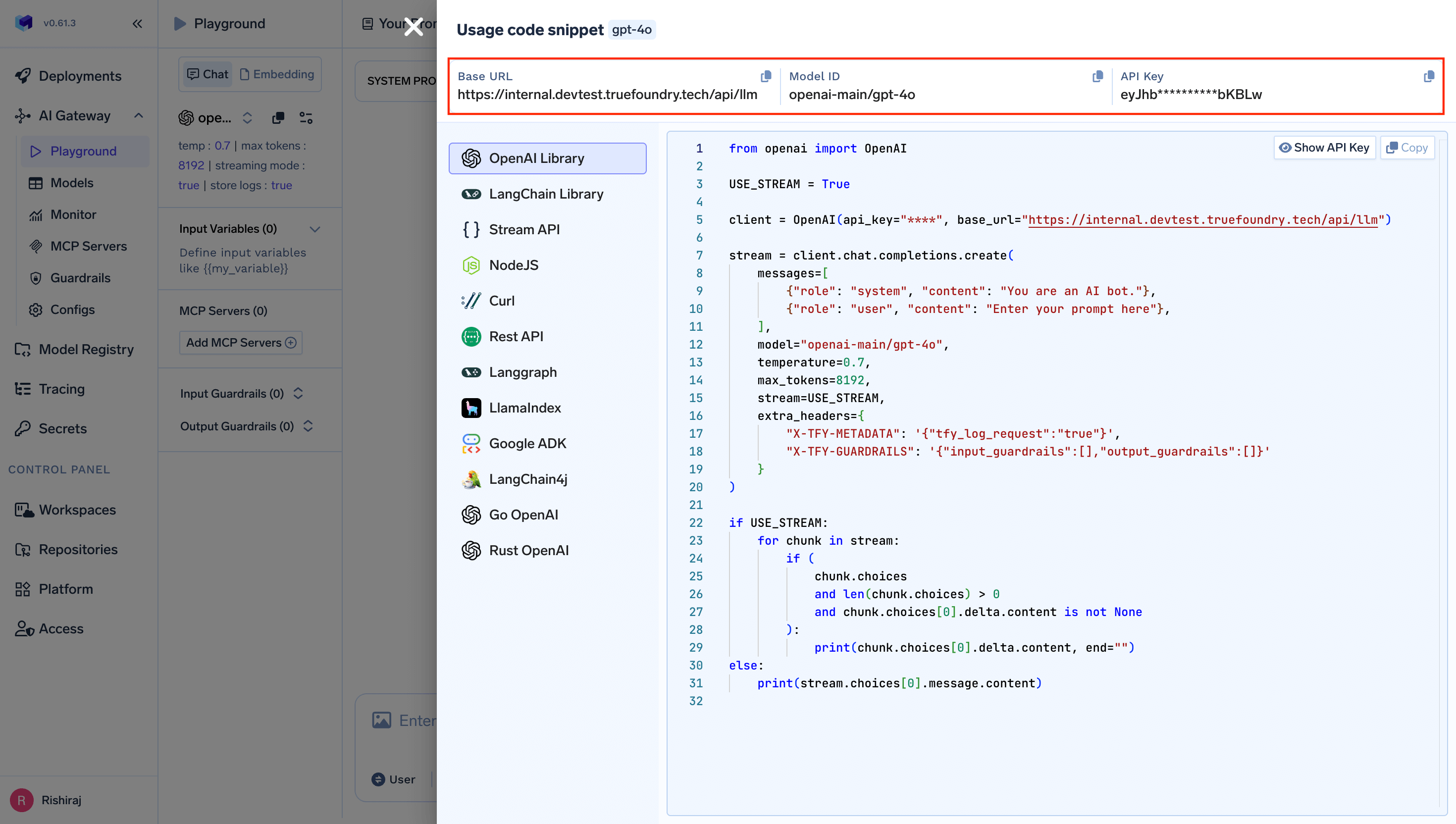
You can integrate the Gateway anywhere using the code snippet from the AI Gateway Playground. You need three things:
- Gateway Base URL
- API Key
- Model
Finding your Gateway Base URL
Your Gateway Base URL (GATEWAY_BASE_URL) is the URL of the AI Gateway service. You can find it from the code snippet section in the AI Gateway Playground:
For TrueFoundry SaaS users, the Gateway Base URL is https://gateway.truefoundry.ai.
For self-hosted deployments, the Gateway Base URL depends on your installation. It can be found in the Code Snippet section as shown above in screenshot.
Do not append /api/llm to the Gateway Base URL. The correct base URL does not include any path suffix. For example, use https://gateway.truefoundry.ai — not https://gateway.truefoundry.ai/api/llm.
Getting your API Key
You need an API key to authenticate with the Gateway. You can use either:
Go to the Access section in the TrueFoundry platform to create one.
Model
The model is the model ID you use in your requests (for example openai/gpt-4o). You can copy it from the code snippet in the Playground or from the model catalogue.
Using in code
Once you have all three (base URL, API key, and model), you can use them in any SDK:
from openai import OpenAI

client = OpenAI(
    api_key="your_truefoundry_api_key",
    base_url="{GATEWAY_BASE_URL}"
)
export OPENAI_BASE_URL="{GATEWAY_BASE_URL}"
export OPENAI_API_KEY="your_truefoundry_api_key"