

Overview
TrueFoundry AI Gateway enables you to expose integrated MCP Servers to developers in a secure manner.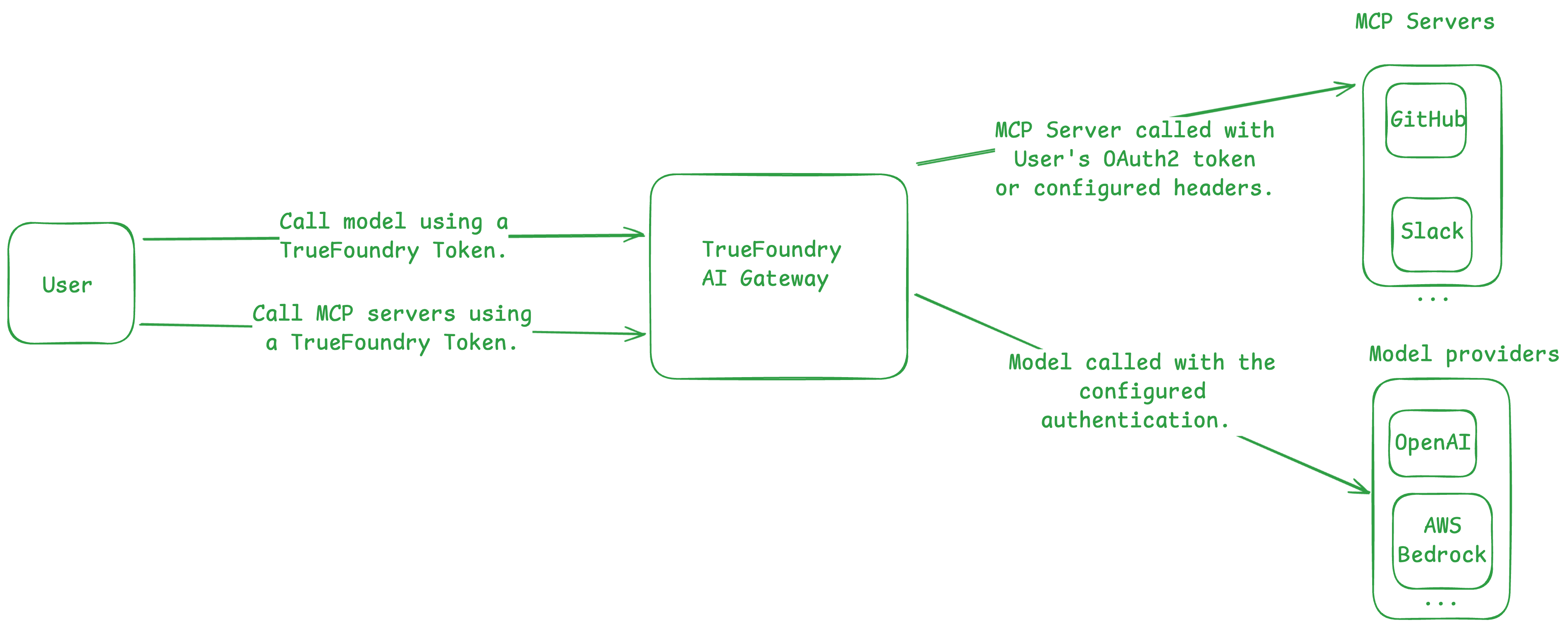
- Manage who can use the registered MCP Servers.
- Avoid exposing MCP Server credentials directly to the developers.
- Monitor usage metrics (latency, execution per second) of the tools across all registered MCP Servers. (Coming soon.)
- Rate-limit tool calls. (Coming soon.)
- This is useful for expensive tools like search, code-execution, etc.
Quickstart
1
Copy the code snippet
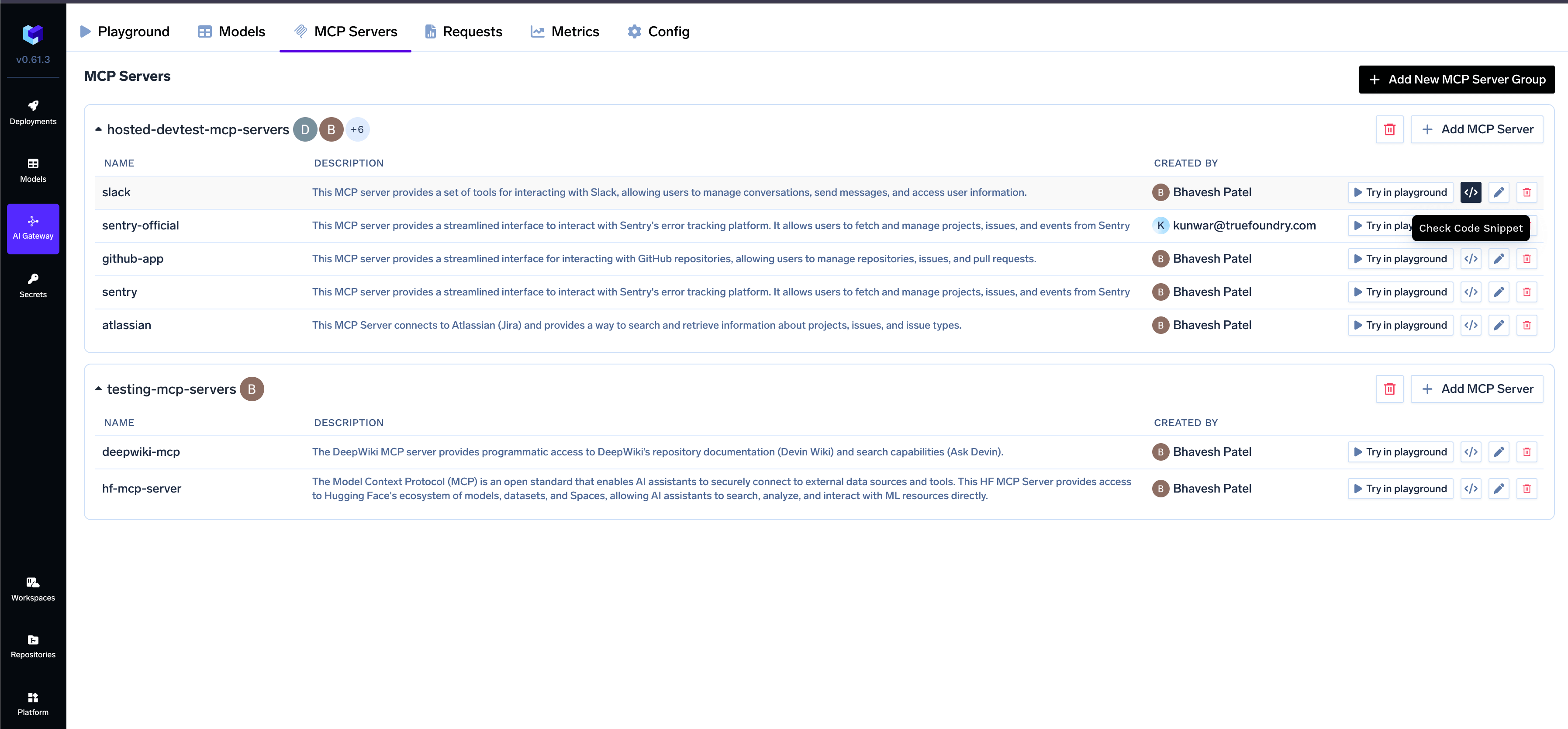
Get your code snippet from the AI Gateway UI
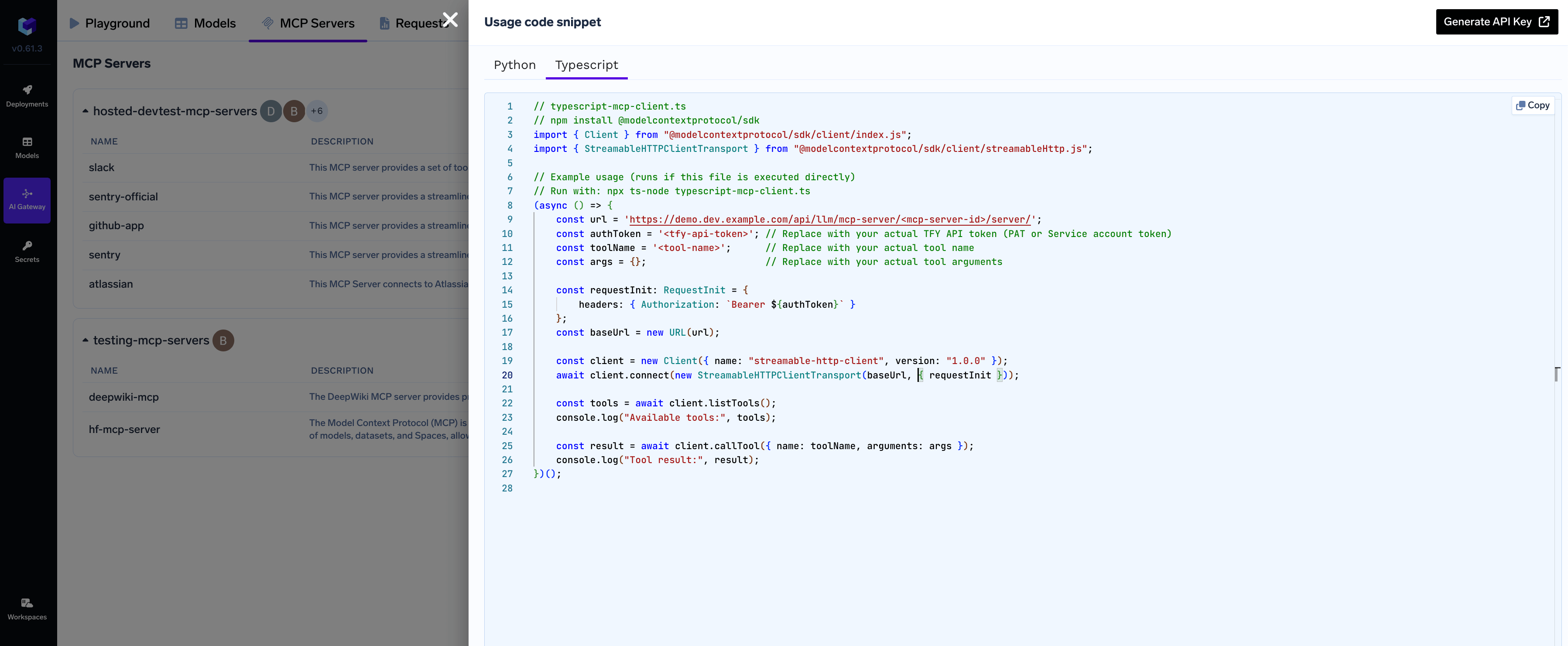
Copy the code snippet from the UI for quick integration
2
Copy PAT or VAT
See API Keys for more details on creating PATs and VATs.
3
Call the MCP Server from your code
At this point, we can use the code snippet we copied at Step 1.Below is an example showing how to connect, list tools, and call tools on an MCP Server. Update the placeholders with your actual credentials and tool names.
- TypeScript
- Python
Install the library:Code:
Configuration
Required Parameters
Replace the placeholders in the example:
{GATEWAY_BASE_URL}with your TrueFoundry AI Gateway base URL<integrationId>with your MCP server ID<tfy-api-token>with your TrueFoundry API token<tool-name>with the name of the tool you want to use
Supported Transports
- Only MCP servers that use streamable-http transport (stateful/stateless) are supported for connection via Gateway proxy
- Older SSE-based MCP servers will work on
/agent/responsesendpoint but are not compatible with the proxy connection method described here