

Creating Databricks Serving Endpoints
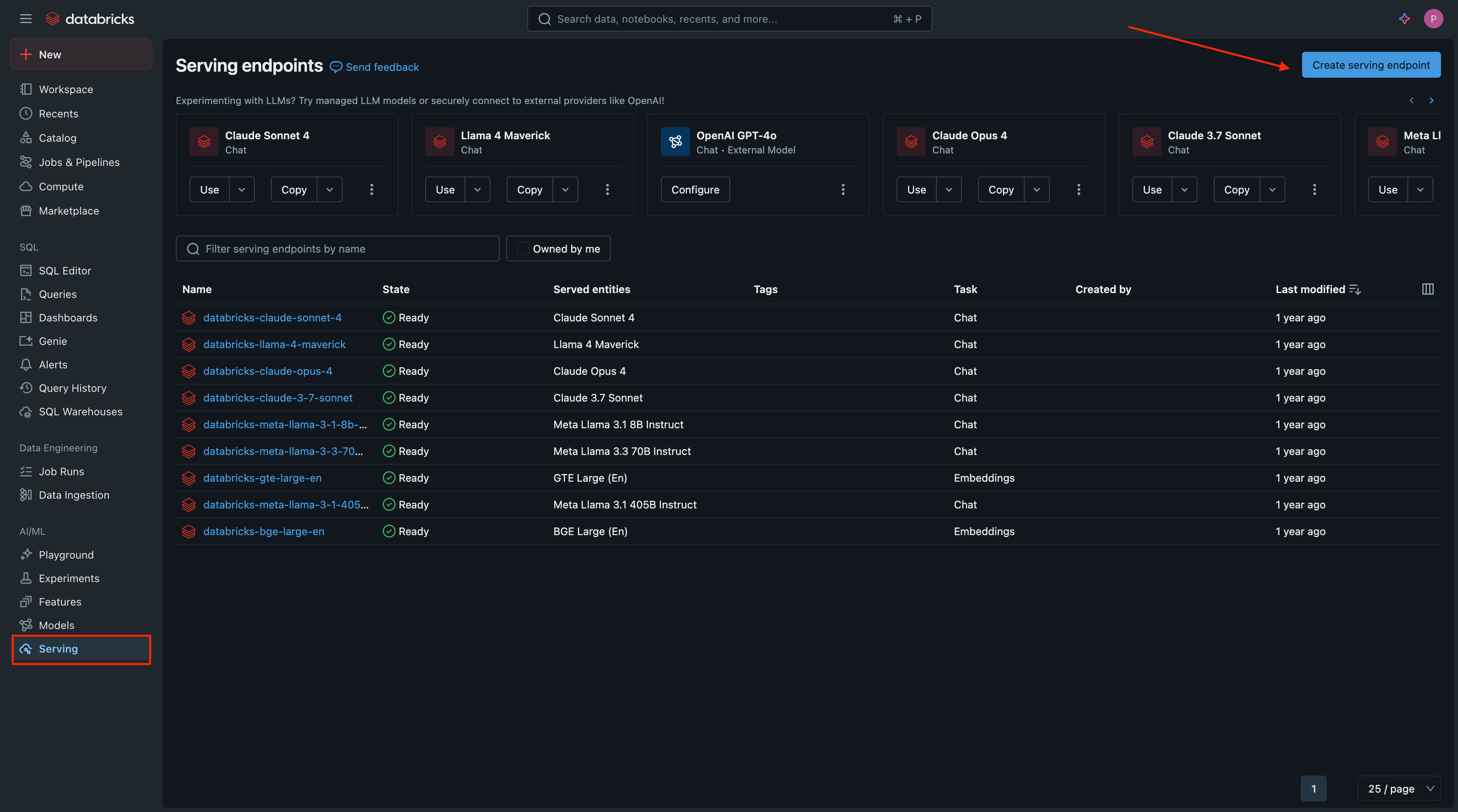
1: Access Databricks Serving
- Open your workspace URL:
https://<workspace_id>.databricks.com - In the left sidebar, click Serving → Create serving endpoint
2: Configure Your Endpoint
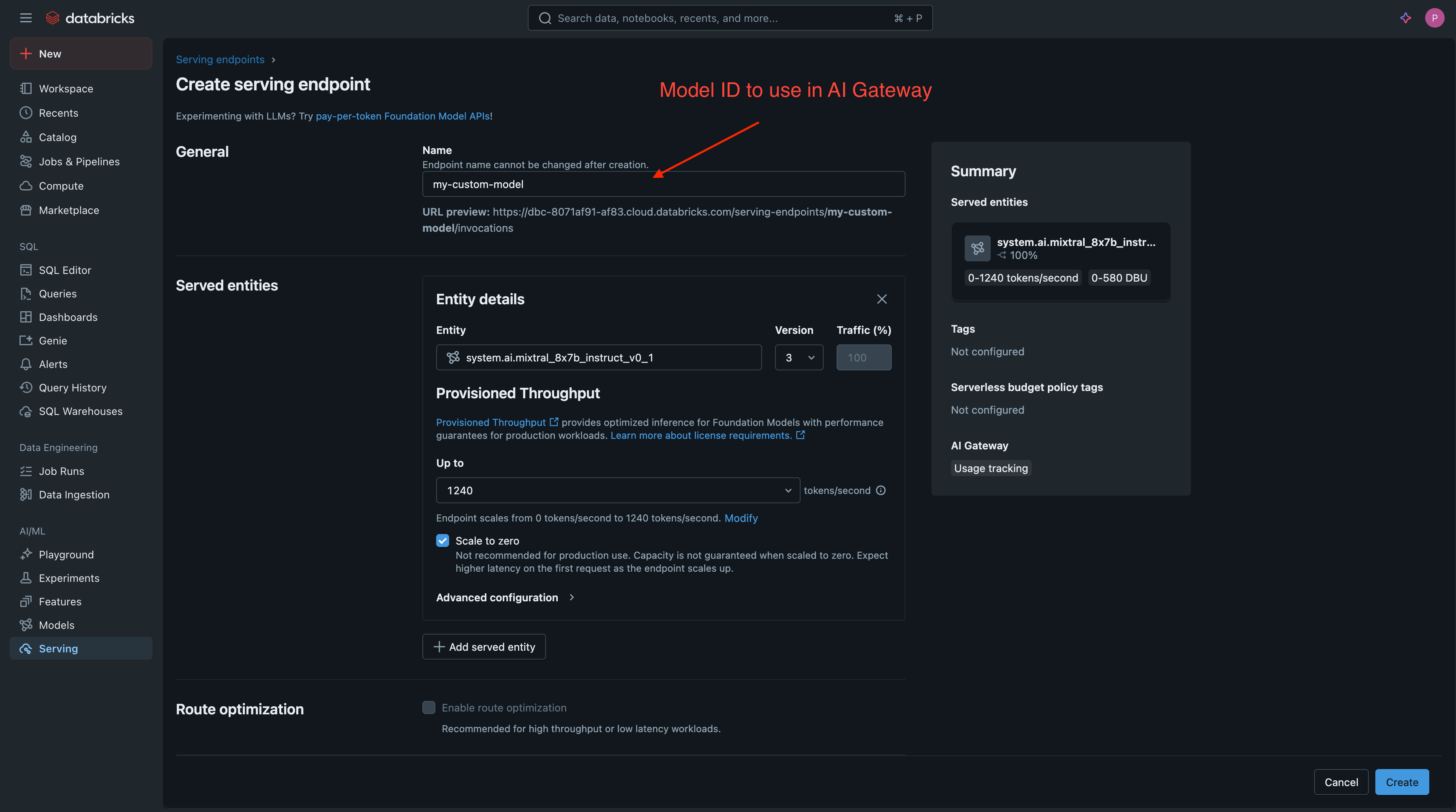
- Endpoint name: Choose a descriptive name (this becomes your Model ID in TrueFoundry AI Gateway)
The endpoint name you choose here will serve as the Model ID when adding the model to TrueFoundry.
- Served EntityChoose from Foundation Models or select from Your models (custom models)
3: Deploy and Verify
- Click Create and wait for deployment (5-15 minutes)
- Monitor status until it shows Ready