

What is AWS Bedrock AgentCore MCP?
The AWS Bedrock AgentCore MCP server provides AI tools with direct access to Amazon Bedrock AgentCore documentation. It enables LLMs and coding assistants to search, retrieve, and understand AgentCore concepts — covering runtime deployment, gateway connectivity, memory management, and agent lifecycle workflows.The AWS Bedrock AgentCore MCP server is a documentation-only tool. It does not provision AWS resources, deploy agents, or make API calls to AWS services on your behalf. Its sole purpose is to give AI assistants access to the AgentCore documentation so they can help you write code, understand concepts, and troubleshoot issues related to Amazon Bedrock AgentCore services such as Runtime, Memory, Code Interpreter, Browser, Gateway, Observability, and Identity.
Available Tools
The MCP server exposes the following tools:Prerequisites
Before you begin, ensure you have:- TrueFoundry Account: A TrueFoundry account with a configured workspace
- MCP Gateway Access: Follow the MCP Gateway Getting Started guide to set up your MCP Server Group
Step 1: Create the MCP Server
The server wraps the official AWS Bedrock AgentCore MCP package and exposes it over HTTP using FastMCP.Step 2: Run Locally
http://localhost:3000/mcp.
Step 3: Deploy on TrueFoundry
Deploy this MCP server as a service on TrueFoundry:- Create a new Service in your TrueFoundry workspace.
- Point to the GitHub repository or use the Dockerfile above.
- Optionally set environment variables for AWS access:
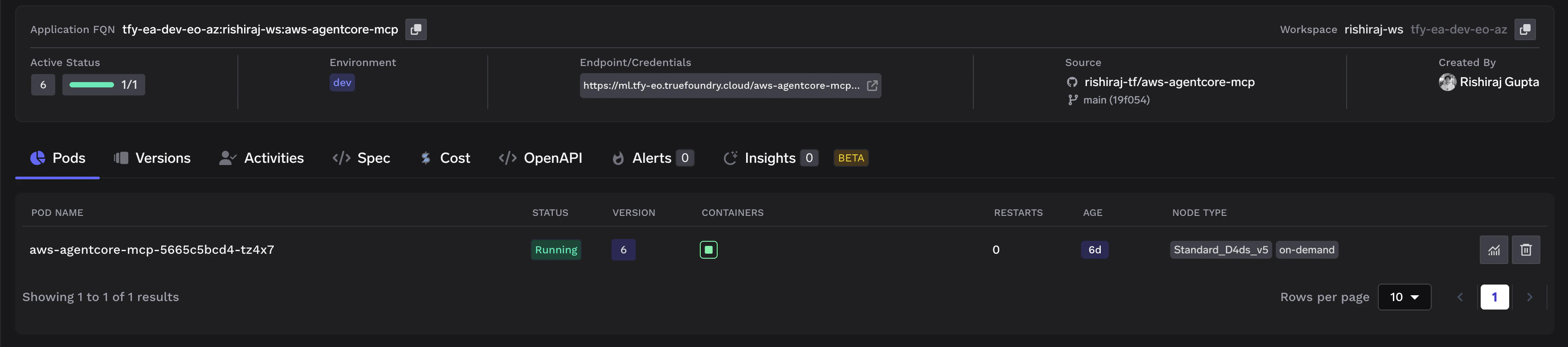
- Deploy the service. Once running, your deployment will look like this:
Step 4: Register in TrueFoundry MCP Gateway
Once the service is deployed, register it with the TrueFoundry MCP Gateway:- Navigate to MCP Server Groups in the TrueFoundry dashboard.
- Select your MCP Server Group (or create one following the Getting Started guide).
- Click Add MCP Server and fill in the following details:
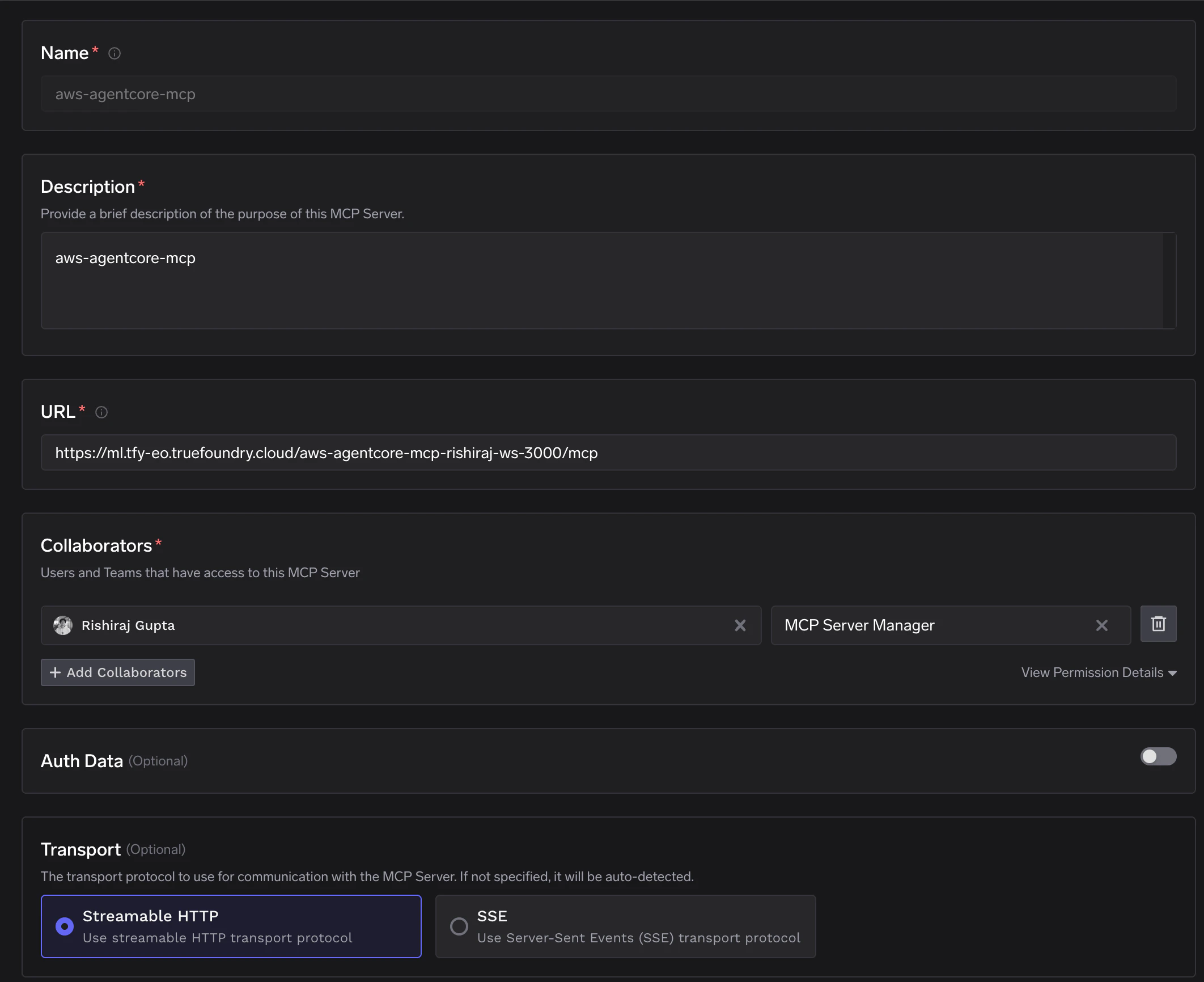
- Save the configuration. The MCP Gateway will connect to your server and discover the available tools.
Step 5: Verify the Integration
After registration, navigate to your MCP server in the dashboard. You should see all 5 tools discovered and available: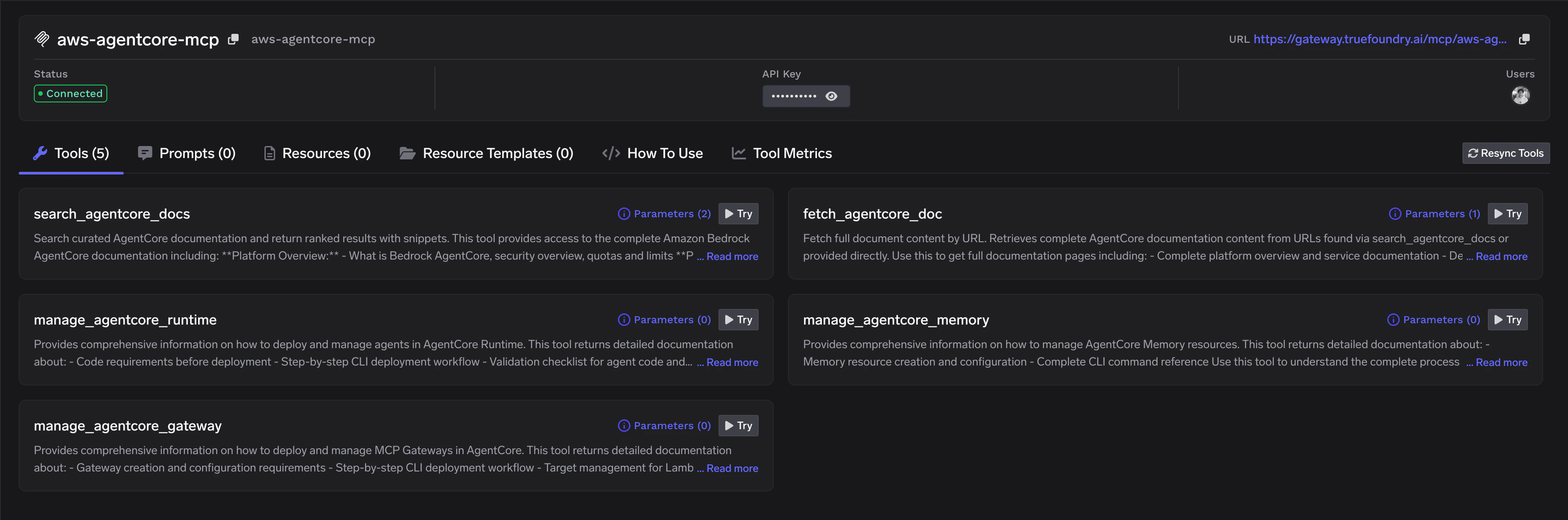
Next Steps
- Use in an agent: Connect this MCP server to an AI agent using the Implementation Recipes
- Add authentication: Secure your MCP server with authentication and access control
- Create a Virtual MCP Server: Combine this with other MCP servers into a Virtual MCP Server for unified tool access