



September 26, 2026
|
5 min read


Published: June 30, 2026
Blazingly fast way to build, track and deploy your models!
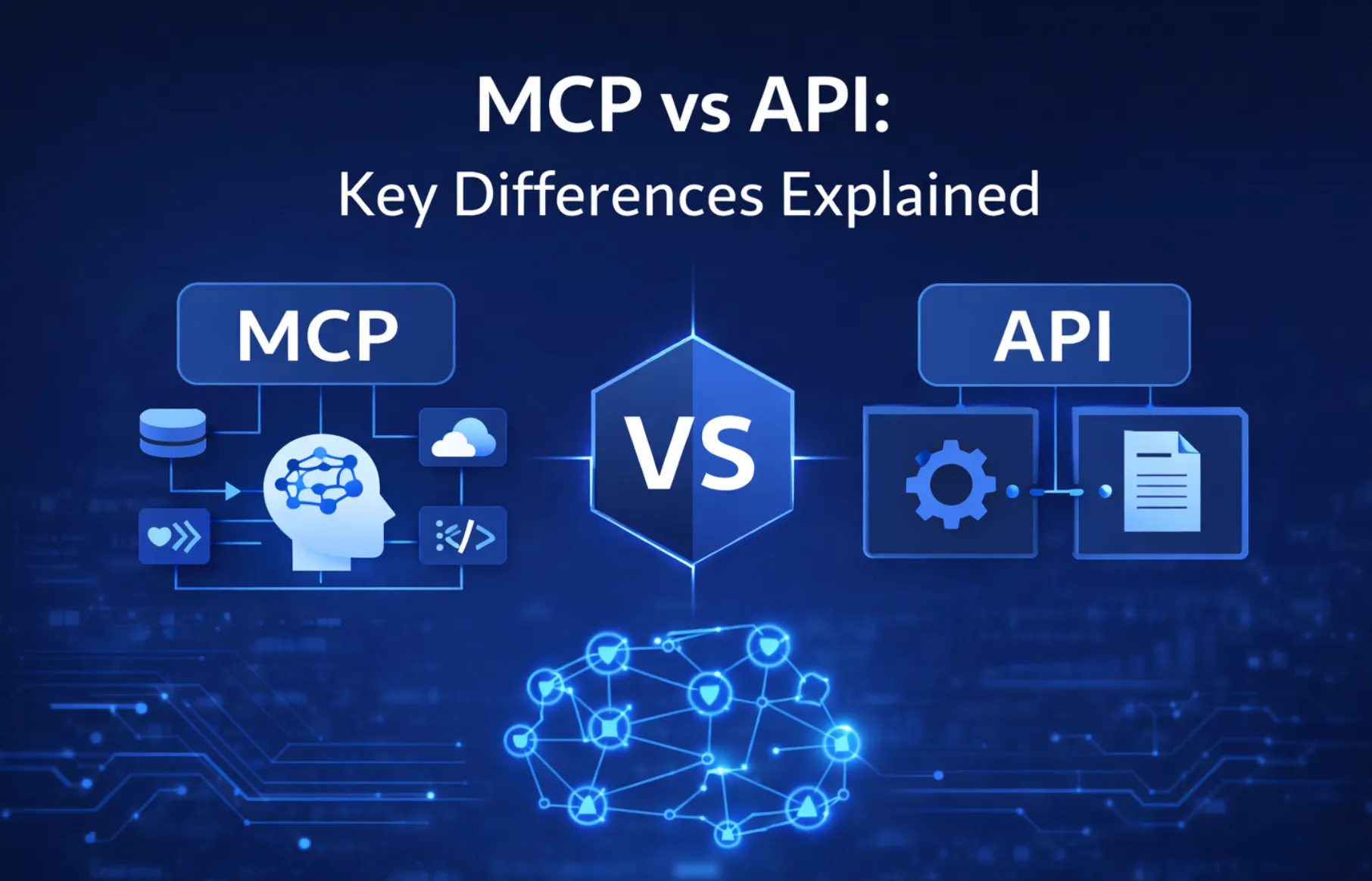
AI systems are evolving fast, but getting them to work seamlessly with real-world tools and data is still a major hurdle. Model Context Protocol (MCP) is a new standard that promises to make AI integration smoother and more secure by giving models structured access to external data and services.
Sounds familiar?
That’s because APIs have been doing something similar for decades, acting as the backbone of how software systems talk to each other. At first glance, MCP and APIs might seem like two versions of the same idea. But in reality, they operate at different layers and solve different problems.
In this MCP vs API article, we’ll break down what MCP actually is, how it compares to APIs, where each shines, and what it all means for developers, enterprises, and the future of AI integration.
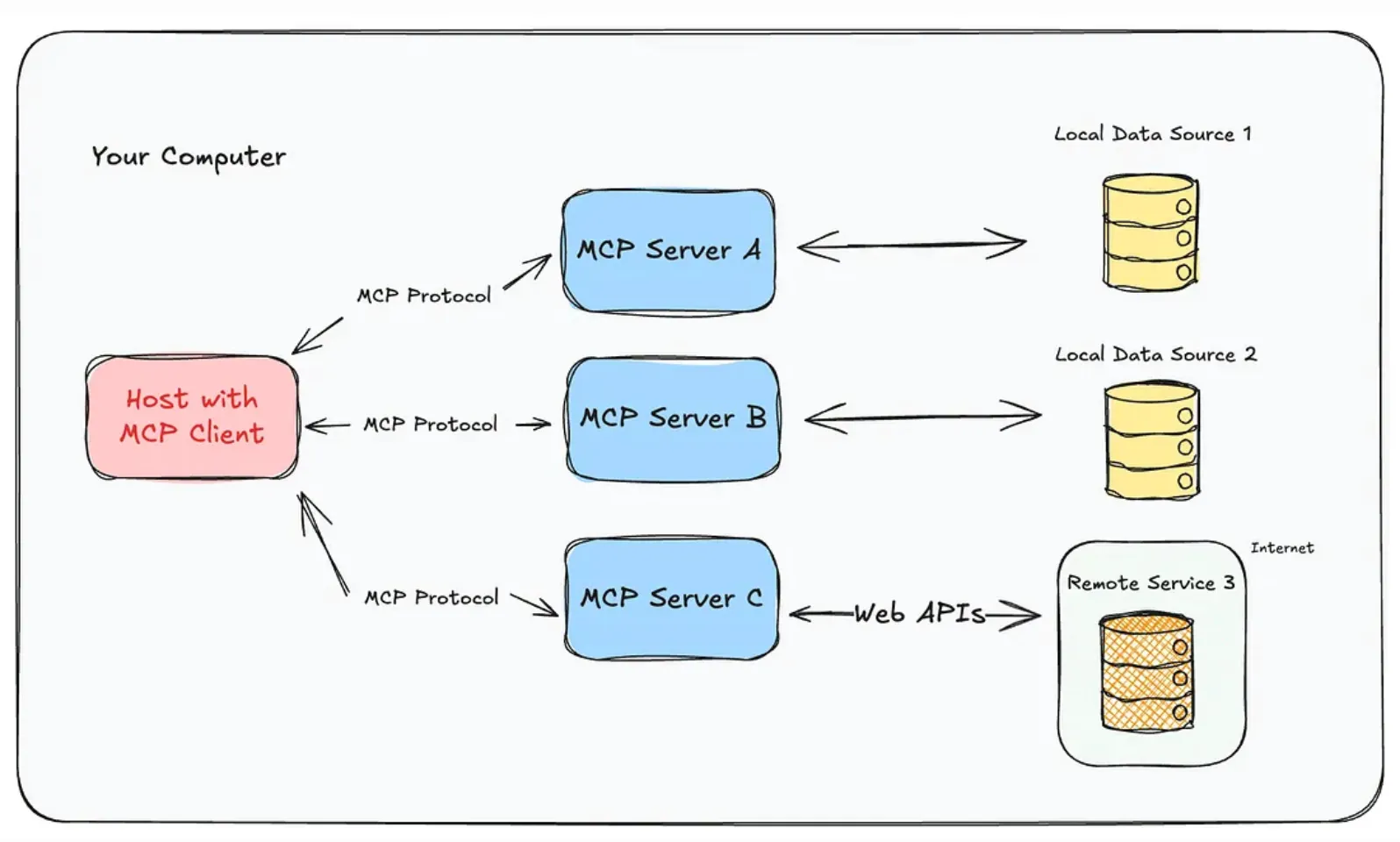
The Model Context Protocol (MCP) is an open standard that defines how AI models can securely connect to external tools, data sources, and services in a structured way.
Instead of building custom integrations for every system, MCP provides a consistent protocol for passing context between a model and its environment. This allows AI systems to dynamically access and use the tools they need without tight, hardcoded connections.
For developers deciding between MCP or API, MCP is often better suited for AI-driven tool usage and dynamic workflows.
.webp)
An Application Programming Interface (API) is a set of rules that allows different software applications to communicate with each other.
Instead of accessing a system’s code or database directly, developers use APIs to request specific data or actions in a structured and predictable way.
APIs are a core part of modern software development, powering everything from mobile apps and web services to large-scale enterprise integrations.
Here is the difference between MCP and API:
Understanding MCP vs API helps clarify when to choose what depending on whether you are building traditional software or AI agents.
Before comparing MCP vs API in detail, it’s important to understand that both solve connectivity problems- but at different layers.
APIs don’t follow one single standard. Some use REST, others use GraphQL or gRPC, and each service can behave differently. This often means developers need to learn new patterns for every integration.
MCP introduces a unified protocol built around a consistent structure for how AI models interact with external systems. Instead of adapting to each tool’s unique design, the model follows one standard way of communicating across all supported tools.
In traditional API setups, developers must explicitly define which endpoints to call and how to use them. The system only knows what it has been programmed to know in advance.
MCP is more flexible. It allows AI models to discover available tools at runtime, understand what each tool does, and decide when to use them. This makes it easier to build AI systems that can adapt to new capabilities without major code changes.
Most APIs are stateless, meaning each request is treated independently. If an application needs memory or context, developers must build and manage it themselves.
MCP is designed with multi-step AI workflows in mind. It supports maintaining context across interactions, allowing models to carry forward information from previous steps. This is especially useful for AI agents that need to reason, plan, and execute tasks over time.
APIs typically use a variety of authentication methods like API keys, OAuth, or JWT, depending on the service. Each integration may require a different setup.
MCP aims to simplify this by introducing more standardized patterns for authentication and access control across tools. The goal is to make secure connections more consistent, especially when multiple services are involved in a single AI workflow.
MCP and APIs are not competing technologies; they actually solve different parts of the same problem. APIs handle the actual communication between software systems, while MCP provides a structured way for AI models to discover, understand, and use those APIs effectively.
In simple terms, APIs do the “work,” and MCP helps AI systems figure out what work is available and how to use it.
So instead of thinking MCP or API, modern systems use both together.
Using MCP and APIs together helps overcome the limitations of using either one alone. APIs are powerful but rigid, while MCP adds flexibility for AI-driven workflows.
Together, MCP acts as the “intelligence layer” that sits on top of APIs, making them easier for AI systems to use, chain, and automate.
Choosing between MCP vs APIs depends on the workflow, application needs, and the level of AI integration required:
.webp)
TrueFoundry’s MCP Gateway solution acts as a central control layer between AI agents and backend tools. Instead of each agent connecting directly to multiple services, all requests go through the MCP Gateway, which manages routing, authentication, and secure communication with different MCP servers. This makes AI systems easier to scale and control in real-world production setups.
The gateway also provides a unified registry where tools like Slack, Jira, GitHub, databases, or internal services can be registered and managed in one place. It can even convert OpenAPI specifications into MCP servers, making it easier to onboard existing APIs into an MCP-based ecosystem without rebuilding them from scratch.
In addition to connectivity, the MCP Gateway handles identity and token management, ensuring agents can securely act on behalf of users without exposing credentials. It enforces governance through role-based access control, real-time safety checks, and optional human approval for sensitive actions like data updates or deletions.
Furthermore, TrueFoundry improves visibility by offering full observability, including request tracing, audit logs, error tracking, and cost monitoring. Developers also get a built-in playground to test prompts and debug agent workflows, making the MCP Gateway a complete foundation for running safe and scalable AI agent systems.
MCP and APIs serve distinct but complementary roles in modern software and AI ecosystems. MCP excels in AI-driven, context-aware workflows, enabling LLMs to dynamically access multiple tools and datasets while maintaining secure, structured interactions.
APIs provide robust, standardized communication across applications, microservices, and external platforms, ensuring predictable performance and scalability. Understanding the differences in architecture, use cases, security, developer experience, and performance allows organizations to choose the right integration strategy.
By combining MCP’s AI-focused capabilities with APIs’ general-purpose connectivity, teams can build intelligent, efficient, and secure systems that meet both AI and traditional software needs.
With TrueFoundry, you can bring both APIs and MCP servers together under a single control plane, making it easier to govern access, secure integrations, and operationalize AI agents in production.
Want to see how it works? Book a demo to explore how TrueFoundry unifies MCP and API management in one platform.
TrueFoundry AI Gateway delivers ~3–4 ms latency, handles 350+ RPS on 1 vCPU, scales horizontally with ease, and is production-ready, while LiteLLM suffers from high latency, struggles beyond moderate RPS, lacks built-in scaling, and is best for light or prototype workloads.




Use APIs when you want direct, predictable communication between systems, for example, fetching data from a database or calling a payment service. Use MCP when building AI-powered applications where an agent needs to explore the available tools, choose the right one, and combine multiple actions. APIs are for fixed integrations, MCP is for flexible AI workflows.
No. MCP won’t replace APIs. APIs are still the foundation of how software systems talk to each other. MCP sits above them, helping AI models use those APIs more easily. In most real systems, APIs will continue to power services, while MCP makes those services accessible to AI agents in a structured way.
MCP is better when tasks are not single-step and require decision-making across multiple tools. For example, planning a trip might involve flights, hotels, and maps. Instead of manually coding each API call, MCP lets an AI agent figure out what to use and in what order, making it ideal for automation and orchestration.
No. APIs are designed for applications to communicate using fixed endpoints. MCP is designed for AI systems to work with tools in a context-aware way. APIs move data between systems, while MCP helps AI understand, select, and coordinate those systems. MCP often uses APIs underneath, but adds structure and intelligence on top.
Not directly. APIs are usually faster for simple requests because they are lightweight and direct. MCP adds extra steps for context handling and tool selection, which can add overhead. However, in complex tasks, MCP can feel faster overall because it reduces manual coordination and lets AI complete multi-step workflows more efficiently.
To convert an API into an MCP server, you wrap existing endpoints inside an MCP-compatible layer. You define clear input/output schemas, expose them through MCP’s protocol (like JSON-RPC), and add tool metadata so AI models can understand what each function does. You also handle authentication, sessions, and error formatting in a standardized way.
MCP adds an extra layer between the model and the service, which increases setup complexity. It is not ideal for simple, high-performance use cases where a direct API call is enough. It also depends on MCP-compatible tooling. For basic integrations, APIs are still simpler, faster, and more widely supported.
With APIs, discovery is manual, developers read documentation and hardcode endpoints into applications. With MCP, tools are exposed in a structured, machine-readable way. This allows AI agents to automatically see what tools are available, understand their purpose, and decide when to use them without needing prebuilt integrations or manual configuration.



The latest news, articles, and resources sent to your inbox


.webp)
.webp)
.webp)
.webp)
.webp)
.png)
.png)
.png)
.png)
.png)
.png)


