

What is an agent harness?
An agent harness is the runtime layer around an LLM that turns it into a reliable, long-running agent. Instead of only generating text, the harness manages the full execution loop: planning, tool calling, context management, approvals, state, and observability.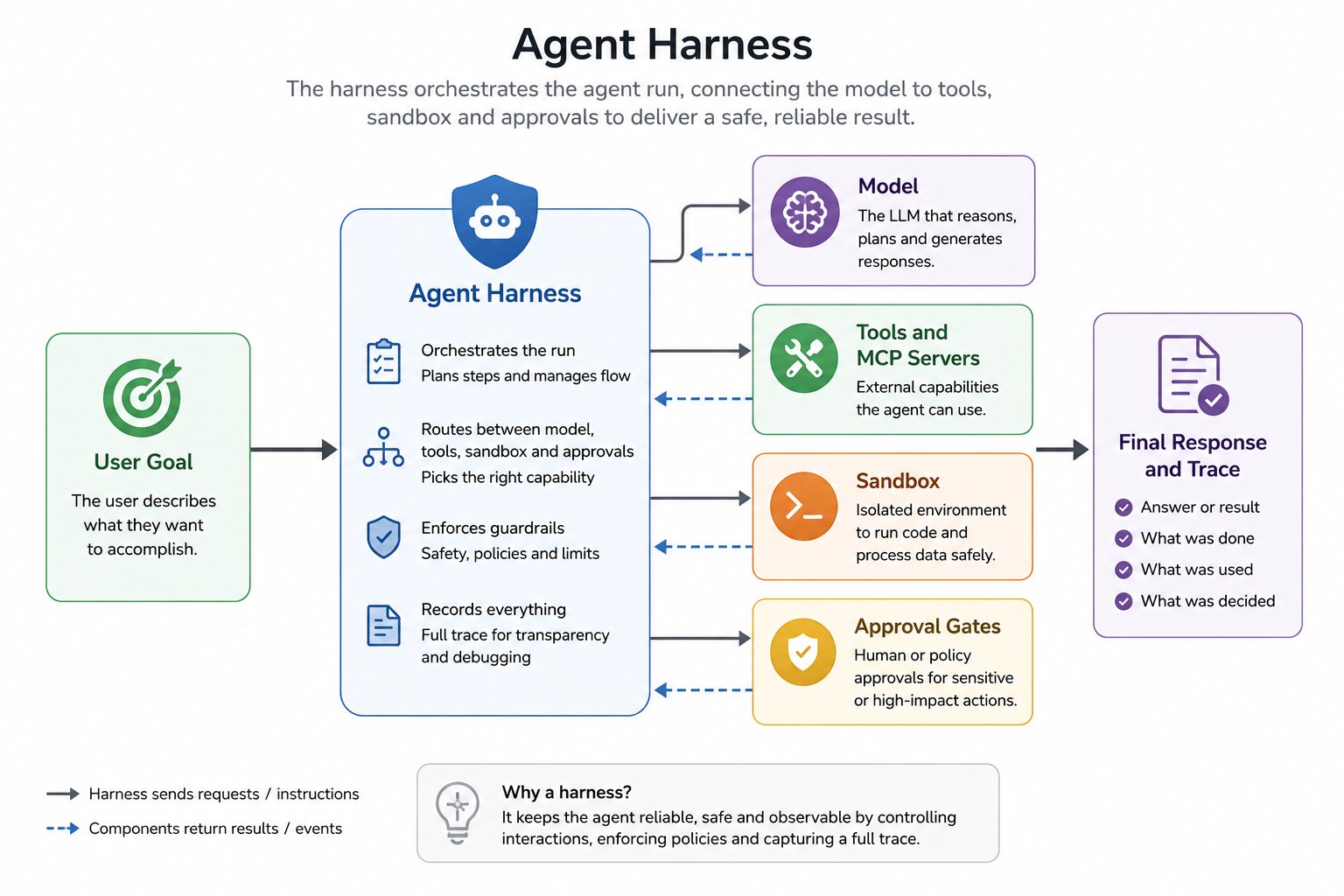
The harness orchestrates the agent run, connecting the model, tools, sandbox, and approvals to deliver a safe, reliable result
TrueForge, embedded in TrueFoundry
The agent harness in TrueFoundry is TrueForge — the open-source agent harness maintained by TrueFoundry (github.com/truefoundry/trueforge). It is embedded in the platform as-is, not forked or re-implemented, so there is no behavioural difference between the two. That means the TrueForge documentation is the reference for everything the harness does — agent definitions, runtime configuration, sandboxing, subagents, context management, human checkpoints, Generative UI, the HTTP API, and the TypeScript SDK. This section only covers what TrueFoundry adds around it. You build and run agents from TRUEFORGE → Build Agents in the platform sidebar.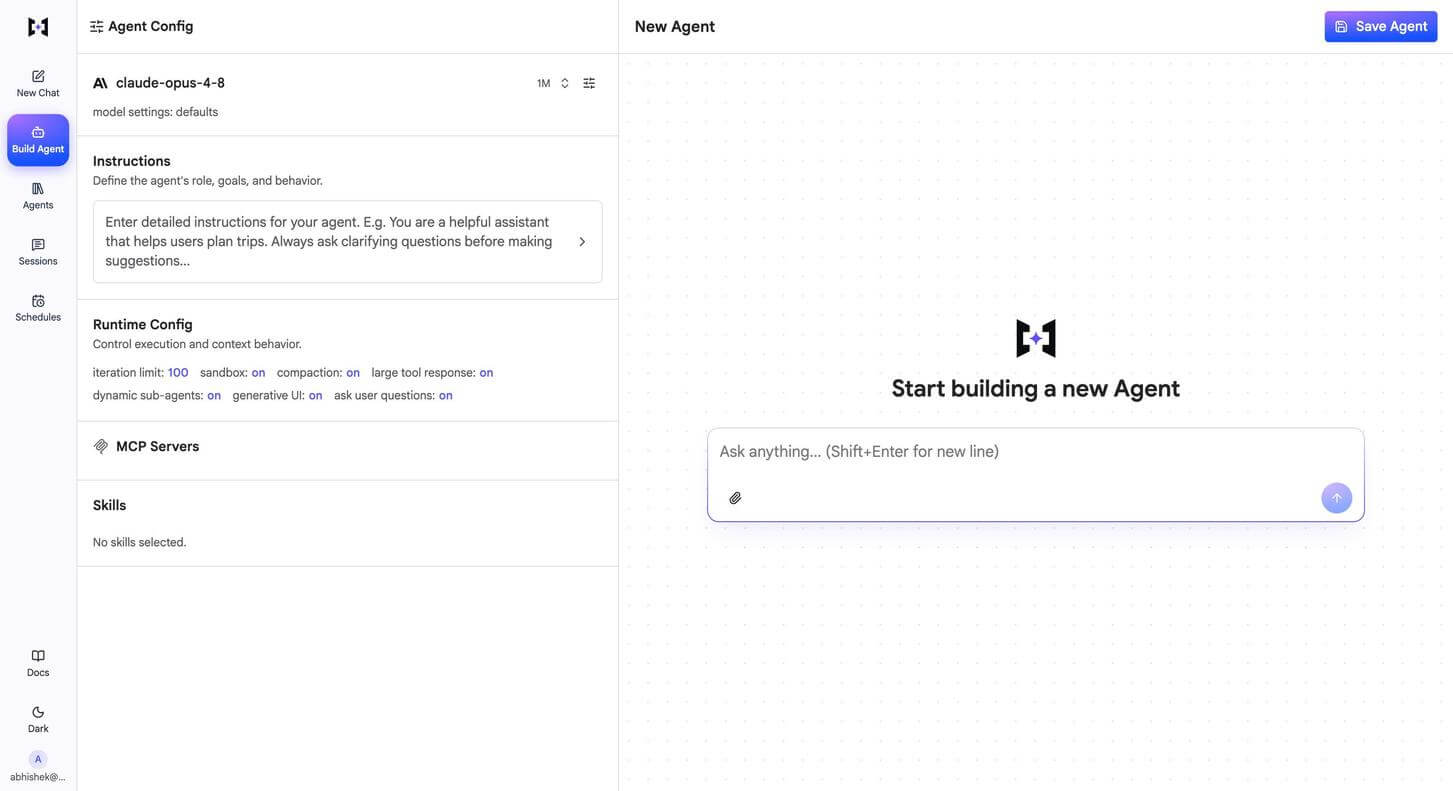
The agent builder at TRUEFORGE → Build Agents: model, instructions, runtime config, MCP servers, and skills on the left, a live chat to test against on the right
Where to find each topic
TrueForge documentation
The full reference for the harness, its configuration, and its APIs.
What TrueFoundry adds
Hosting and deep AI Gateway integration on top of open-source TrueForge.
Agents created before the TrueForge portal were migrated automatically — there is nothing to recreate. The previous TrueFoundry agent APIs keep working until 15th October, 2026; migrate to the TrueForge API before then. See Agents are moving to TrueForge.
Capabilities that run in the harness
Sandboxing, context engineering, subagents, human checkpoints, and Generative UI are all part of open-source TrueForge and are documented in the TrueForge docs. TrueFoundry runs them for you with sensible defaults — every toggle in Runtime Config is on out of the box.What TrueFoundry adds
Two things sit on top of the open-source harness:- A hosted TrueForge — the harness runs as a managed, multi-user service inside the platform, sharing its authentication, RBAC, and control plane. There is nothing to install or operate, and it is available as SaaS, self-hosted, or on-prem.
- Deep AI Gateway integration — the models, MCP servers, and skills already available to you in the gateway appear directly in the agent builder. No provider credentials, MCP endpoints, or skill sources have to be configured separately in TrueForge.
What TrueFoundry adds
Hosting, gateway integration, and governance in detail.
Observability
Track sessions, cost, and tool calls across every agent run.