

Selecting a model
In the agent builder, click Select a Model to pick from any model enabled for you in the AI Gateway. Switching models is a one-click change — no code edits, no new credentials.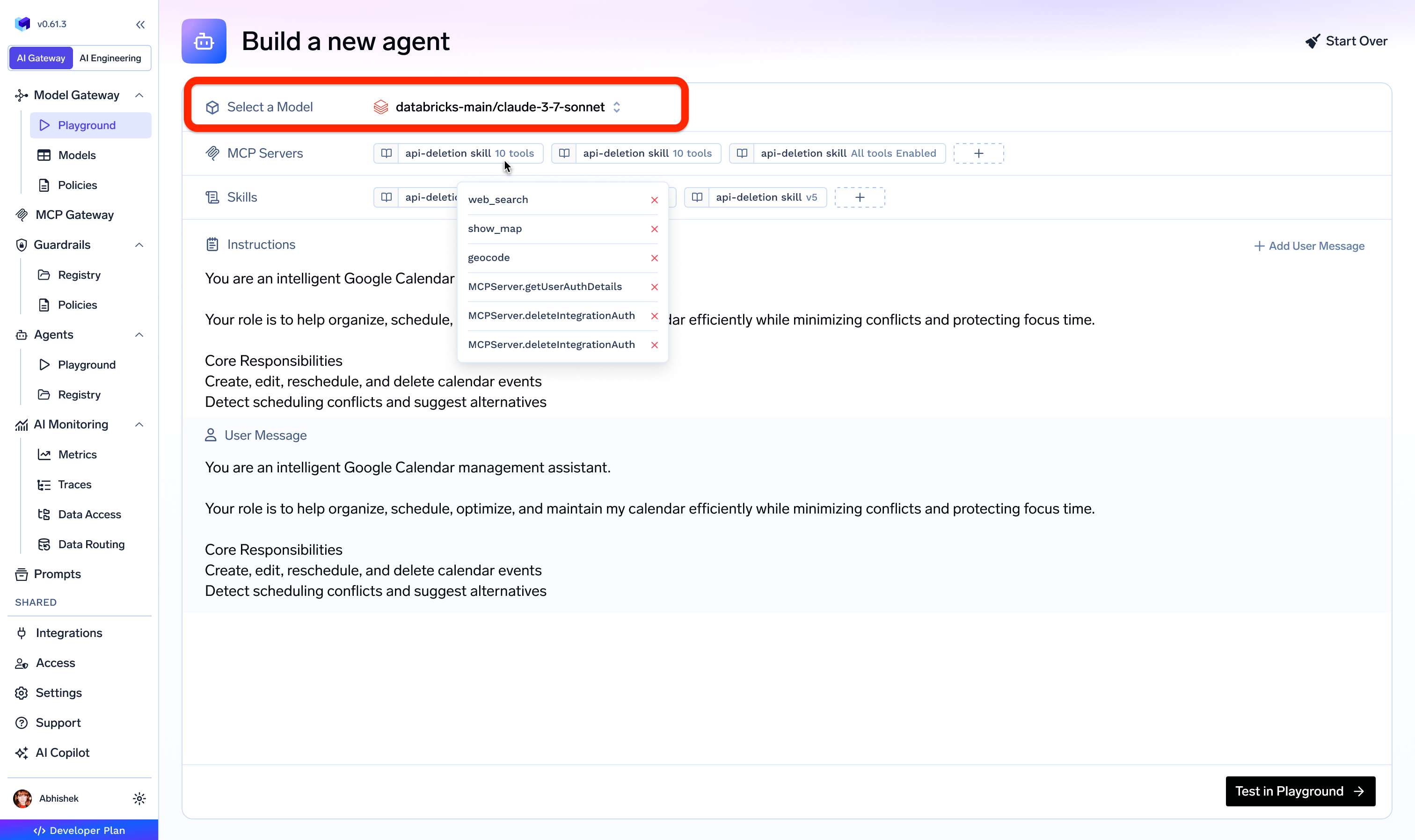
Pick any AI Gateway-enabled model from the agent builder's model selector
Gateway-managed model access
In other harness products (Claude Managed Agents, LangSmith Managed Deep Agents), you supply provider API keys when creating an agent or register them per-workspace. In TrueFoundry, model access is managed once at the AI Gateway layer and agents simply reference model names.Why model choice matters for agents
Agent workloads are different from single-turn chat. They involve multiple tool calls, retries, long context, and structured outputs. Model selection directly affects:- Reliability of tool calling and structured output
- Latency across multi-step tasks
- Total run cost over many turns
- Accuracy on planning and complex reasoning
Common model choices
Available model names depend on your configured model accounts in AI Gateway. See Supported Providers and Model Discovery.
Virtual model routing for agents
Virtual models let you assign one logical model name to multiple backing models with load balancing, failover, and policy-based routing. Agent Harness support for virtual model selection enables:- Cost optimization — route simpler agent steps to cheaper models automatically
- Quality optimization — route complex reasoning steps to stronger models
- Resilience — cross-provider failover if one provider is degraded
- Stable configuration — agent references one name, routing evolves centrally
Coming soon — automatic model selection. On the roadmap, you’ll be able to attach a virtual model containing a set of models to an agent and let Agent Harness pick the best fit for each step at runtime. The harness will weigh task complexity, expected latency, and cost to route every turn to the most suitable model in the set — improving end-to-end cost and latency without any manual routing rules.