from truefoundry.deploy import Image, NvidiaGPU, Resources
from truefoundry.workflow import (
    ContainerTask,
    ContainerTaskConfig,
    ExecutionConfig,
    FlyteDirectory,
    PySparkTaskConfig,
    PythonTaskConfig,
    TaskPySparkBuild,
    TaskPythonBuild,
    TaskSparkImage,
    conditional,
    map_task,
    task,
    workflow,
)
from truefoundry.deploy.v2.lib.patched_models import (
    SparkDriverConfig,
    SparkExecutorConfig,
    SparkExecutorFixedInstances,
)

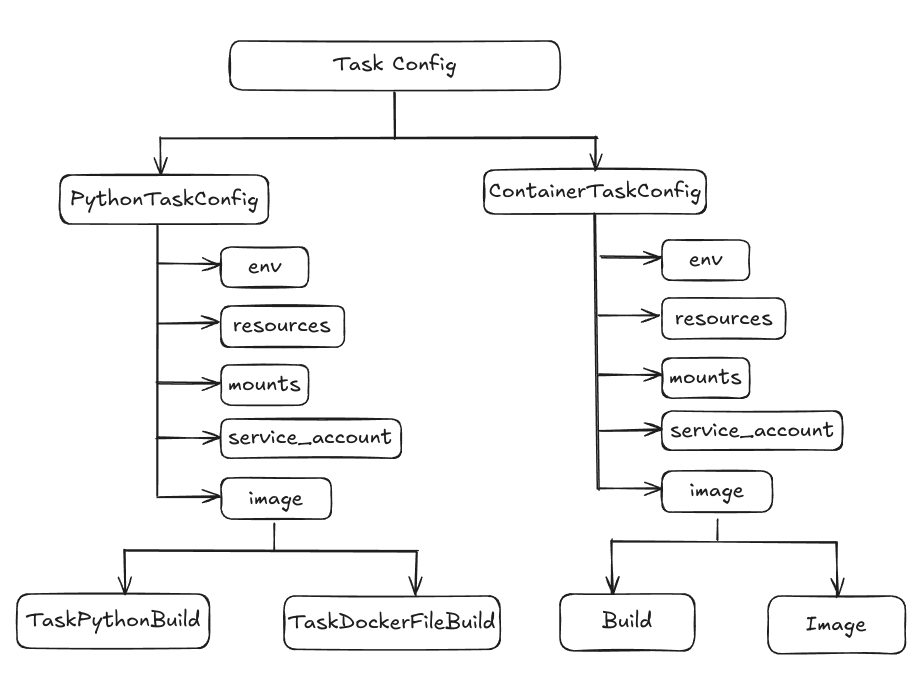
# Python task config example
task_config = PythonTaskConfig(
    image=TaskPythonBuild(
        python_version="3.9",
        pip_packages=["truefoundry[workflow]"],
    ),
    resources=Resources(cpu_request=0.5, cpu_limit=0.5),
    service_account="<service-account>",
)

# Container task config example
echo = ContainerTask(
    name="echo",
    task_config=ContainerTaskConfig(
        image=Image(
            image_uri="bash:4.1",
            command=["echo", "hello"],
        ),
        service_account="<service-account>",
    ),
)

# PySpark task config with TaskPySparkBuild (builds image)
spark_build_config = PySparkTaskConfig(
    image=TaskPySparkBuild(
        spark_version="3.5.2",
        pip_packages=["truefoundry[workflow,spark]"],
    ),
    service_account="spark-service-account",
    driver_config=SparkDriverConfig(
        resources=Resources(cpu_request=1, cpu_limit=1, memory_request=1024, memory_limit=1024),
    ),
    executor_config=SparkExecutorConfig(
        instances=SparkExecutorFixedInstances(count=2),
        resources=Resources(cpu_request=1, cpu_limit=1, memory_request=1024, memory_limit=1024),
    ),
)

# PySpark task config with TaskSparkImage (skips build, uses pre-built image)
spark_image_config = PySparkTaskConfig(
    image=TaskSparkImage(
        spark_version="3.5.2",
        container_image="my-registry.com/my-spark-image:v1.0",
        docker_registry="my-docker-registry-fqn",  # optional, for private registries
    ),
    service_account="spark-service-account",
    driver_config=SparkDriverConfig(
        resources=Resources(cpu_request=1, cpu_limit=1, memory_request=1024, memory_limit=1024),
    ),
    executor_config=SparkExecutorConfig(
        instances=SparkExecutorFixedInstances(count=2),
        resources=Resources(cpu_request=1, cpu_limit=1, memory_request=1024, memory_limit=1024),
    ),
)

...