Use this file to discover all available pages before exploring further.
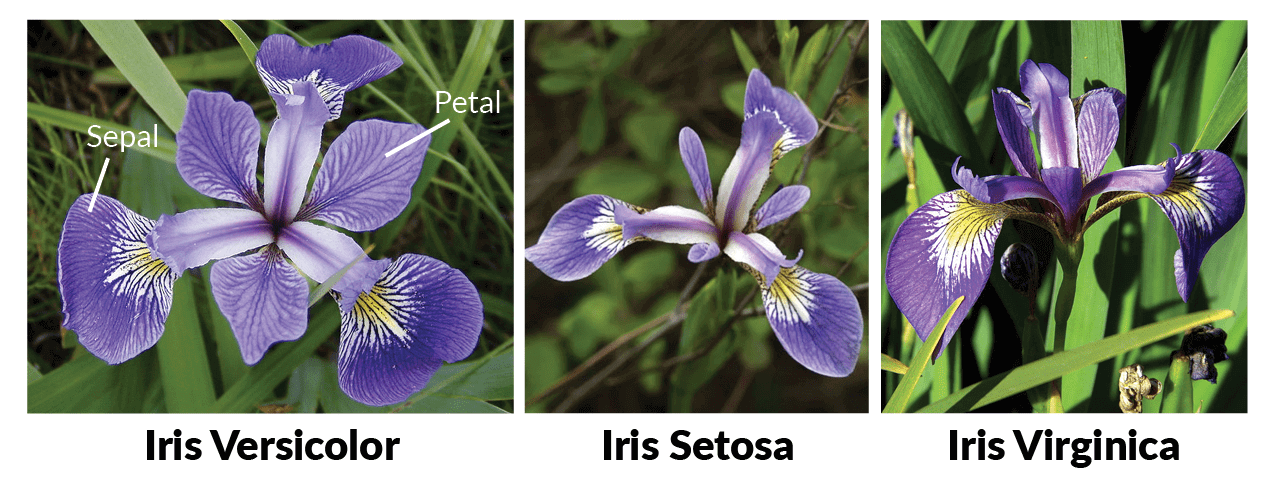
In this guide, we’ll deploy a FastAPI service for solving the Iris classification problem. Iris flower has 3 species: Iris setosa, Iris versicolor, and Iris virginica. The problem involves predicting the species of an iris flower based on its sepal length, sepal width, petal length, and petal width.The model has 4 inputs: sepal length, sepal width, petal length, and petal width and ouputs the confidence scores for each species in the following format:
We’ve already created a FastAPI service for the Iris classification problem, and you can find the code in our GitHub Repository.Please visit the repository to familiarize yourself with the code you’ll be deploying. The project files are organized as follows:
Directory Structure
.├── server.py - Contains FastAPI code for inference.├── iris_classifier.joblib - The model file.└── requirements.txt - Lists dependencies.
To deploy a service, you’ll need a workspace. If you don’t have one, you can create it using this guide: Creating a Workspace or seek assistance from your cluster administrator in case you don’t have permission to create a workspace.
In TrueFoundry, you can either deploy code from your Github repository or from your local machine in case the code is not pushed to a Github repository.
Deploy from Github
Deploy from Local Machine
In the above walkthrough, we did the following steps:
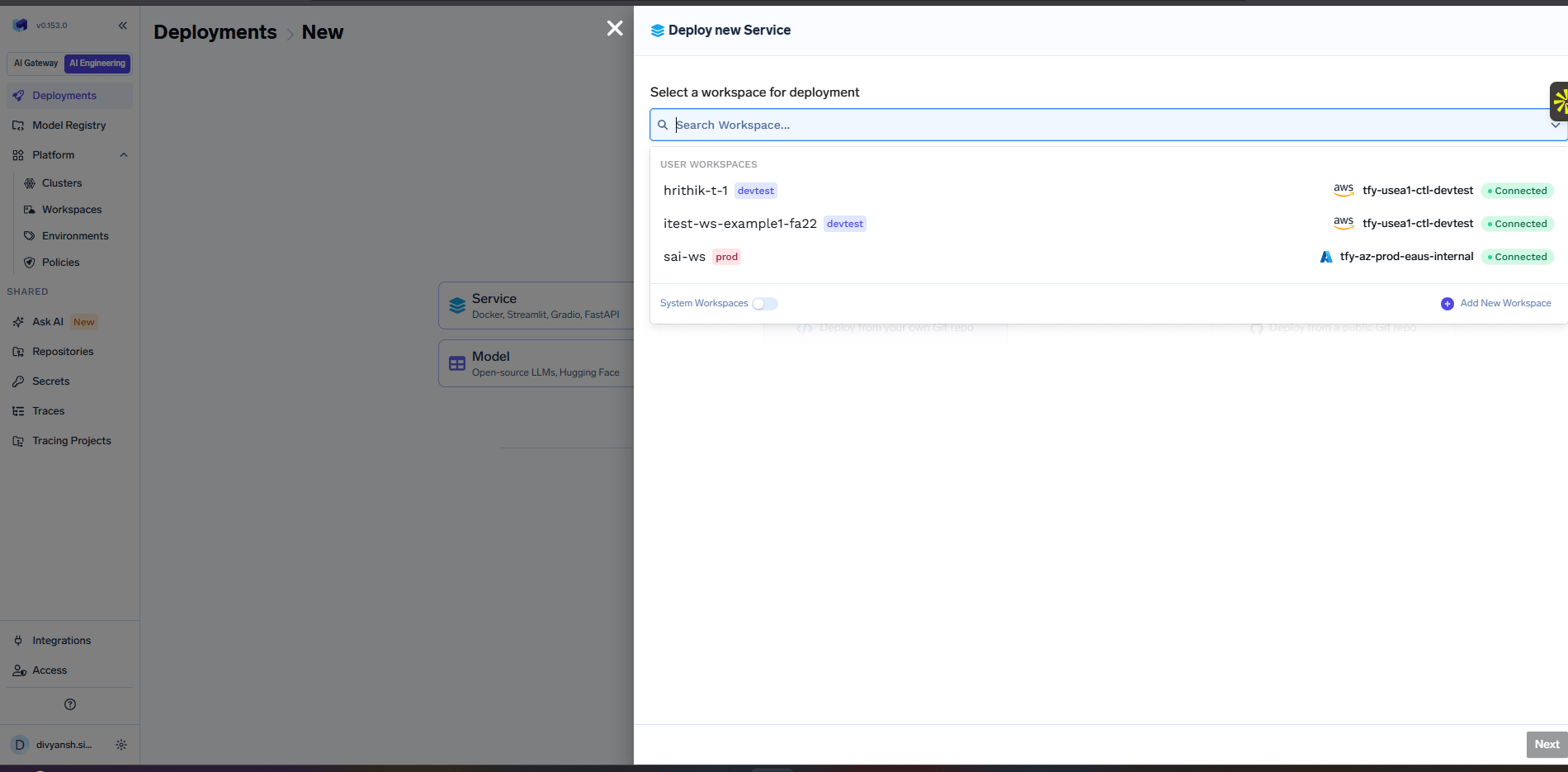
Select a workspace to deploy the service. This basically decides which cluster and environment the service will be deployed to.
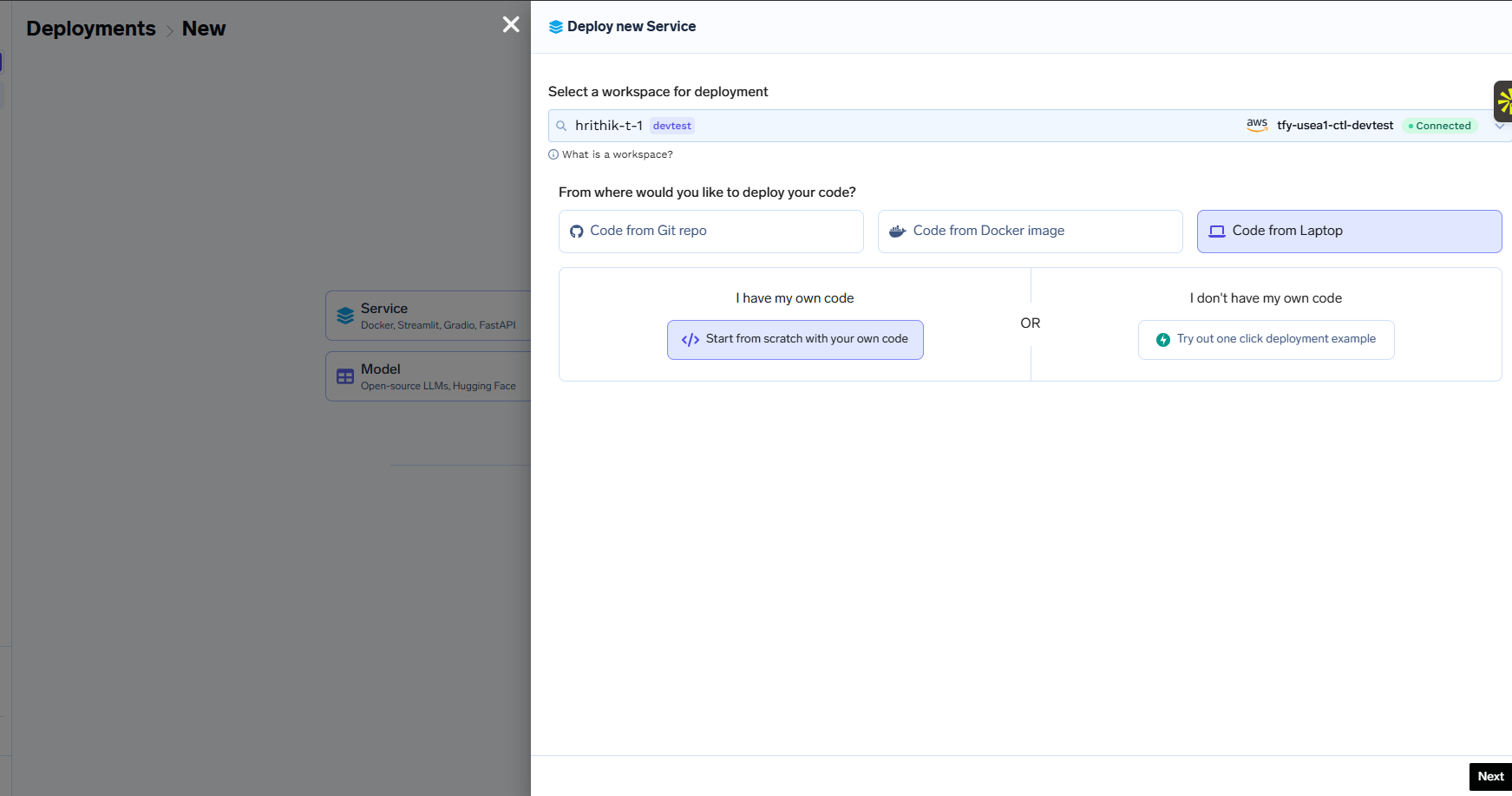
Select the Service option since this is a FastAPI service and exposed a REST API.
We chose the Github option since the code is already pushed to a Github repository.
The key fields that we need to fill up in the deployment form are:
Path to build context: This is the path to the directory in the Github repository that contains the code for the service. For this example, the path to the build context is ./deploy-model-with-fastapi/
Command: This is the command to run the service. For this example, the command is uvicorn server:app --host 0.0.0.0 --port 8000
Path to requirements: This is the path to the requirements.txt file. This path is relative to the path to the build context. For this example, the path is requirements.txt
Port: This is the port on which the service will be exposed. Since we have mentioned port 8000 in the command above, so we need to specify the port here as 8000.
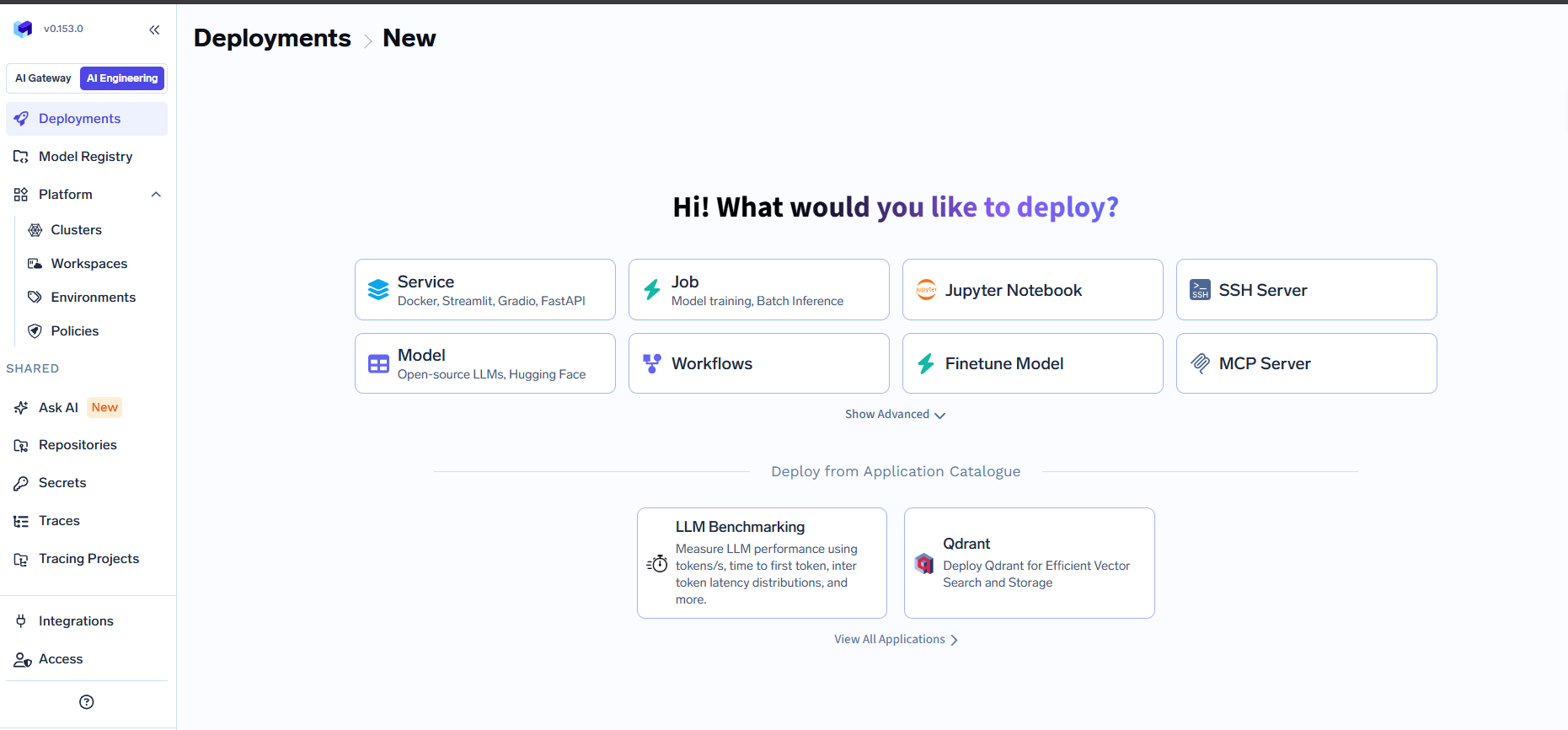
On filling up the form, we can press the Submit button to deploy the service.
Clone the github repository and navigate to the deploy-model-with-fastapi directory.
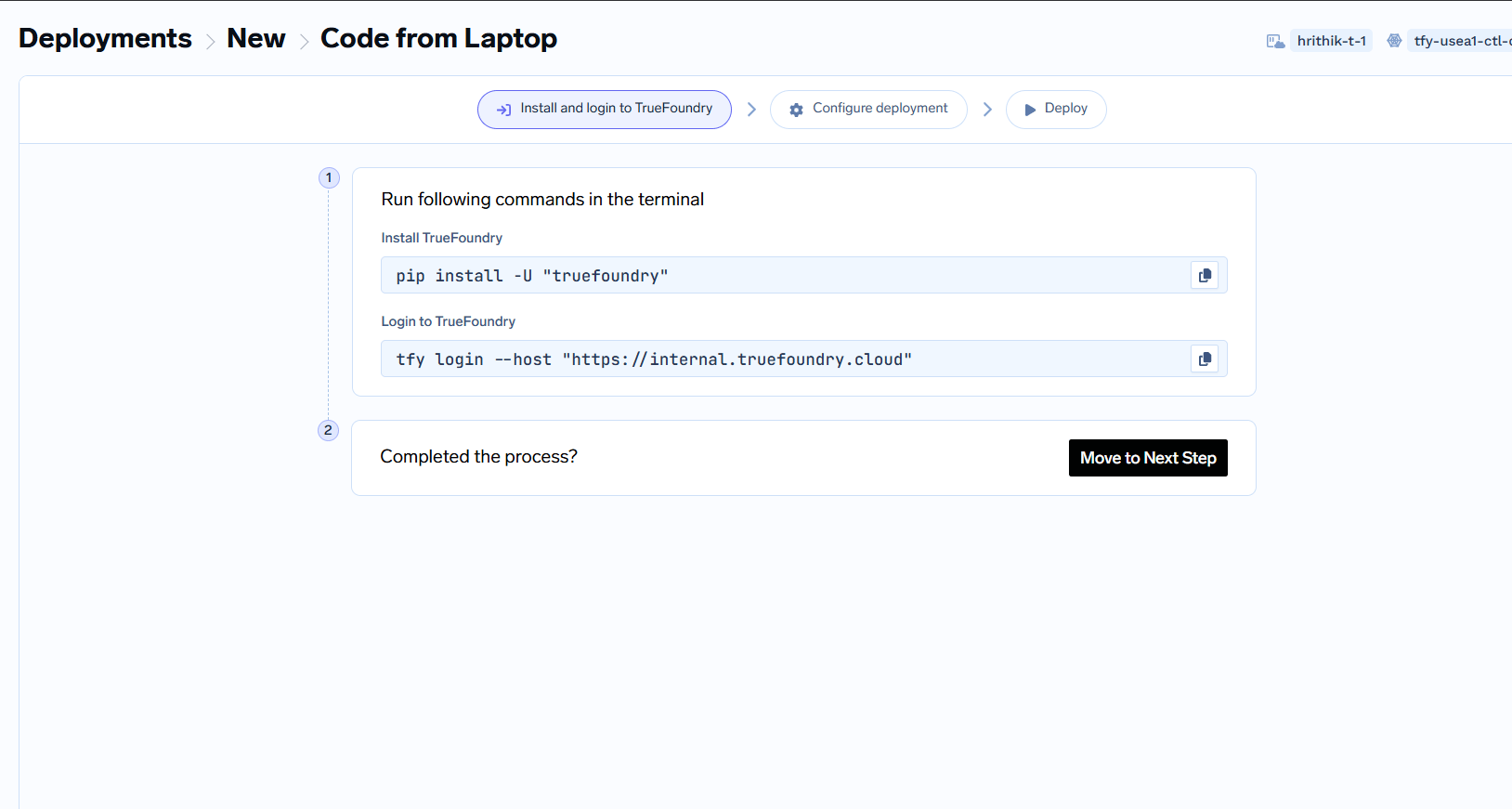
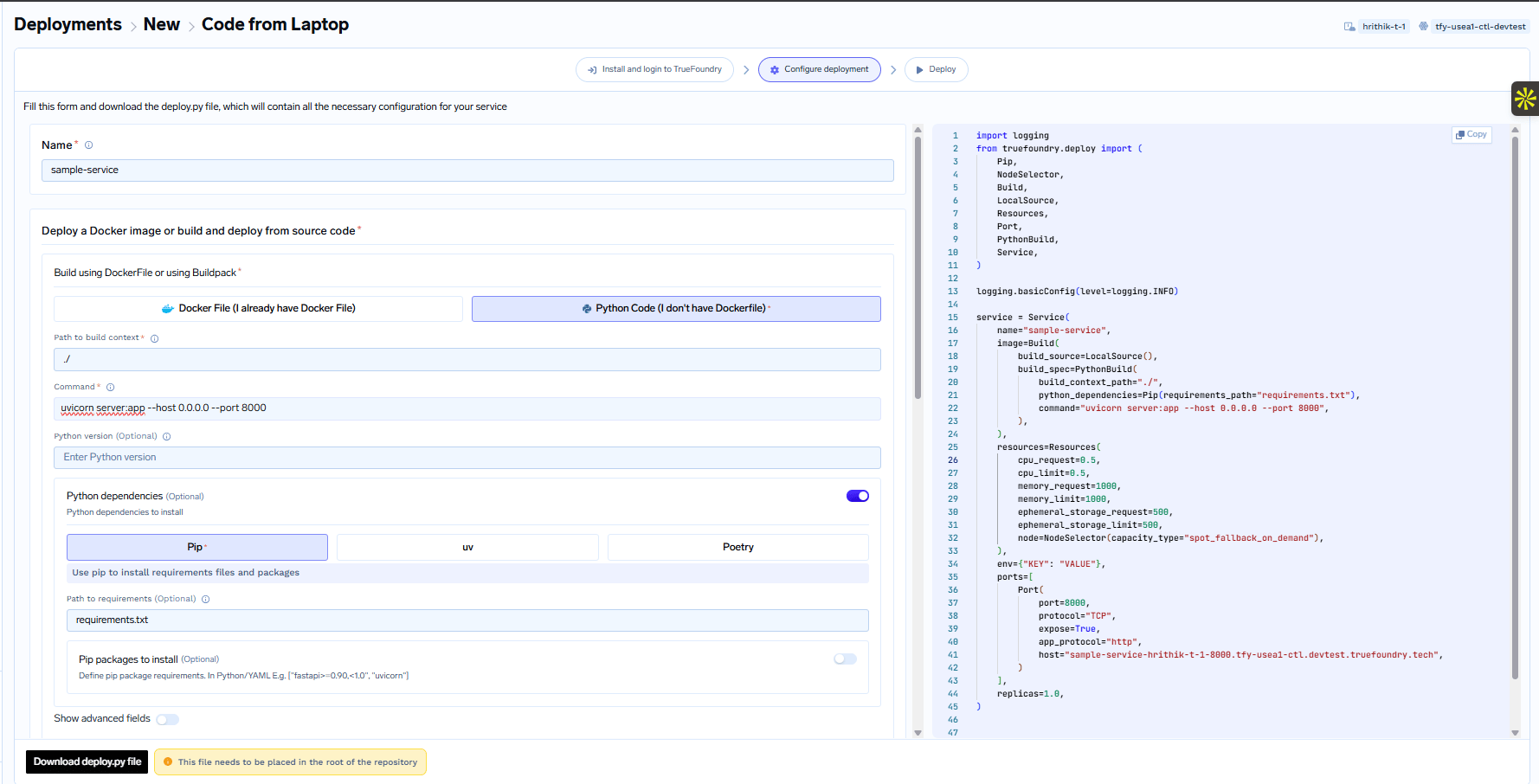
To deploy from your local machine, you can follow the steps on the UI to get the deployment script.
Once you reach the last step, you will be able to download a deploy.py script that contains the configuration for the deployment.
The deploy.py should be placed in the root of your project.The deploy.py has a field called project_root_path in the build_source section.
The project_root_path is considered relative to where the command python deploy.py is executed from.The build_context_path is relative to the project_root_path.All the code in the build_context_path will be packaged into a docker image and deployed.
It’s usually recommended to use ”./” as the project_root_path, put the deploy.py in that path and execute the command python deploy.py from the project_root_path directory.
The directory structure will then appear as follows:
You can find more details about the deploy.py file in the Deploy Service Programatically section. Here’s a brief explanation of the file:
deploy.py
import loggingfrom truefoundry.deploy import ( Resources, Build, LocalSource, DockerFileBuild, Port, Service, NodeSelector,)# Set up logging to display informational messageslogging.basicConfig(level=logging.INFO)# Create a TrueFoundry Service object to configure your service. This comprises of# of all the configuration and is a one-on-one mapping of the UI fields in the #Service Deployment form.service = Service( name="sample-service", # Define how to build your code into a Docker image image=Build( # The project_root_path is the path to the directory containing the code to be deployed. This should # mostly be "./" since you are placing the deploy.py in the root of your project. build_source=LocalSource(project_root_path="./", local_build=True), # This defines how to build your code - it will either be DockerFileBuild or PythonBuild depending on if you # have a docker file or not. Here's what the fields in there mean: # build_context_path: This is the directory to build the docker image from - relative to project_root_path. project_root_path is the top level directory of the project. # dockerfile_path: This is the path to Dockerfile relative to project_root_path. # command: This is the command to run the service assuming the current working directory is the build_context_path. # python_version: This is the python version to use for the service. # build_spec=DockerFileBuild( # dockerfile_path="./Dockerfile", # build_context_path="./", # ), build_spec=PythonBuild( build_context_path="./", command="uvicorn server:app --host 0.0.0.0 --port 8000", requirements_path="requirements.txt", ), ), # Define the resource constraints. # # Requests are guaranteed resources to be provided to the container. # Limits are the maximum resources that the container can use. This is opportunistic and only # available if there is idle cpu / free memory on the node running the container. # As a general rule, try to set requests to what your service needs to run reliably. # If a container tries to use more resources than its limits, it will be throttled or killed. resources=Resources( # CPU is specified as a number. 1 CPU unit is equivalent to 1 physical CPU core, or 1 virtual core. cpu_request=0.5, cpu_limit=0.5, # Memory is defined as an integer and the unit is Megabytes. memory_request=1000, memory_limit=1000, # Ephemeral storage is defined as an integer and the unit is Megabytes. ephemeral_storage_request=500, ephemeral_storage_limit=500, # node: This is used to specify whether its on-demand or spot or fallback from spot to on-demand. node=NodeSelector(capacity_type="spot_fallback_on_demand"), ), # Define the environment variables env={"KEY": "VALUE"}, # Define the ports and domain. Here's what the fields in there mean: # port: The port on which the service will be exposed. # protocol: Will be TCP in all cases. # expose: Whether to expose the service outside the cluster. If yes, you can choose a domain name as configured # by the infrateam. # app_protocol: "http "in most cases. Use "grpc" for gRPC services. # host: Endpoint URL to access the service. ports=[ Port( port=8000, protocol="TCP", expose=True, app_protocol="http", host="sample-service-8000.example.com", ) ], # replicas: The number of replicas of the service to deploy. replicas=1.0,)service.deploy(workspace_fqn="your-workspace-fqn", wait=False)
After running the command mentioned above, wait for the deployment process to complete. Monitor the status until it shows DEPLOY_SUCCESS:, indicating a successful deployment.
Once deployed, you’ll receive a dashboard access link in the output, typically mentioned as You can find the application on the dashboard:. Click this link to access the deployment dashboard.
Congratulations! You’ve successfully deployed your FastAPI service.Once you click Submit, your deployment will be successful in a few seconds, and your service will be displayed as active (green), indicating that it’s up and running.You can view all the information about your service following the steps below:
To make a request to the Service, you can copy the endpoint URL as shown on the UI or from what you provided in the Ports section.
The endpoint will be an internal cluster URL or an external URL based on whether you chose Expose in the Ports configuration. You can read about it more in the Ports section.
You can call the service using curl or Postman or using the Python code as shown below:
How to omit certain files from being built and deployed?
It’s possible there are certain files in your repository that you don’t want to package in the docker image like like test files, etc.To exclude specific files from being built and deployed, create a .tfyignore file in the root directory of your project. The .tfyignore file follows the same rules as the .gitignore file.
If your repository already has a .gitignore file, you don’t need to create a .tfyignore file. Truefoundry will automatically detect the files to ignore.
Where is the docker image built?
If you are deploying from a Github repository, the docker image is built in Truefoundry control-plane and pushed to your configured container registry.If you are deploying code from your local machine, the Truefoundry SDK first checks is docker is installed on your local environment.
It tries to build using the locally installed Docker, failing which it uses the remote builder on the Truefoundry control-plane. If docker is not installed, the SDK will use the remote builder on the Truefoundry control-plane.
What changes when you deploy Streamlit / Gradio apps ?
You just need to change the command and the port - the rest pretty much remains the same.
streamlit run app.py --server.address 0.0.0.0
I cannot access the URL even after exposing the port
Whichever framework you are using the host the API, please make sure you bind the port to 0.0.0.0 and not localhost / 127.0.0.1..This is commonly manifested via command line arguments like gunicorn --bind 0.0.0.0:8000 or uvicorn --host 0.0.0.0 --port 8000.