

You need the Tenant Admin role or a custom role with the Manage Settings (
settings:ManageSettings) permission to update these settings.Open security settings
1
Log in to your tenant
Log in to the TrueFoundry tenant you want to configure.
2
Open Security settings
Go to Settings > Organisation > Security & Access > Security, then select the edit icon.
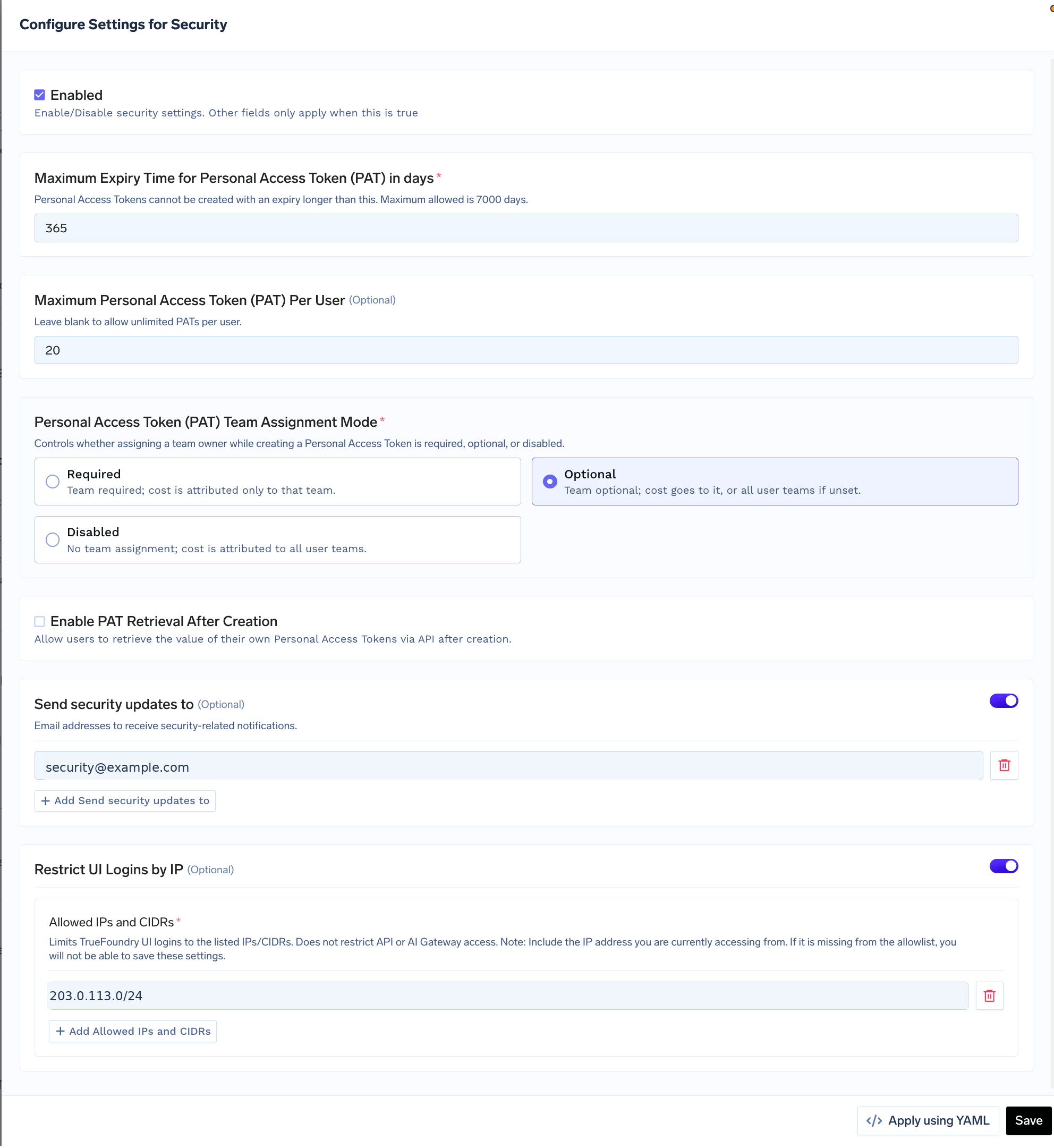
Configure tenant-wide security settings
Personal Access Token controls
Use these settings to control how users create and retrieve Personal Access Tokens.Team assignment modes
Security notifications
Turn on Send security updates to and add one or more email addresses that should receive security-related notifications. Use a monitored group address, such assecurity@example.com, so notifications do not depend on one person.
Restrict UI logins by IP
Turn on Restrict UI Logins by IP to allow browser access only from the listed IP addresses and CIDR ranges.UI login IP allowlisting is available only on TrueFoundry SaaS.
Save or apply using YAML
- Select Save to apply the settings from the form.
- Select Apply using YAML to manage the same configuration declaratively, then follow the instructions shown in the dashboard.
API keys
Create, use, rotate, and revoke Personal Access Tokens and Virtual Account tokens.
SaaS security
Review TrueFoundry security controls and the tenant security checklist.