Provision teams via SCIM
When the tenant is configured for SCIM provisioning, every group your IdP pushes through SCIM is automatically created as a TrueFoundry team. Adding or removing a user from the IdP group adds or removes the corresponding team membership in TrueFoundry — no manual maintenance required.SCIM is configured once per tenant under Settings > Security & Access > Provisioning. The same setup syncs both users and groups. See Manage Users — Configure a provisioning mode (SCIM tab) for the full configuration steps (SCIM URL, token, and IdP setup).
SCIM group name convention — The group name in your IdP becomes the team name in TrueFoundry, so it must follow these rules: only alphanumeric characters, hyphens (
-), and underscores (_) are allowed, and names can be up to 36 characters in length.Create a team manually
Admins can create manual teams and manage the members. Admins can also addmanagers to a team to further manage the team members themself. To create a team in TrueFoundry, follow these steps:
Identity provider mappings
If you configure an Identity Provider to resolve tokens to TrueFoundry users, you can map IdP claim values directly to teams. Use this when your IdP token contains a team or group claim and you want users with a matching claim value to be associated with a TrueFoundry team.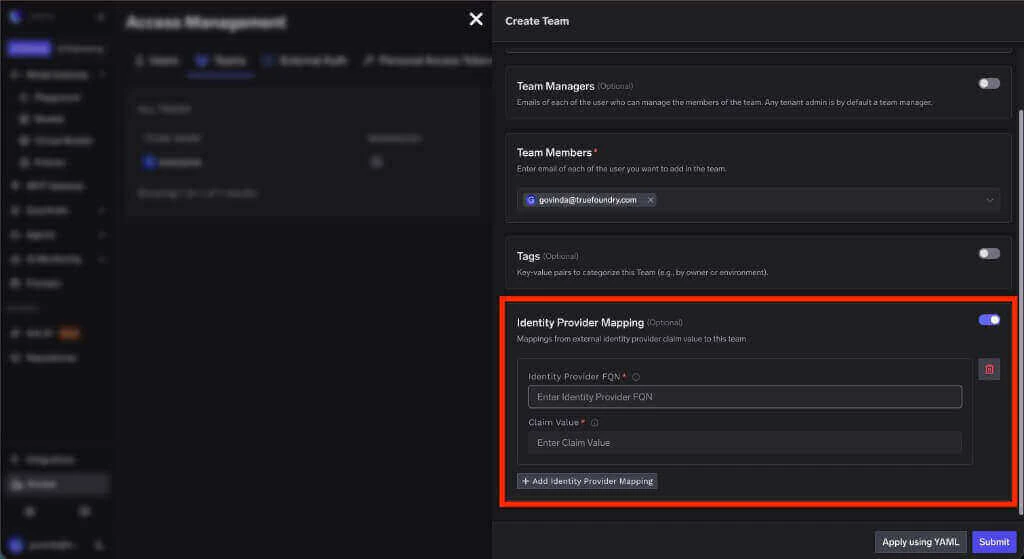
Identity provider mapping while creating a team
string
required
The fully qualified name of the Identity Provider that validates the incoming JWT. Copy this value from the Identity Provider configuration.
string
required
The value from the configured team claim that should map to this team. For example, if your Identity Provider uses
groups as the team claim and the token contains ml-platform, enter ml-platform here.Grant access to a resource
Once a team has been created, you can grant it access to resources. To do so, follow these steps:Manage Teams via Gitops
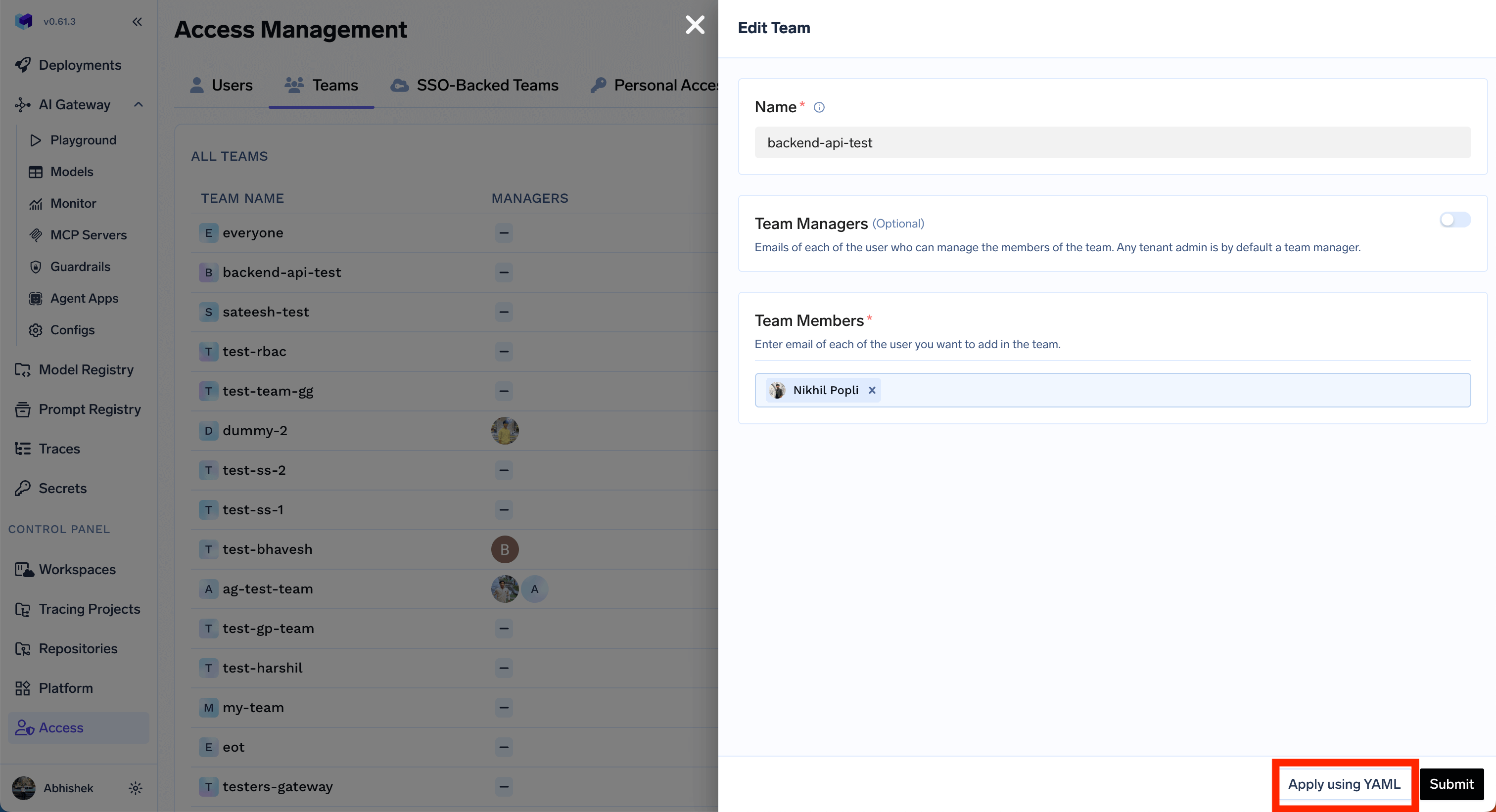
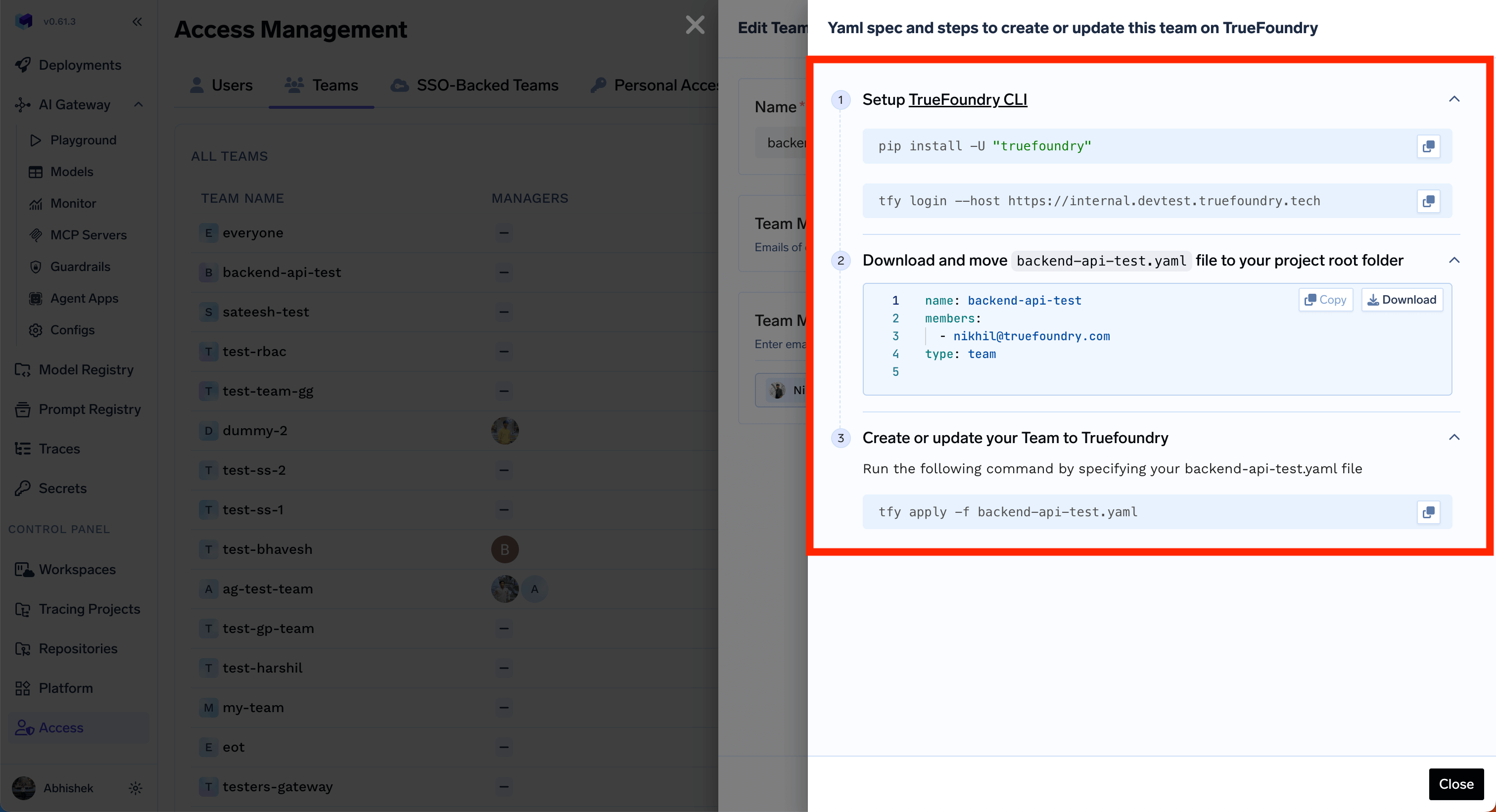
Admins can manage teams programmatically by using thetfy apply command on the team YAML file. You can get the instructions by clicking on the Apply Using YAML in the Edit form.