

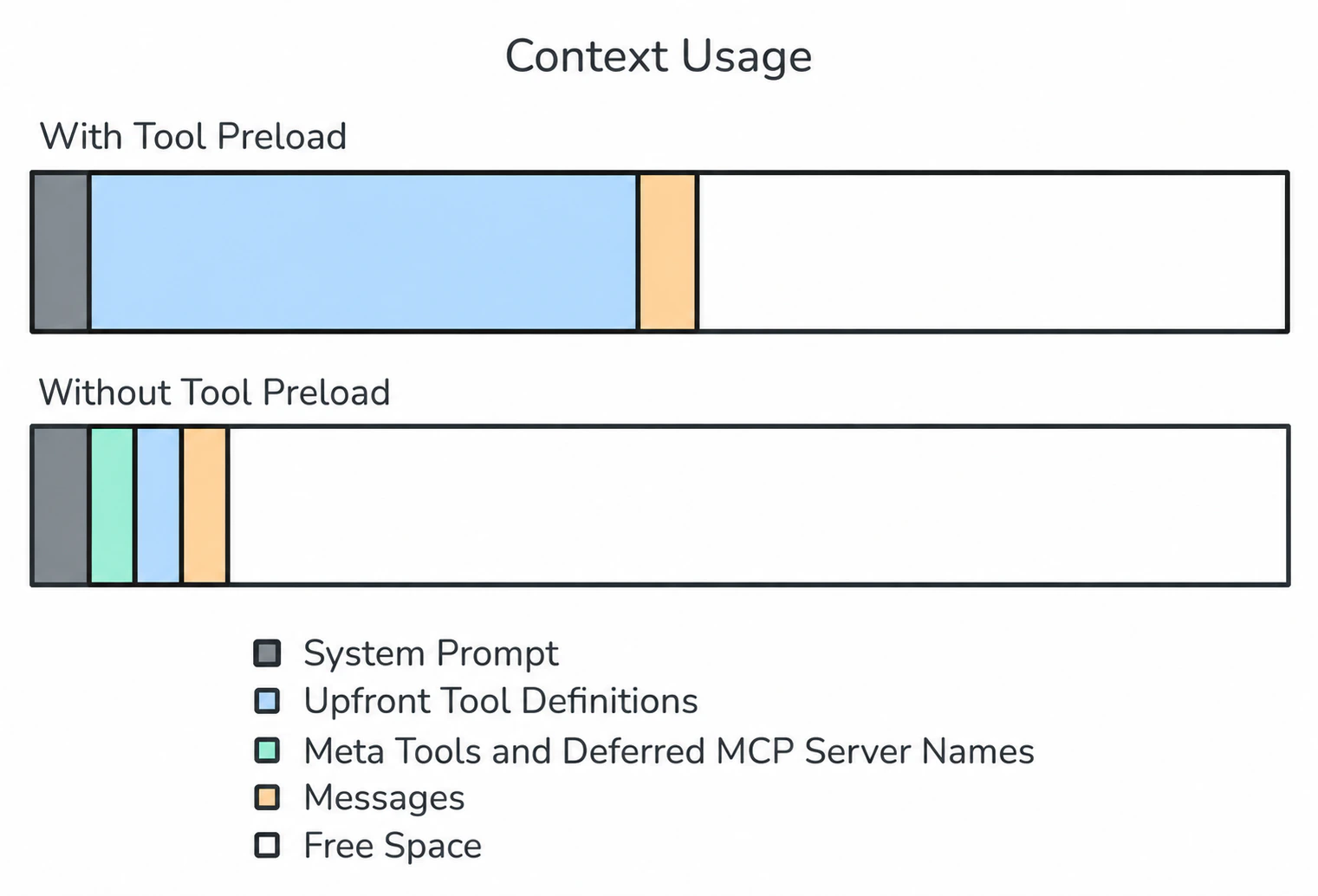
When an agent is connected to many MCP servers, each with dozens of tools, the full set of tool definitions can consume a large portion of the context window before the user even sends a message. The Preload Tools setting on each MCP server controls whether those definitions are loaded upfront or discovered on demand. By default, Preload Tools is off — the same default used for skills. The agent only sees each MCP server’s name and description at startup and loads individual tool schemas as needed. This keeps the context window lean while still giving the agent access to the full breadth of tools when it needs them.Documentation Index
Fetch the complete documentation index at: https://www.truefoundry.com/llms.txt
Use this file to discover all available pages before exploring further.
The problem
- Each tool definition — name, description, input schema, output schema — consumes tokens from the available context window.
- With many MCP servers and tools, the context window can fill up before any user interaction happens.
- Most interactions only need a small subset of the available tools, not all of them.
How it works
| Preload Tools | Behavior | Best for |
|---|---|---|
| Off (default) | Only the MCP server’s name and description are in context. Tool schemas are discovered on demand via meta tools. | Large tool catalogs, servers used only occasionally |
| On | Full tool definitions are loaded into context at startup. | Small, frequently-used servers where every turn calls a tool |
Example
In this example we havetruefoundry-mcp with 100+ tools added with Preload Tools off and a web_search MCP server with 2 tools added with Preload Tools on.
User
What vllm version is “nomic-embed-multimodal-7b-1” app in “tfy-test-cluster:test-ws” workspace using? Can you please get me the github release notes link of that version?
Assistant
The agent first lists all tools available on
truefoundry-mcp mcp server.list_tools
list_tools
Tool CallTool Response
Assistant
The agent then gets the tool information for
list_applications tools.get_tool_info
get_tool_info
Tool CallTool Response
Assistant
The agent then calls the
list_applications tool using the meta tool call_tool to find the application by its name.call_tool
call_tool
Tool CallTool Response
Assistant
I can see the vLLM version from the image URI: v0.13.0. Now let me get the GitHub release notes link for that version.
search
search
Tool CallTool Response
Assistant
GitHub Release Notes: 🔗 https://github.com/vllm-project/vllm/releases/tag/v0.13.0
…