

Sandbox gives your agent a secure, isolated environment to run code, manipulate files, and execute shell commands. Unlike other agent harnesses that provision a sandbox for every run regardless of need, TrueFoundry Agent Harness attaches a sandbox only when the agent actually needs one.Documentation Index
Fetch the complete documentation index at: https://www.truefoundry.com/llms.txt
Use this file to discover all available pages before exploring further.
On-demand provisioning
Most agent tasks — answering questions, looking up data, calling MCP tools — do not require code execution. Provisioning a sandbox for every run wastes resources and adds startup latency. TrueFoundry Agent Harness provisions a sandbox only when the agent determines it needs one: Advantages of on-demand provisioning:- Lower cost — No compute charges for conversations that don’t need code execution
- Faster responses — Simple questions skip sandbox startup entirely
- Same security — When provisioned, the sandbox is fully isolated with its own filesystem, network, and process space
- Automatic reuse — Once created, the sandbox persists across turns in the same session
When is a sandbox provisioned?
The harness creates a sandbox when the agent needs to:- Run Python, shell, or other code
- Write, read, or process files
- Install dependencies or use CLI tools
- Process large data transformations
- Generate downloadable artifacts (CSVs, reports, images)
- Execute Code Mode scripts that chain MCP tool calls programmatically
Example: no sandbox needed
User
hello
Assistant
Hello! How can I help you today?
Example: sandbox provisioned on demand
User
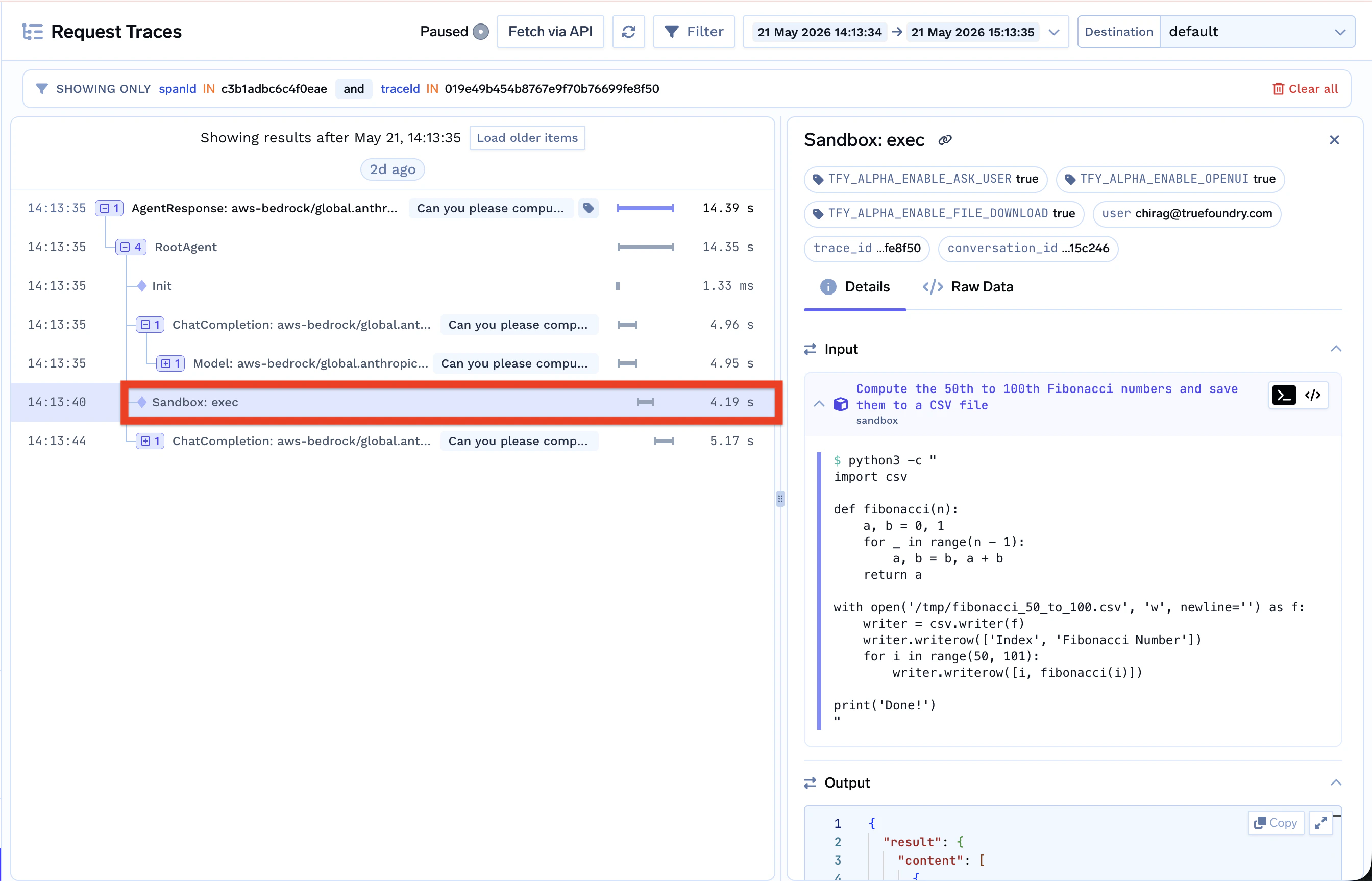
Can you please compute the 50th to 100th fibonacci numbers, add them to a csv file and give it to me for download
Assistant
Let me compute the 50th through 100th Fibonacci numbers and save them to a CSV file.
sandbox
sandbox
Tool CallTool Response
Assistant
The CSV file is ready. Here’s your download:
fibonacci_50_to_100.csv
Sandbox persistence across turns
Once provisioned, the sandbox persists across response turns within the same session. Files written in one turn are available in the next. Passprevious_response_id to reuse an existing sandbox — no new sandbox.created event is emitted.
For a working client example, see Using API — Sandbox.
Lifecycle
- Provisioned — When the agent first needs code execution in a session
- Reused — Across multiple turns within the same session via
previous_response_id - Stopped — After 5 minutes of inactivity (restartable)
- Deleted — 5 days after being stopped