

Some agent actions — deploying to production, restarting a service, deleting data — should not happen without explicit user consent. Human in the Loop lets the harness pause the agent before a sensitive tool call, surface the tool name and arguments to the user, and resume only after an approval decision. This keeps the agent autonomous for safe operations while giving users a checkpoint before anything destructive or irreversible runs.Documentation Index
Fetch the complete documentation index at: https://www.truefoundry.com/llms.txt
Use this file to discover all available pages before exploring further.
How it works
When the agent requests a tool call that requires approval, the harness does not execute the tool. Instead, it emitstool.approval_required, finishes the current agent turn, and waits. The next turn — sent with previous_response_id and a tool.approval input — resumes execution with the user’s decision.
Approvals are derived from the tool metadata exposed by the MCP server. Tools marked as destructive or not read-only can require approval before execution.
Approvals do not replace authorization. The user still needs permission to call the underlying tool; approval only controls whether the pending tool call should proceed.
Subagents can also request approval. When a subagent’s tool call requires approval, the harness finishes the current agent turn and emits
tool.approval_required. Sending the tool.approval input in the next turn resumes the subagent from where it paused.When to use Tool Call Approvals
Use approvals for tool calls that change state, are irreversible, or affect production — for example, mutating data, modifying infrastructure, sending external communications, or triggering expensive operations.Skip approvals for safe read-only tools — listing resources, fetching metrics, searching docs, or reading status — where confirmation adds friction without reducing risk.
Example in the playground
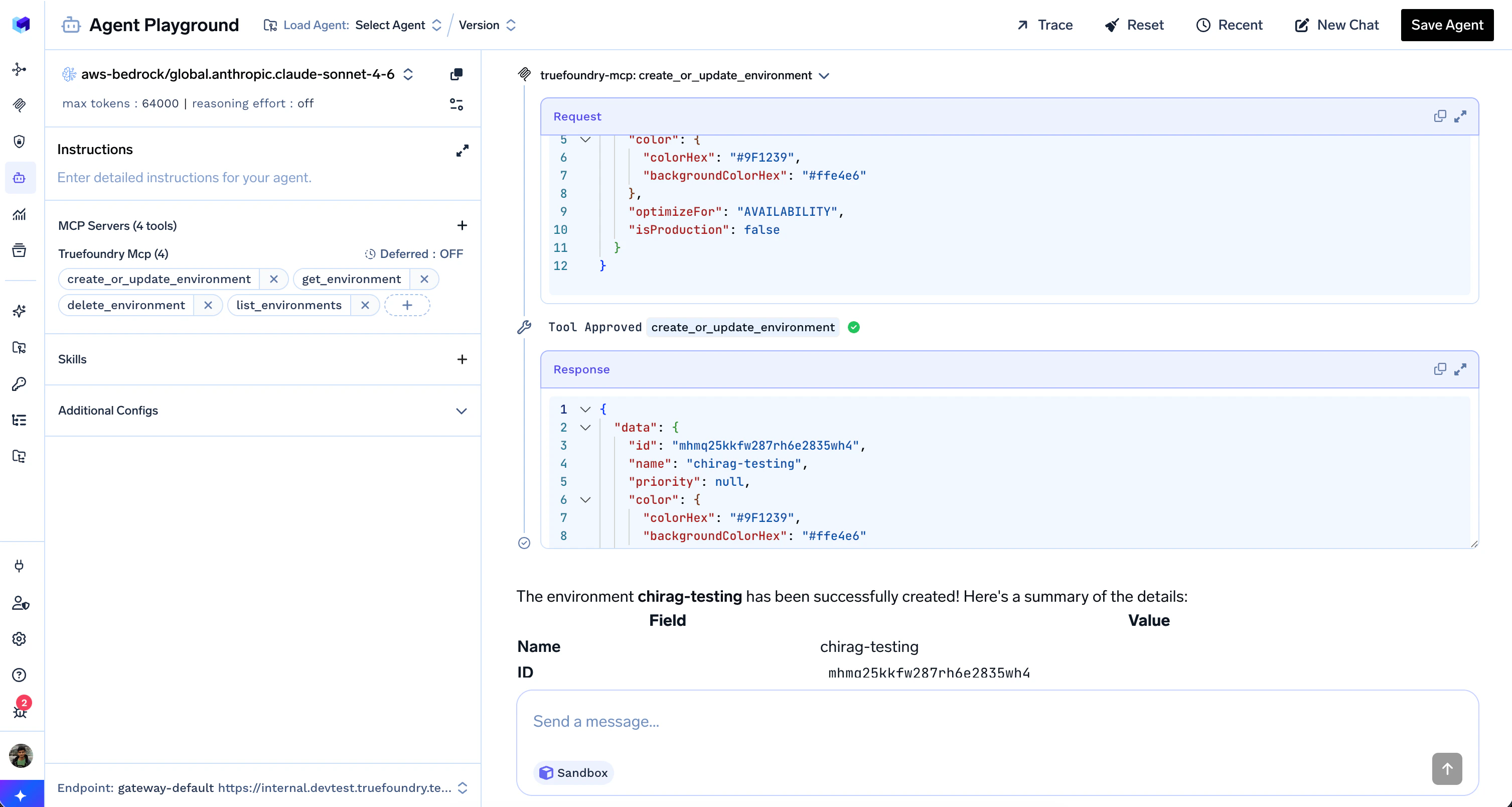
When the agent calls a tool that requires approval, the playground pauses the run and shows the tool name, the request payload, and Approve / Deny buttons. A “1 tool needs your input” banner stays at the bottom of the chat until you decide.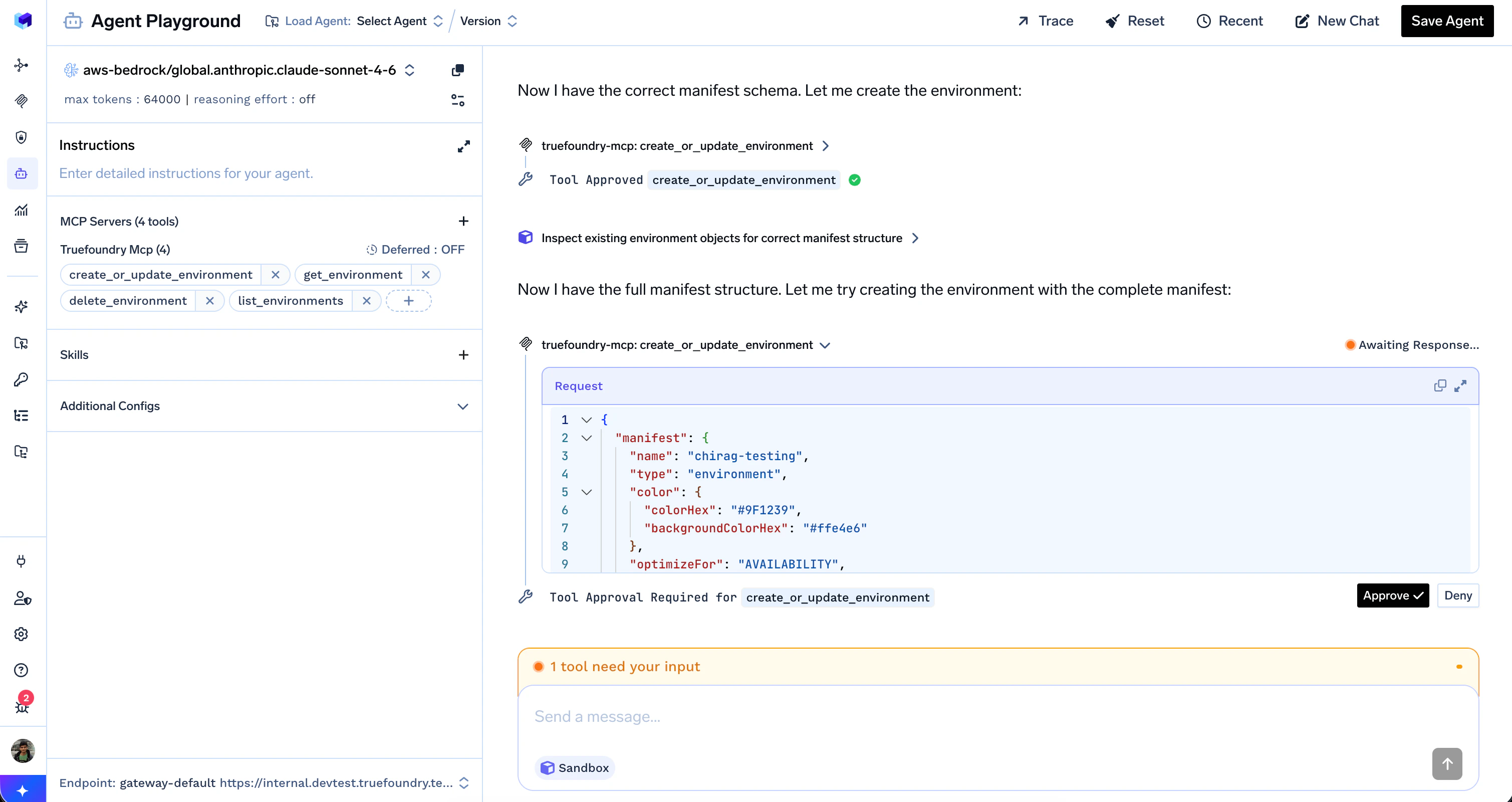
Handling approvals from the API
For the streaming events, JSON payloads, and a full Python client that handlestool.approval_required and resumes the run, see API Reference — Tool Call Approvals.