

Remote Agents are available on both SaaS and Self-hosted deployments.
Single Discovery Surface
All agents — regardless of where they run — are visible in one place. Teams stop asking “where’s that agent?”
RBAC
Control which teams and users can discover and invoke each agent.
Policies
Apply guardrails, content filters, and governance policies uniformly across all remote agents.
Unified Metrics
Get request counts, latency, error rates, and usage data across every agent from a single pane of glass.
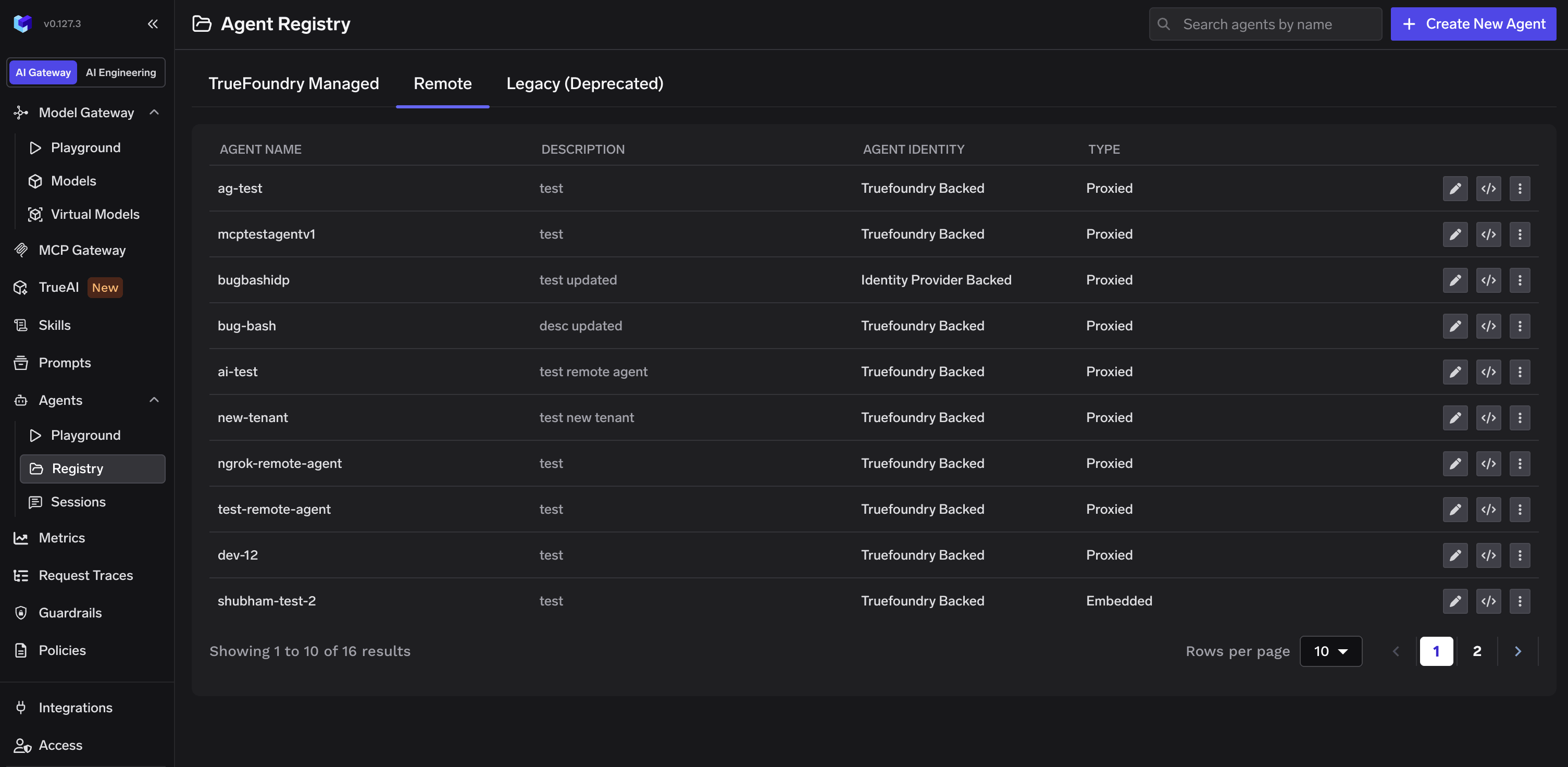
Agent Registry showing registered Remote agents
Supported Frameworks
Remote agents are registered with a framework type that determines how TrueFoundry communicates with the agent. Two framework types are supported:Registering a Remote Agent
On the Agent Registry page, click Create New Agent and select Integrate a Remote Agent.
Create New Agent button on the Agent Registry page
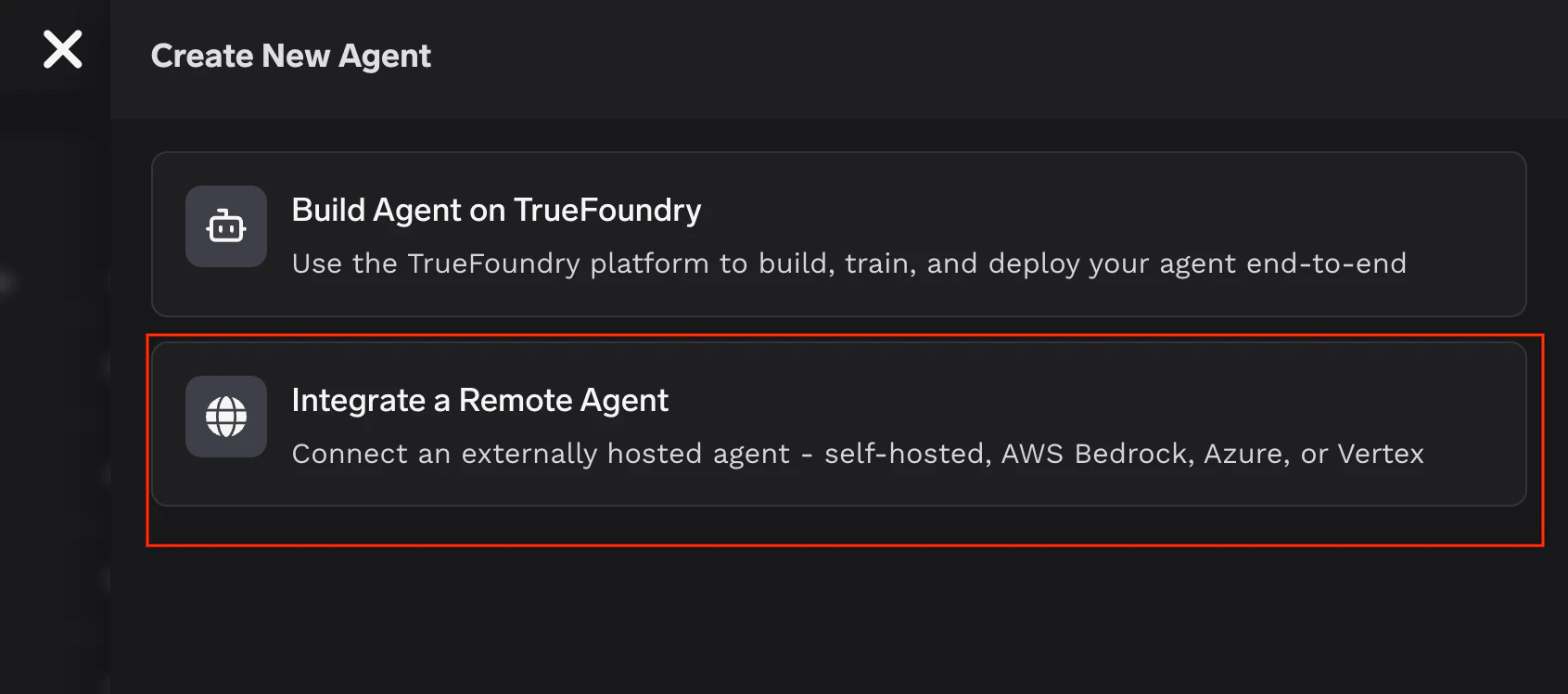
Select Integrate a Remote Agent
1
Basic information
Provide the agent’s Name, Description, and optional Tags.
2
Collaborators
Add team members or groups with access. Each collaborator gets either Agent Manager (can edit the agent) or Agent Access (can invoke the agent) permissions.
3
Endpoint URL
Enter the URL where the agent is reachable. TrueFoundry will proxy all requests to this endpoint.
4
Framework
Select A2A or Custom. For A2A agents, specify the Agent Card Path (defaults to
/.well-known/agent-card.json).5
Authentication
Optionally configure auth for requests to the remote agent:
- Header Auth — Static API key or token sent via request headers (e.g.,
Authorization: Bearer <token>). - Token Passthrough — Forward the caller’s token to the remote agent as-is.
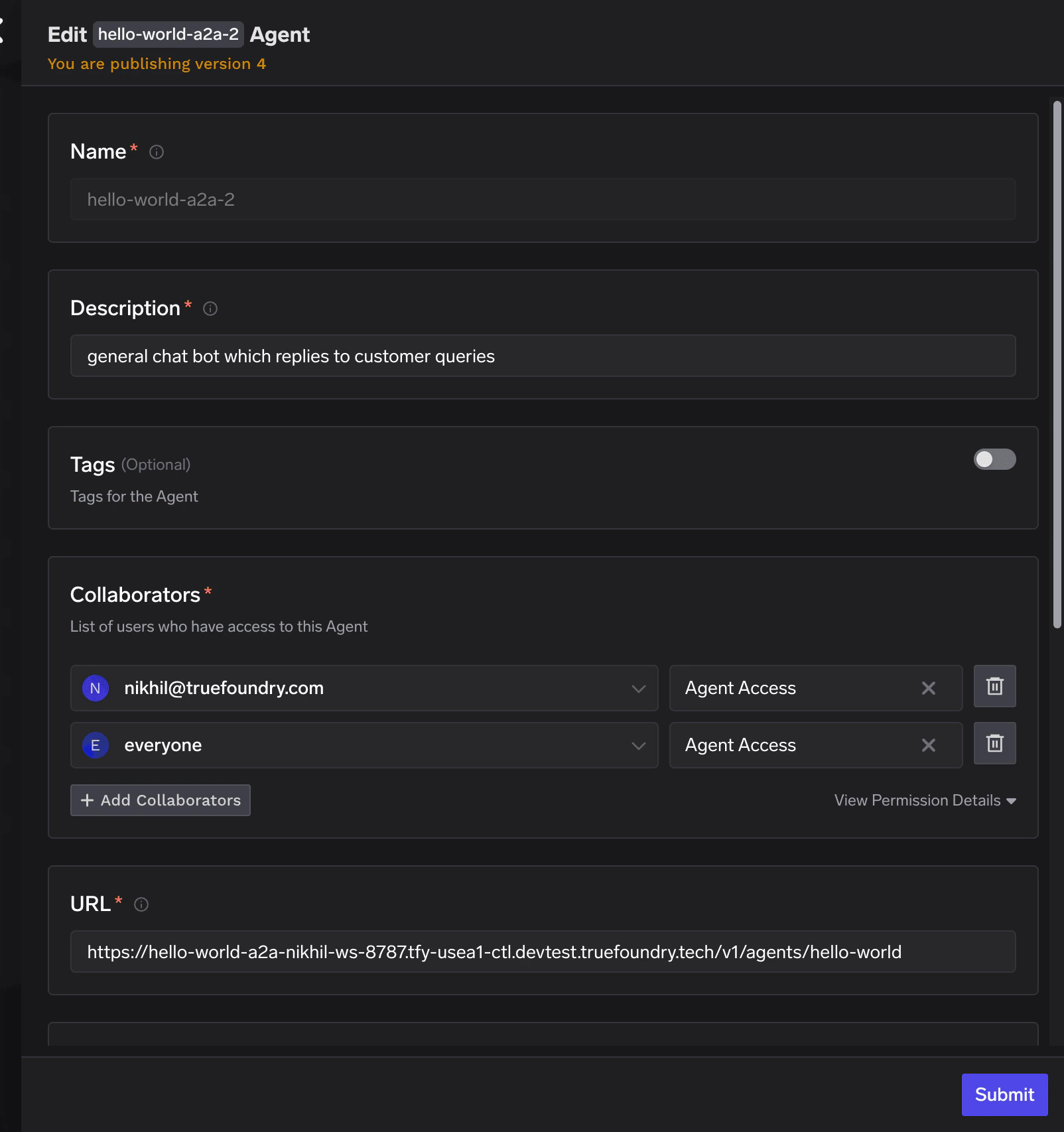
Remote agent registration form: name, description, collaborators, and endpoint URL
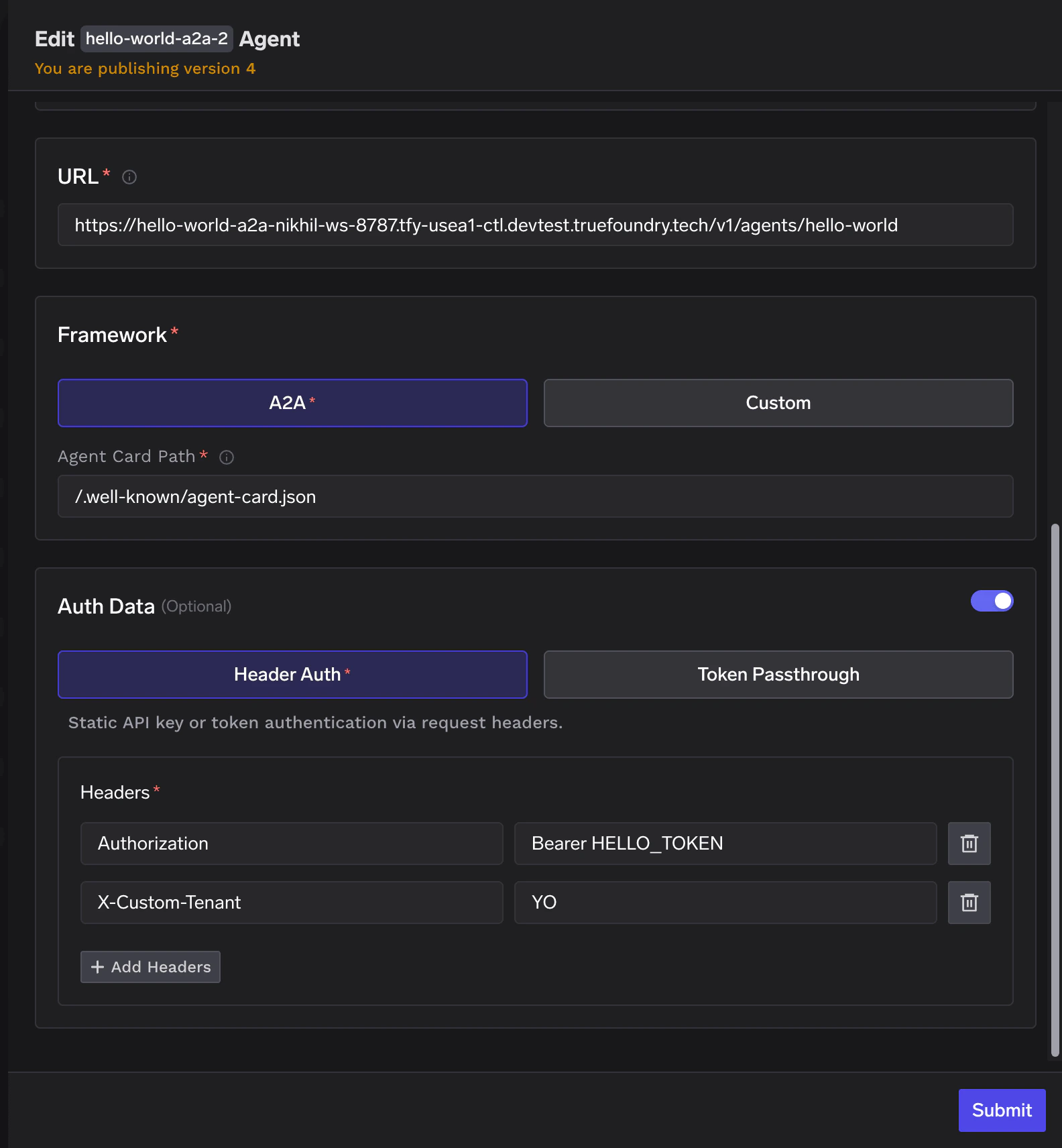
Remote agent registration form: framework selection (A2A or Custom), agent card path, and authentication
Registration Fields Reference
A2A Agents
The Agent-to-Agent (A2A) protocol is an open standard for agent interoperability — a common language that lets agents from different frameworks and vendors communicate with each other. Agent Registry natively supports registering A2A-compatible agents. If your agent speaks A2A, register it and it immediately becomes part of your organization’s agent ecosystem — discoverable, governable, and composable with other agents. This matters as the agent ecosystem matures. Agents built by different teams, on different platforms, using different frameworks will need to interoperate. A2A is how that happens. And Agent Registry is where all of them come together.Invoking an A2A Agent
Once registered, the agent appears on the Agent Registry page. Click the code snippet button to get a ready-to-use snippet for invoking the agent via the A2A Python SDK.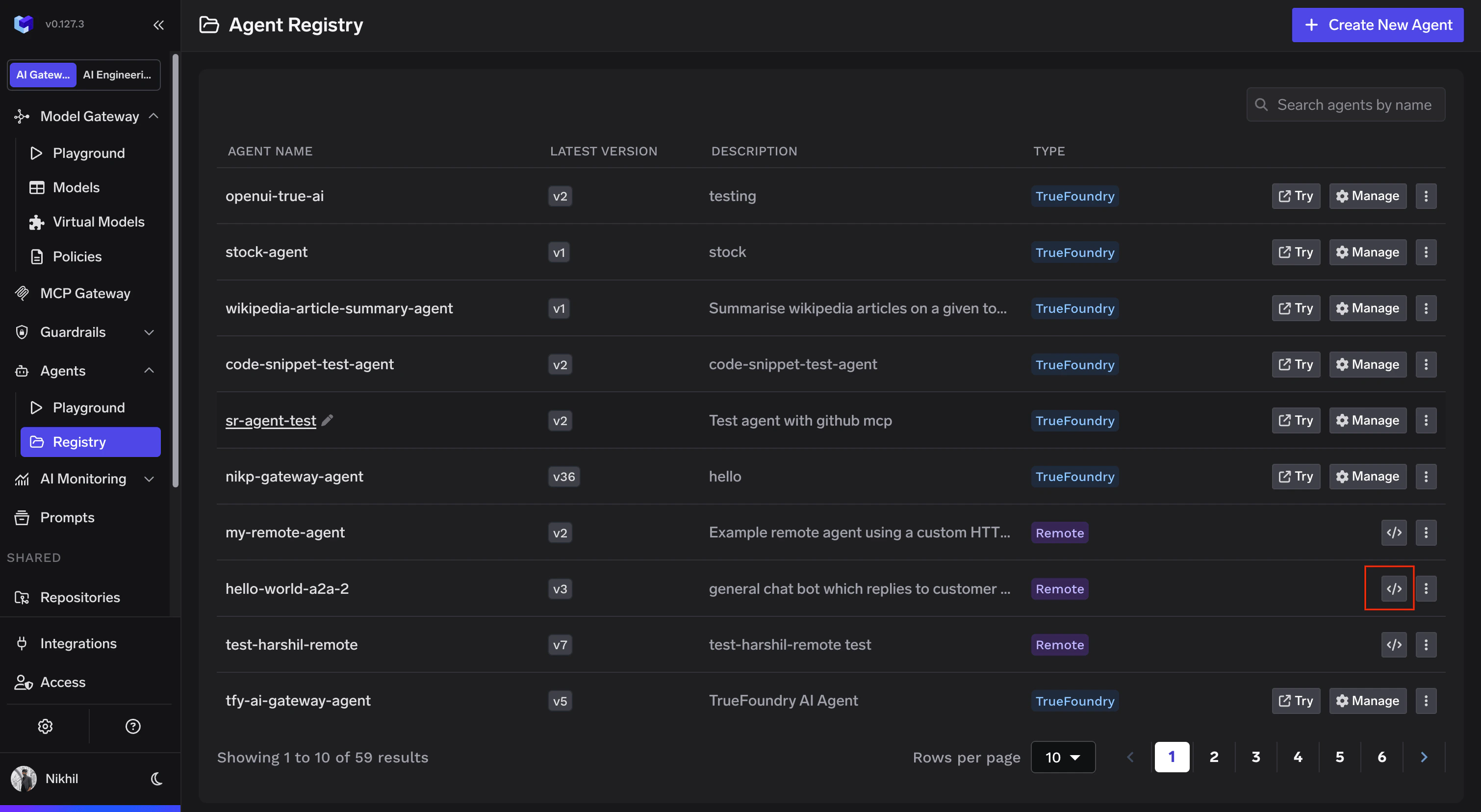
Agent Registry showing the code snippet button on a Remote agent
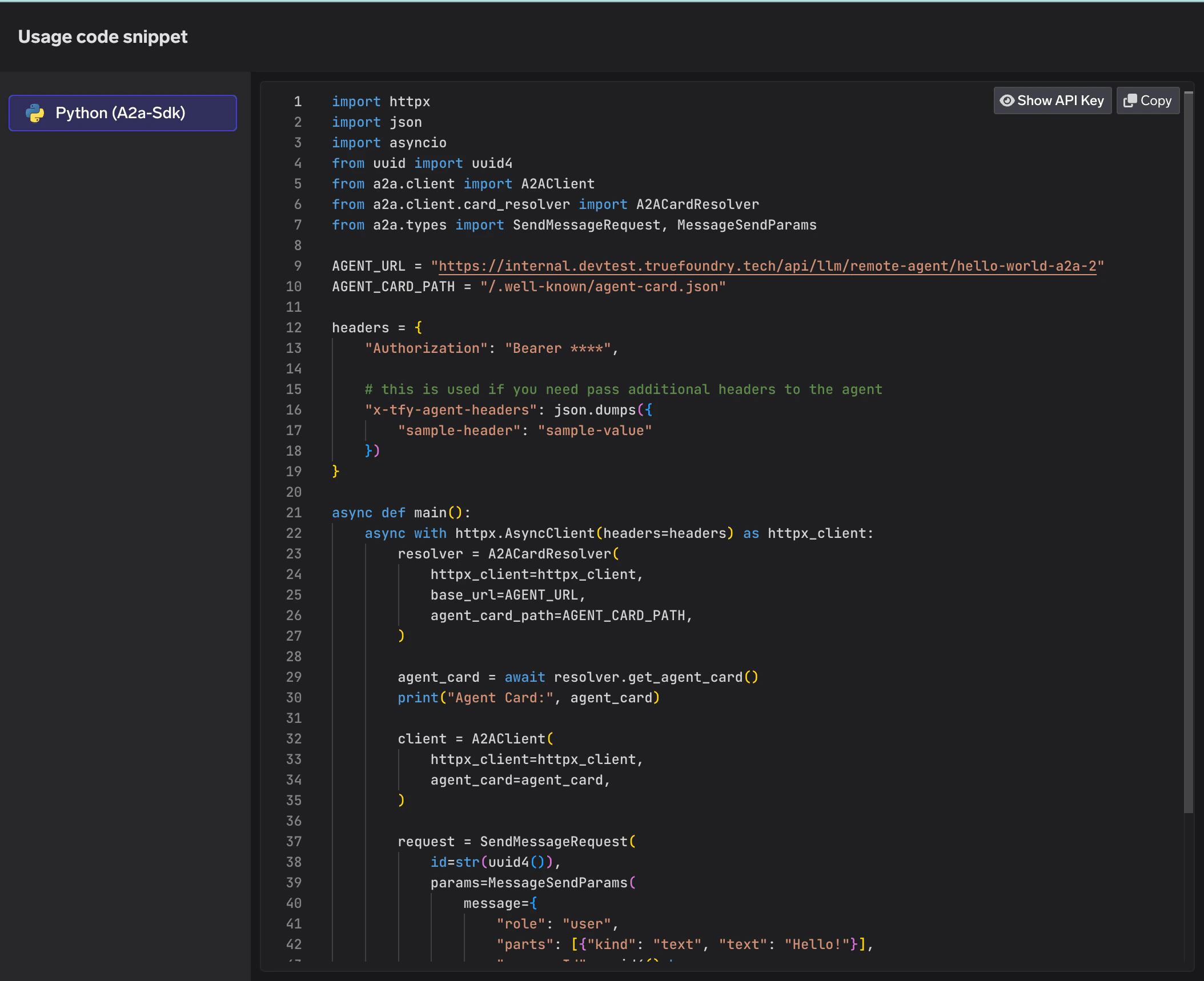
Python code snippet using A2A SDK to invoke a registered remote agent
Monitoring
Traces
Every request to a remote agent is traced through TrueFoundry. Navigate to AI Monitoring > Request Traces to inspect individual requests, including the full JSONRPC request/response payload for A2A agents.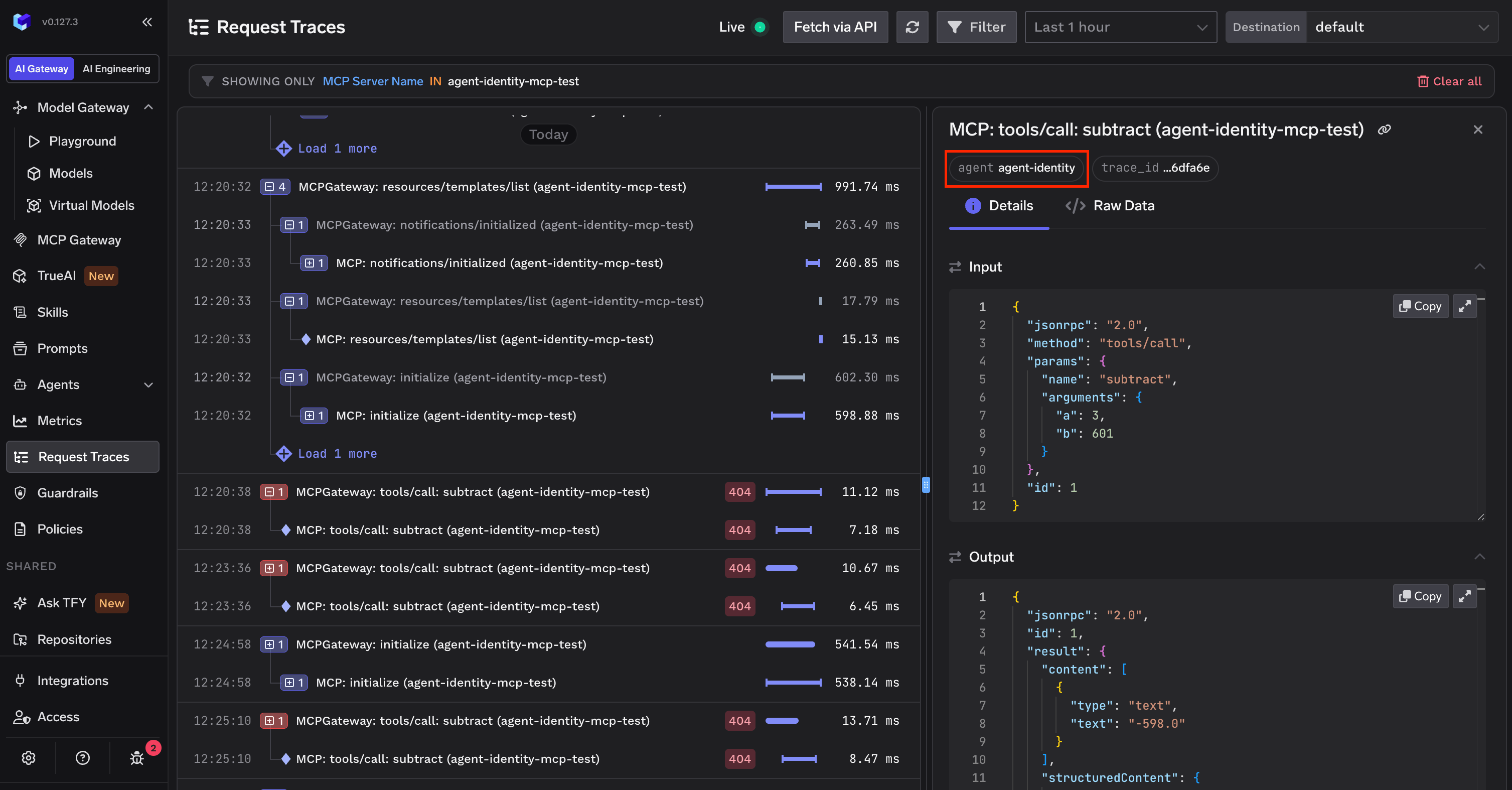
Request Traces for a remote A2A agent showing JSONRPC request and response
Metrics
Agent-level metrics — request counts, latency percentiles, error rates, and failure breakdowns — are available under AI Monitoring > Metrics > Agent Metrics. Filter by agent name to drill into a specific remote agent’s performance.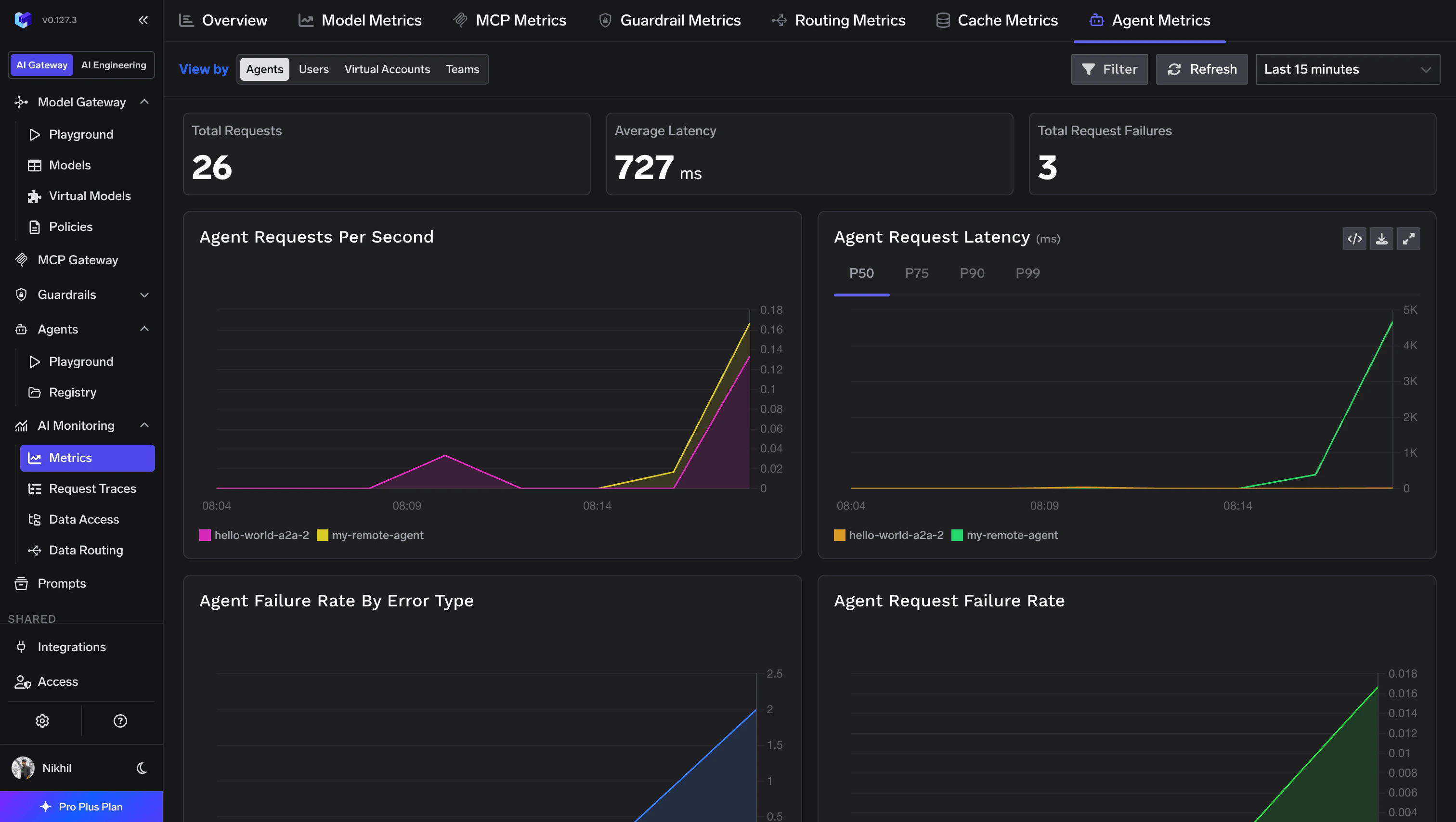
Agent Metrics dashboard showing request volume, latency, and failure rates