

This page applies to self-hosted control planes. If you’re on TrueFoundry’s managed SaaS, your control plane is automatically upgraded and maintained by the TrueFoundry team—you don’t need to take any action.
Every release is published to the Changelog—the single source of truth for what shipped, when, upgrade instructions, breaking changes, and required
values.yaml updates. Track releases there or subscribe via your Customer Support Manager for direct notifications.Release tracks
Stable
One designated release per quarter, maintained for 6 months. P0/P1 bugs and Critical/High CVEs are addressed via on-demand patches against your current Stable version.Choose Stable if you have change management, audit, compliance, or version-stability requirements.
Rolling
Upgrade monthly and stay within 3 months of the latest release. Fixes and new features arrive with every release—no separate patch requests needed.Choose Rolling if you have a staging environment and want new capabilities quickly.
How upgrades work
You upgrade via your standard Helm / OCI deployment workflow. Release artifacts and notes are published per release, and your Customer Support Manager can support a scheduled upgrade if preferred. Self-hosted releases are usually a week behind our managed SaaS control plane. Each release in our changelog is tagged with a version number and date, and includes the upgrade instructions and any breaking changes orvalues.yaml updates required.
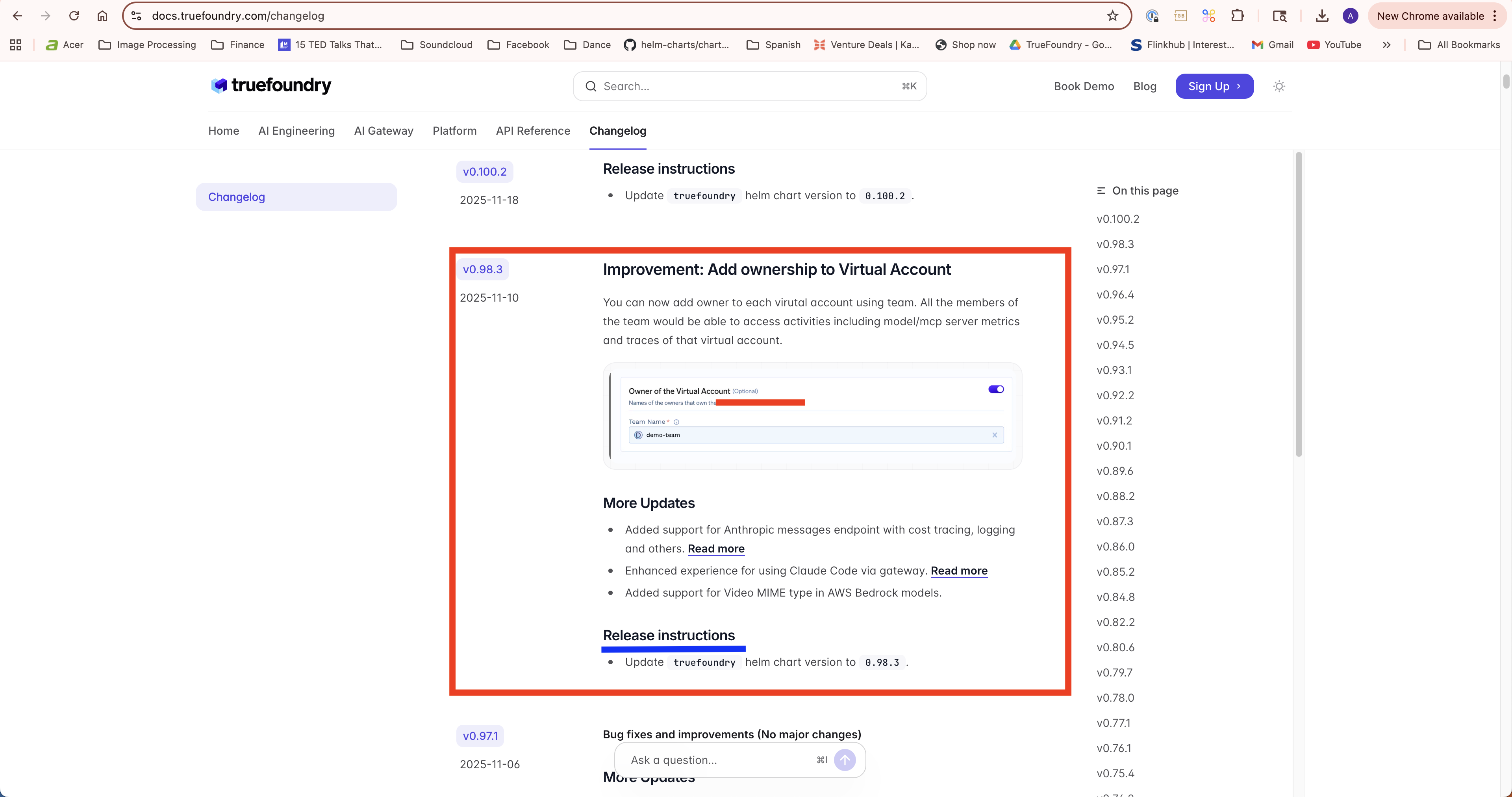
Release changelog
The TrueFoundry team can join a screen share during your upgrade window. Reach out to your Customer Support Manager to schedule.
Falling off a supported track
If you fall off your track—a Stable customer past 6 months, or a Rolling customer more than 3 months behind latest—you remain on best-effort support. We’ll still help where we can, but security SLAs and on-demand patches no longer apply until you upgrade back onto a supported version.Compatibility
Compute plane dependencies
The control plane is compatible with older versions of the compute plane unless mentioned in the changelog. We do, however, maintain a recommended version for the different compute-plane components because that’s the most tested configuration. Track the dependencies at releases.truefoundry.com/control-plane-versions. This page lists the versions of ArgoCD, GPU Operator, and other addons that each control-plane version is tested with.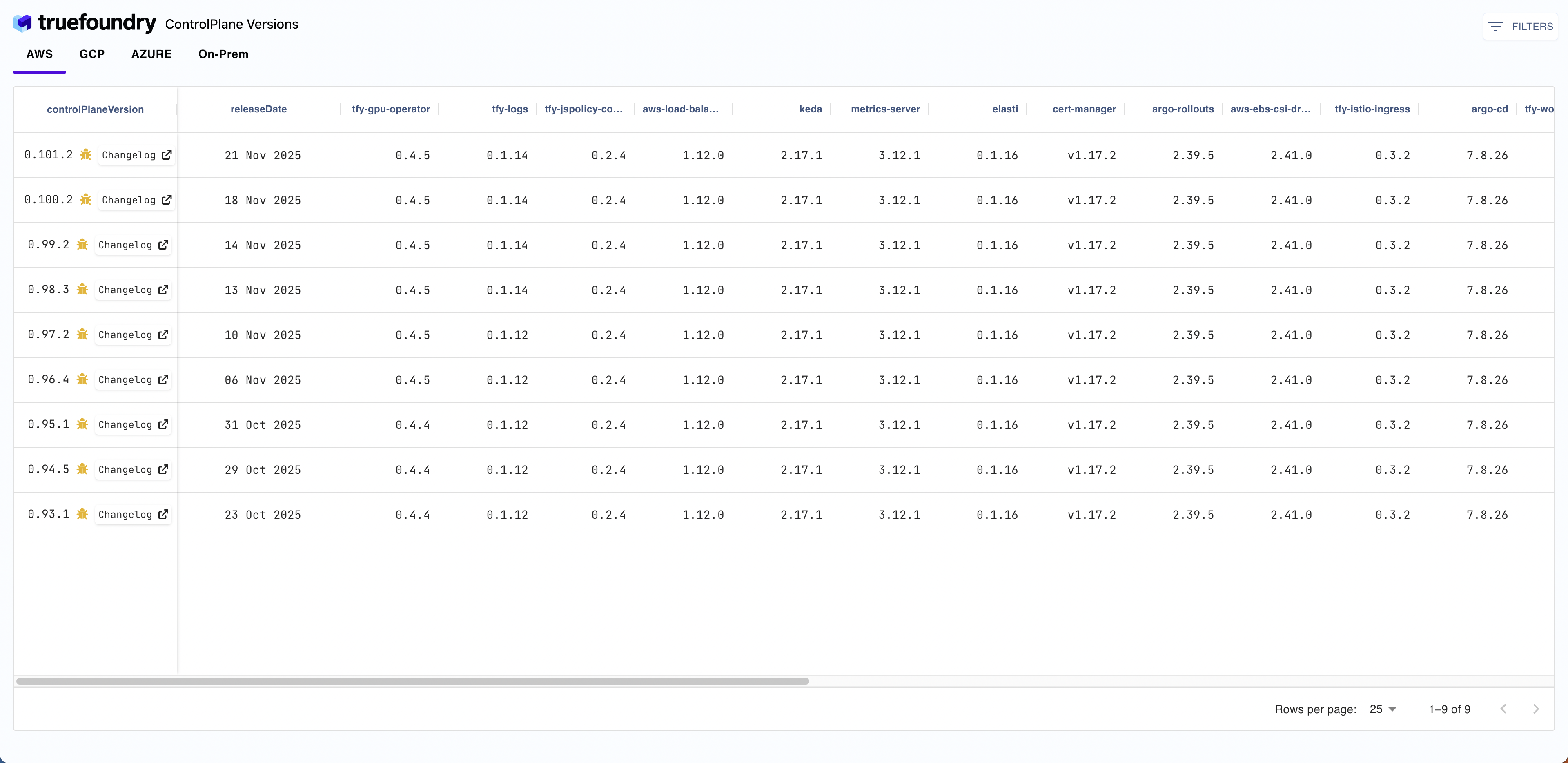
Gateway plane dependencies
The control-plane chart has a dependency on the AI Gateway-plane chart. Every control-plane version is compatible with the AI Gateway plane that is part of the control-plane chart. You can find the AI Gateway-plane version in the control-plane Chart.yaml file.Newer control-plane versions are compatible with older gateway-plane versions unless mentioned in the changelog. However, newer features in the control plane might not be available in older gateway-plane versions.