Docker build secrets allow you to securely pass sensitive information like private repository credentials, API keys, or authentication tokens during the Docker image build process. Unlike build arguments (ARG), build secrets are not stored in the image layers and are only available during the build process, making them ideal for sensitive data.
Why Use Build Secrets?
When building Docker images, you might need to:
- Access private package repositories (npm, PyPI, Maven, etc.)
- Clone private Git repositories
- Download artifacts from authenticated endpoints
- Use API keys for package managers or build tools
Configuring Build Secrets in TrueFoundry
Using the UI
When deploying a service with a Dockerfile, you can configure build secrets in the deployment form:
- Navigate to the Build using DockerFile section in the service/job deployment form
- Enable Build secrets toggle
- For each secret, provide:
- ID: A unique identifier used to reference the secret in your Dockerfile (e.g.,
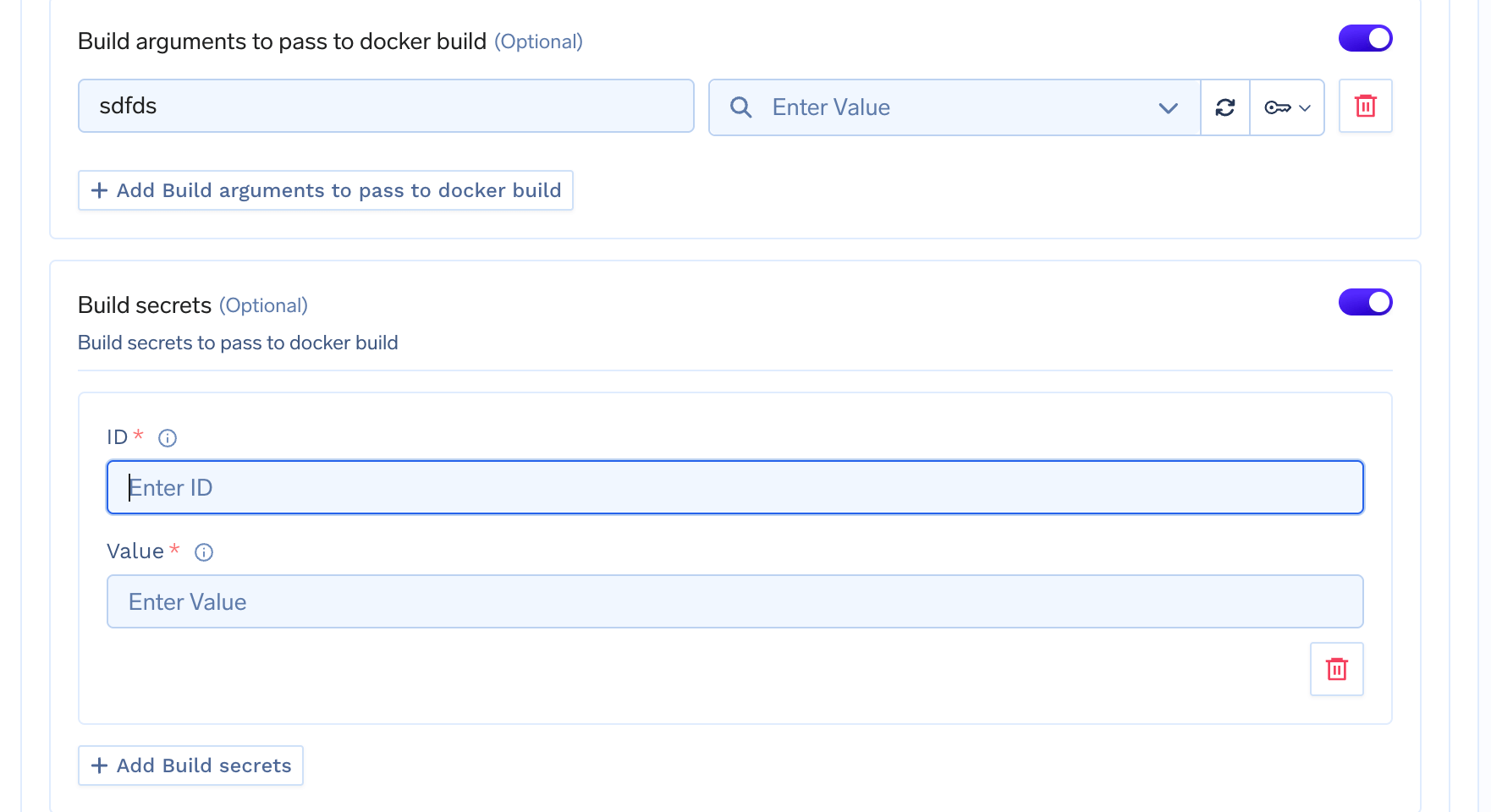
npm_token, github_token)
- Value: The secret value, which can be:
- A plain string value
- A TrueFoundry secret FQN (e.g.,
tfy-secret://user:my-secret-group:my-secret)
To use a TrueFoundry secret, start typing tfy in the Value field and a dropdown will appear with all the secrets you have access to.
Using Build Secrets in Dockerfile
Docker build secrets are accessed using the --mount=type=secret syntax in your Dockerfile. The secret is mounted as a file at /run/secrets/<id> by default.
Basic Usage
# syntax=docker/dockerfile:1
FROM python:3.11-slim
# Mount the secret and use it during the build
RUN --mount=type=secret,id=pip_index_url \
pip install --index-url $(cat /run/secrets/pip_index_url) my-private-package
Installing Private npm Packages
# syntax=docker/dockerfile:1
FROM node:20-alpine
WORKDIR /app
COPY package*.json ./
# Mount npm token and use it to install private packages
RUN --mount=type=secret,id=npm_token \
npm config set //registry.npmjs.org/:_authToken=$(cat /run/secrets/npm_token) && \
npm install && \
npm config delete //registry.npmjs.org/:_authToken
COPY . .
RUN npm run build
CMD ["npm", "start"]
Cloning Private Git Repositories
# syntax=docker/dockerfile:1
FROM python:3.11-slim
WORKDIR /app
# Mount GitHub token to clone private repository
RUN --mount=type=secret,id=github_token \
git clone https://$(cat /run/secrets/github_token)@github.com/myorg/private-repo.git
COPY requirements.txt .
RUN pip install -r requirements.txt
COPY . .
CMD ["python", "main.py"]
Installing Private Python Packages
# syntax=docker/dockerfile:1
FROM python:3.11-slim
WORKDIR /app
COPY requirements.txt .
# Mount PyPI credentials for private package index
RUN --mount=type=secret,id=pypi_username \
--mount=type=secret,id=pypi_password \
pip install -r requirements.txt \
--index-url https://$(cat /run/secrets/pypi_username):$(cat /run/secrets/pypi_password)@pypi.mycompany.com/simple/
COPY . .
CMD ["python", "main.py"]
Using Multiple Secrets
You can mount multiple secrets in a single RUN instruction:
# syntax=docker/dockerfile:1
FROM ubuntu:22.04
RUN --mount=type=secret,id=aws_access_key \
--mount=type=secret,id=aws_secret_key \
AWS_ACCESS_KEY_ID=$(cat /run/secrets/aws_access_key) \
AWS_SECRET_ACCESS_KEY=$(cat /run/secrets/aws_secret_key) \
aws s3 cp s3://my-bucket/artifact.tar.gz /app/