

What is OpenAI Swarm?
OpenAI Swarm is an experimental framework for building, orchestrating, and deploying multi-agent systems. It provides a lightweight, scalable, and highly customizable approach to coordinating multiple AI agents that can work together to solve complex tasks through handoffs and collaboration.Key Features of OpenAI Swarm
- Multi-Agent Coordination: Build teams of specialized agents that can transfer tasks between each other and collaborate on complex workflows
- Lightweight Framework: Minimal overhead with a simple API that makes it easy to define agents, their capabilities, and coordination patterns
- Function Calling: Agents can be equipped with custom functions and tools to interact with external systems and APIs
- Contextual Handoffs: Seamless transfer of context and conversation state between agents based on user needs and agent capabilities
Prerequisites
Before integrating OpenAI Swarm with TrueFoundry, ensure you have:- TrueFoundry Account: Create a TrueFoundry account and follow our Gateway Quick Start
- OpenAI Swarm Installation: Install OpenAI Swarm using pip:
pip install git+https://github.com/openai/swarm.git - Virtual Model: Create a Virtual Model for your desired models (see Configure Model Routing below)
Important: Virtual models
Setup Process
1. Basic Setup with OpenAI Swarm
You will get your ‘truefoundry-api-key’, ‘truefoundry-gateway-url’ and model name directly from the unified code snippet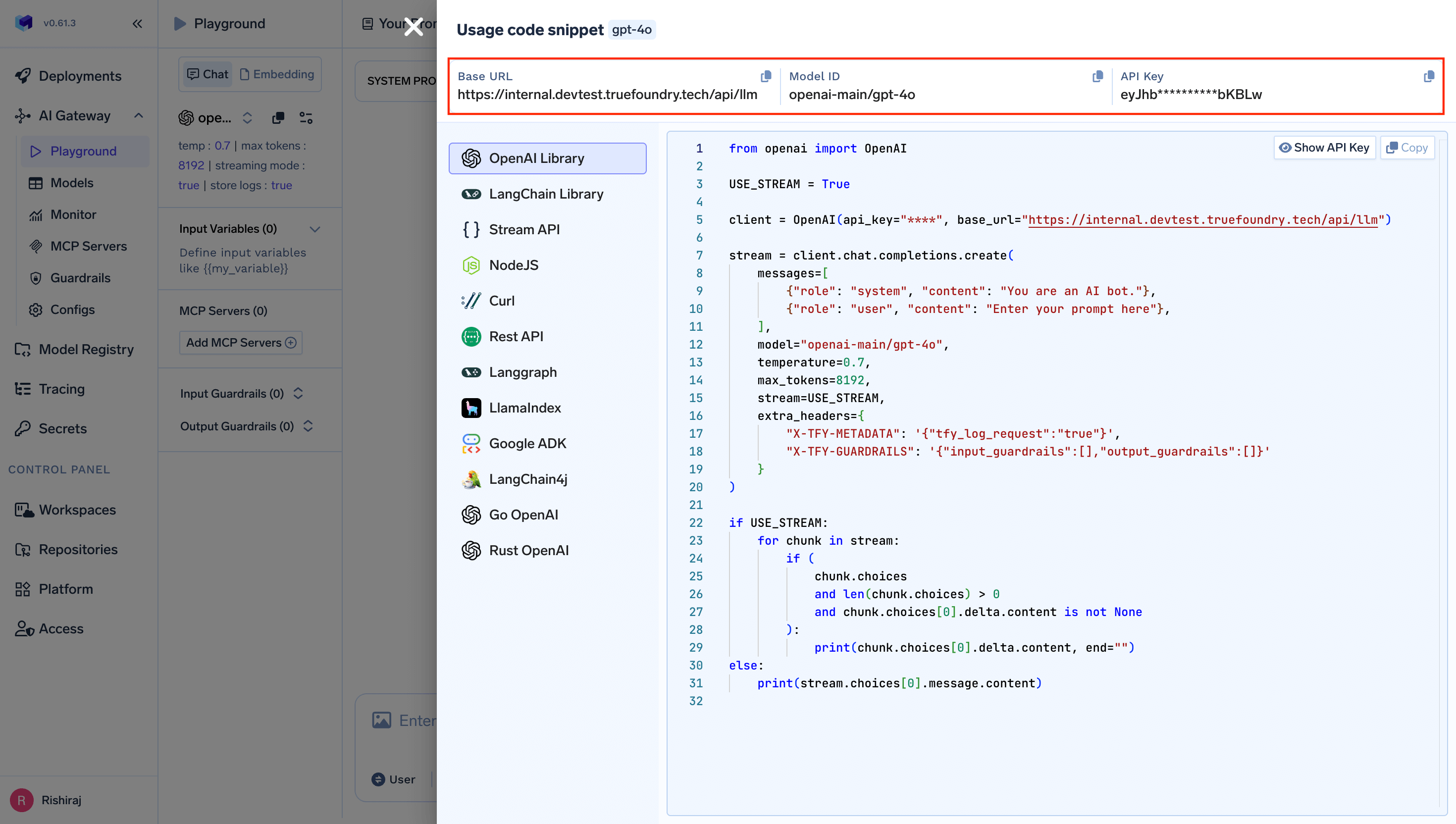
your-truefoundry-api-keywith your actual TrueFoundry API key{GATEWAY_BASE_URL}with your TrueFoundry AI Gateway URL
2. Configure Model Routing
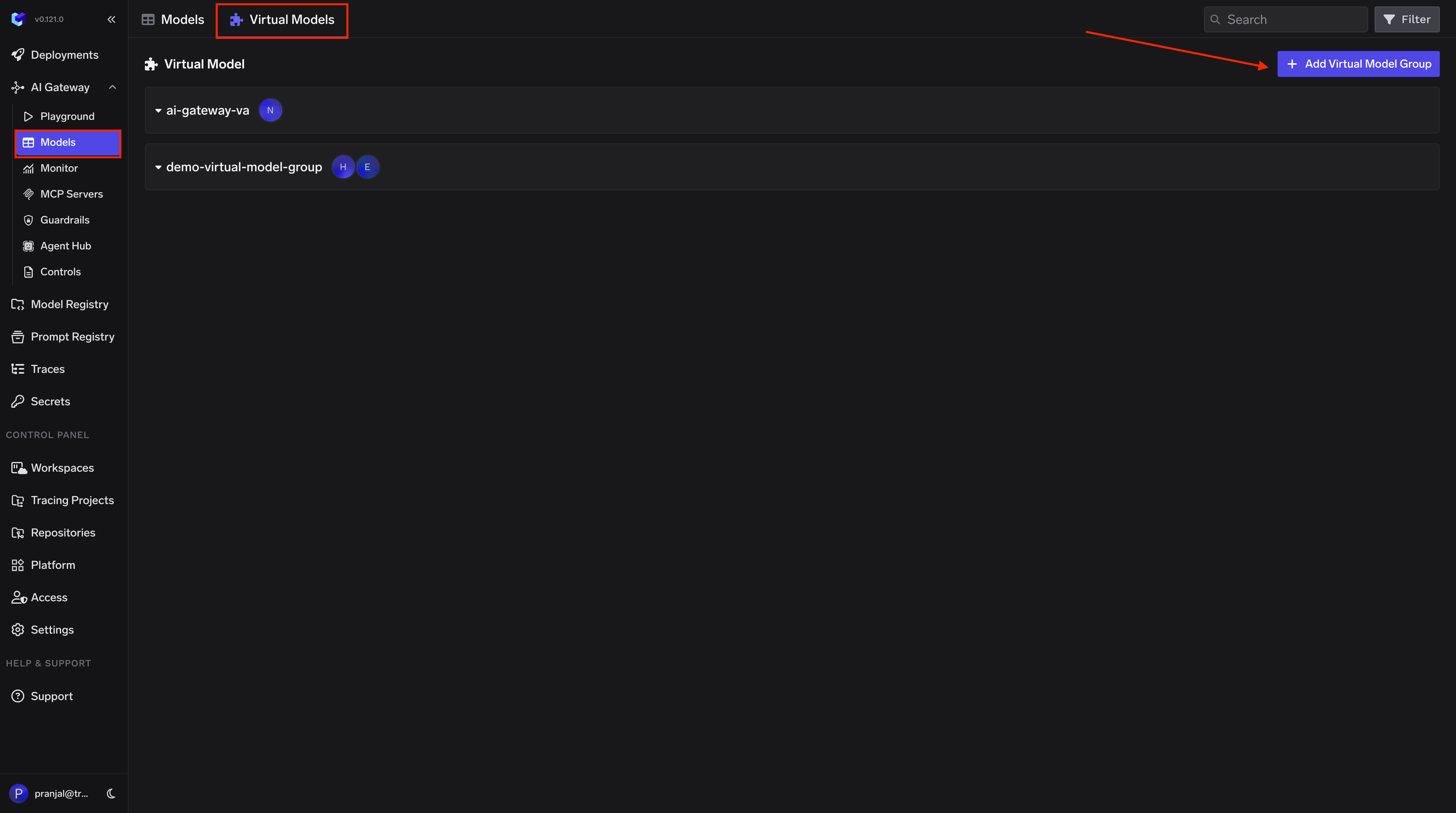
Create a Virtual Model so OpenAI Swarm can use a simple model name that the AI Gateway maps to your provider:- Navigate to AI Gateway → Models → Virtual Model in the TrueFoundry dashboard.
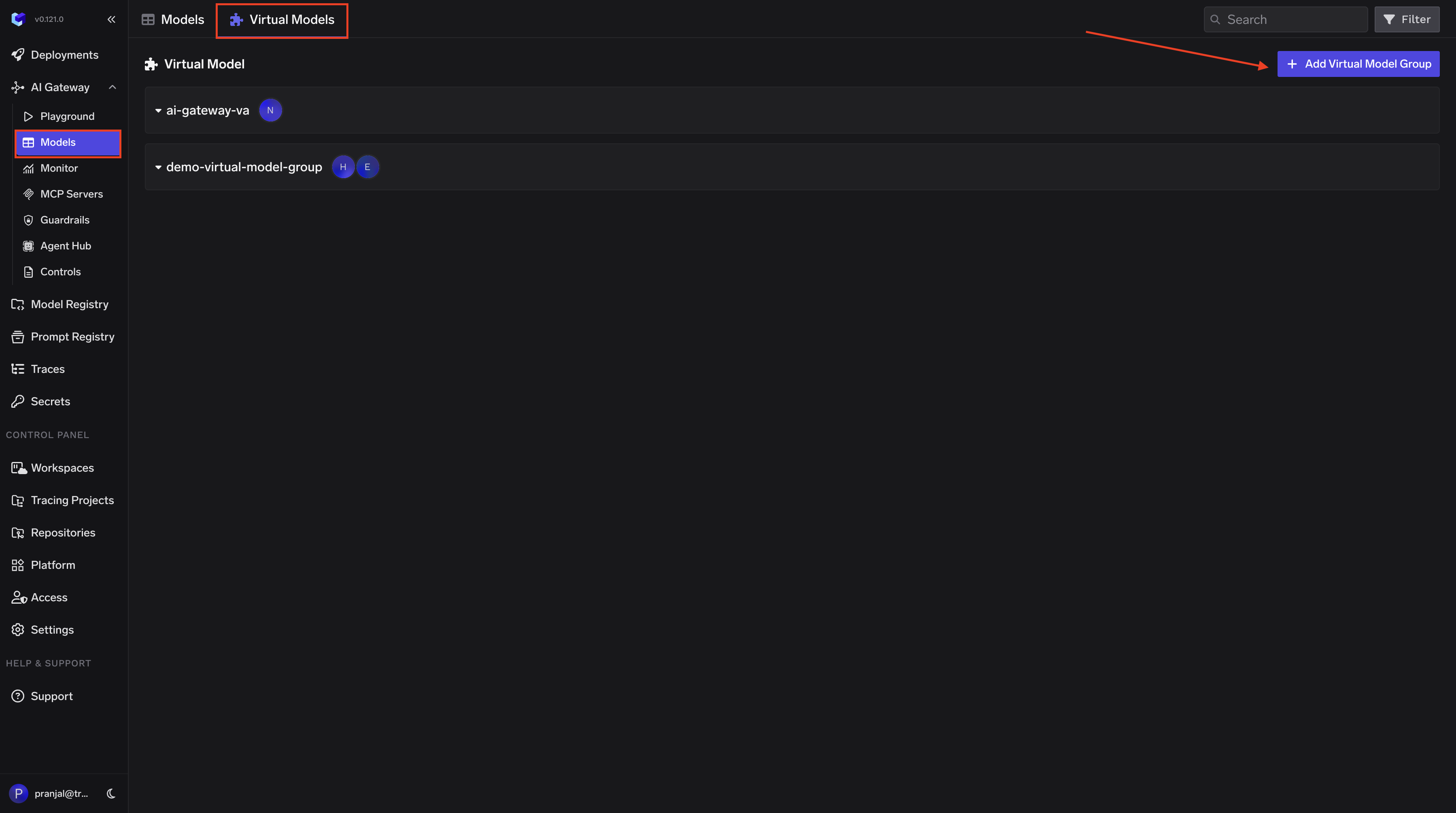
-
Create a new Virtual Model Provider Group with a name (e.g.,
swarm-vm) and configure collaborators for access control. -
Add your target model (e.g.,
openai-main/gpt-4o) under the provider group. Set the Virtual Model name to the model name Swarm expects (e.g.,gpt-4o), so requests from Swarm are automatically routed to your configured provider.
3. Environment Variables Configuration
For persistent configuration across your Swarm applications, set these environment variables:Observability and Governance
Monitor your OpenAI Swarm applications through TrueFoundry’s metrics tab: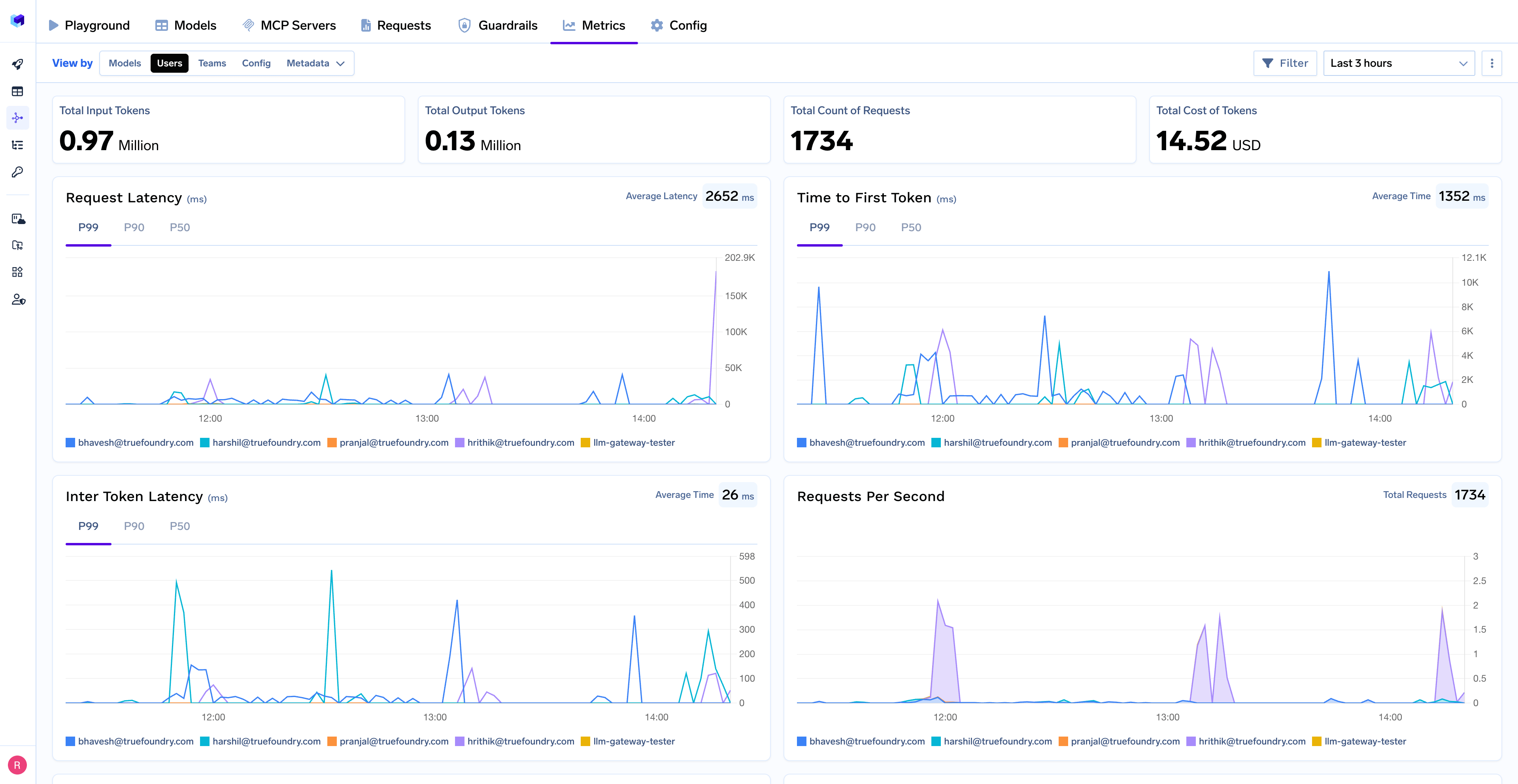
- Performance Metrics: Track key latency metrics like Request Latency, Time to First Token (TTFS), and Inter-Token Latency (ITL) with P99, P90, and P50 percentiles
- Cost and Token Usage: Gain visibility into your application’s costs with detailed breakdowns of input/output tokens and the associated expenses for each model
- Usage Patterns: Understand how your application is being used with detailed analytics on user activity, model distribution, and team-based usage
- Agent Performance: Monitor individual agent performance and handoff patterns
- Rate Limiting and Virtual Models: Set up rate limiting and configure Virtual Models for intelligent routing and fallback across your models