

Creating the Gitlab App
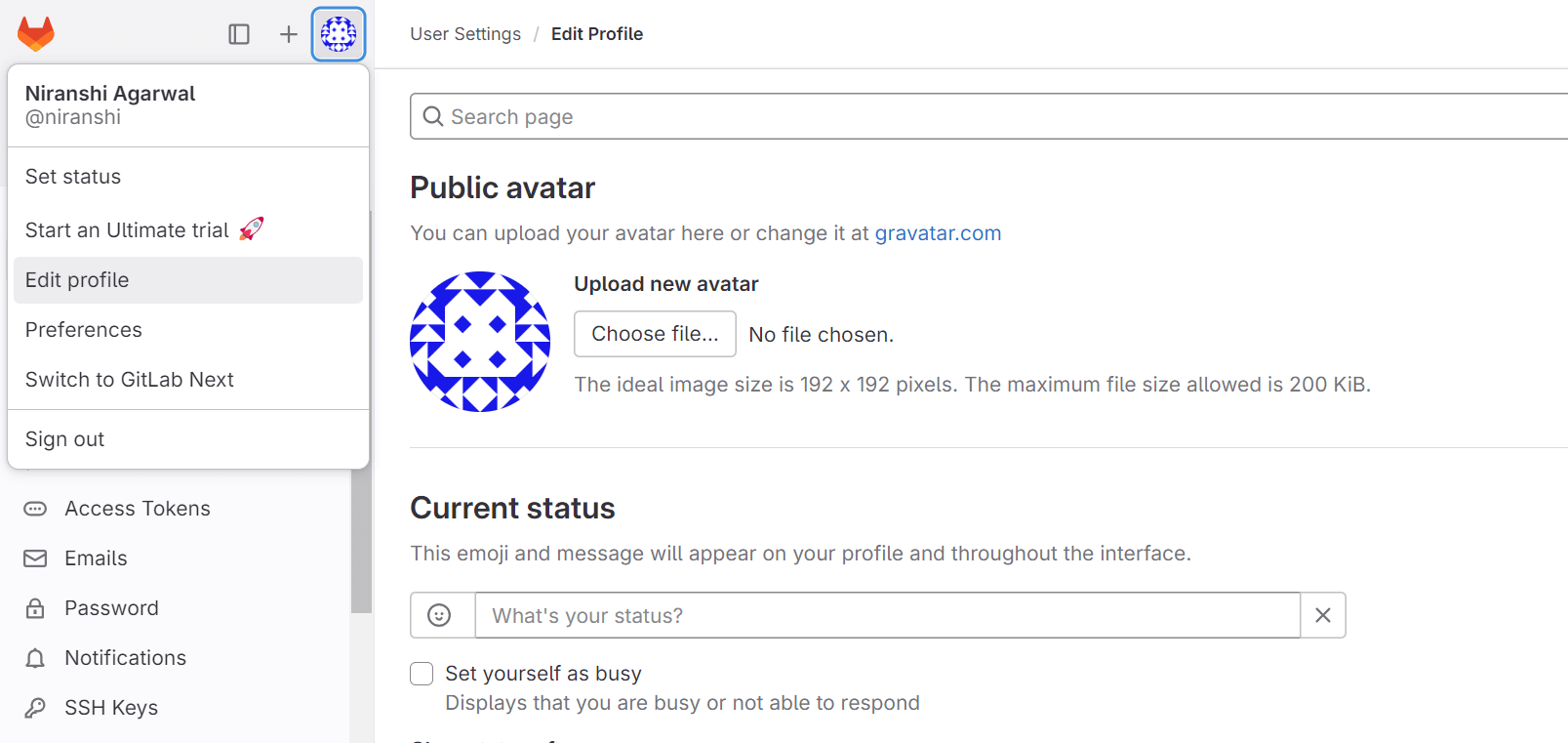
To enable Gitlab integrations, you need to create a Gitlab app. Follow these steps to create the Gitlab app and integrate it with truefoundry:- Sign in to GitLab.com. On the left sidebar, select your avatar and select Edit profile.
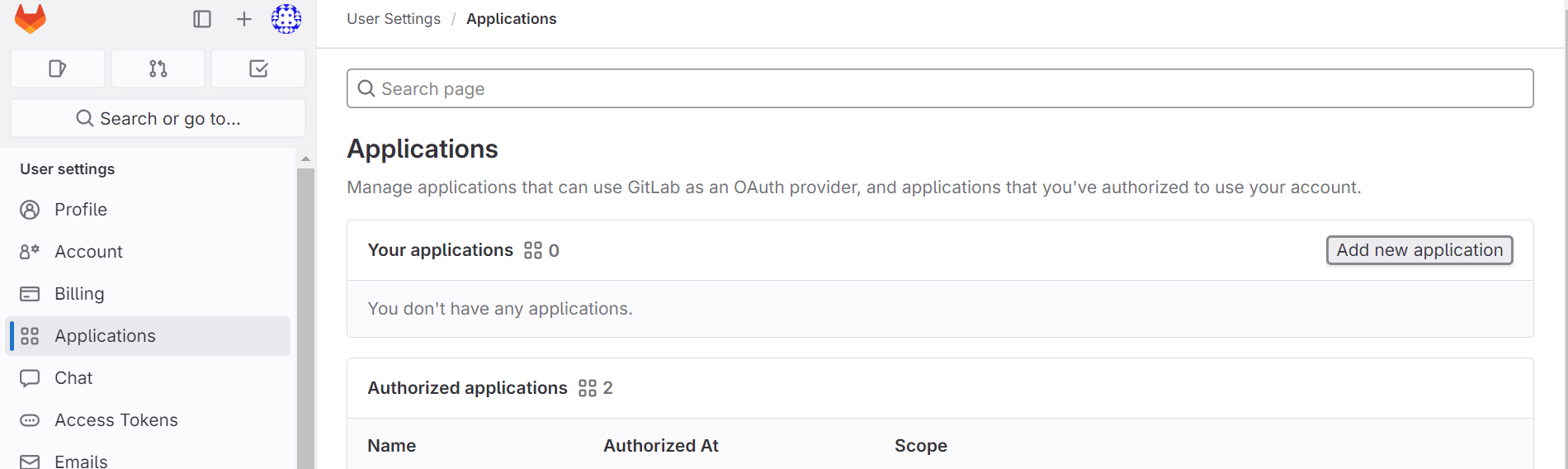
- On the left sidebar, select Applications. Click on the Add new application button right side.
-
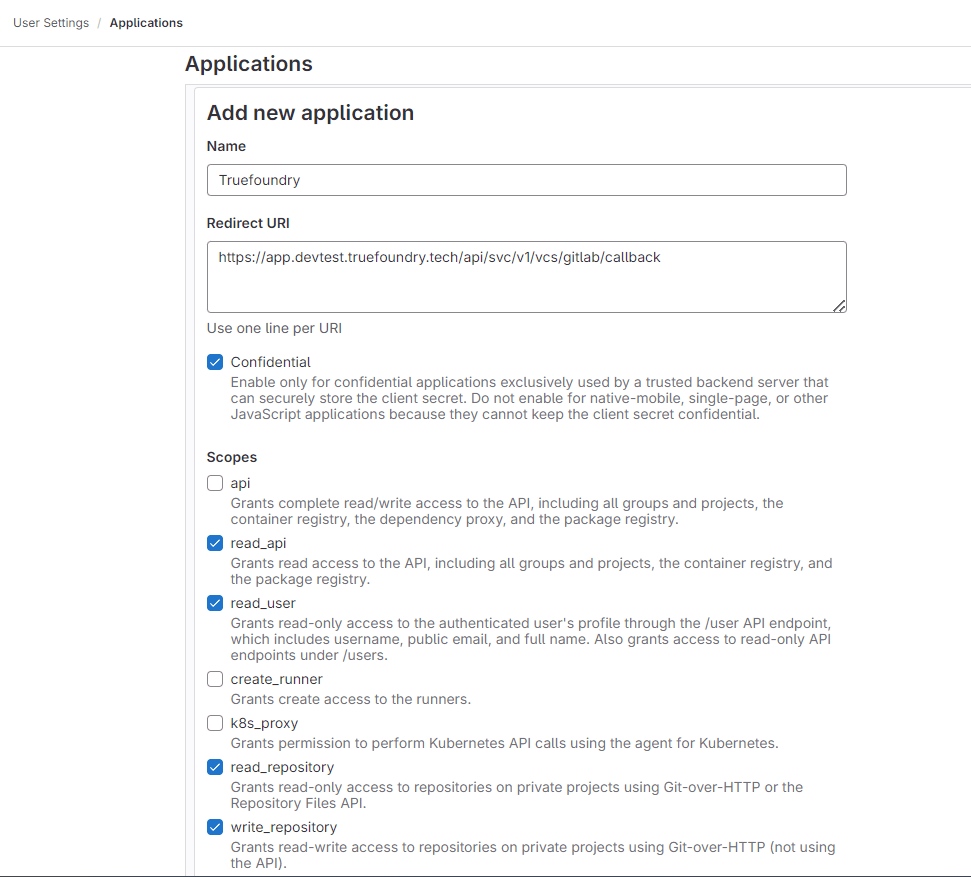
Provide the required details for Add new application.
- Name: This can be anything. Consider something like
<Organization>’s GitLab or<Your Name>’s GitLab or something else descriptive. - Redirect URI:
https://app.example-org.truefoundry.com/api/svc/v1/vcs/gitlab/callback - Enable the Confidential check box.
- Select the following scopes: read_api, read_user, read_repository, write_repository.
- Name: This can be anything. Consider something like
- Select Save application.
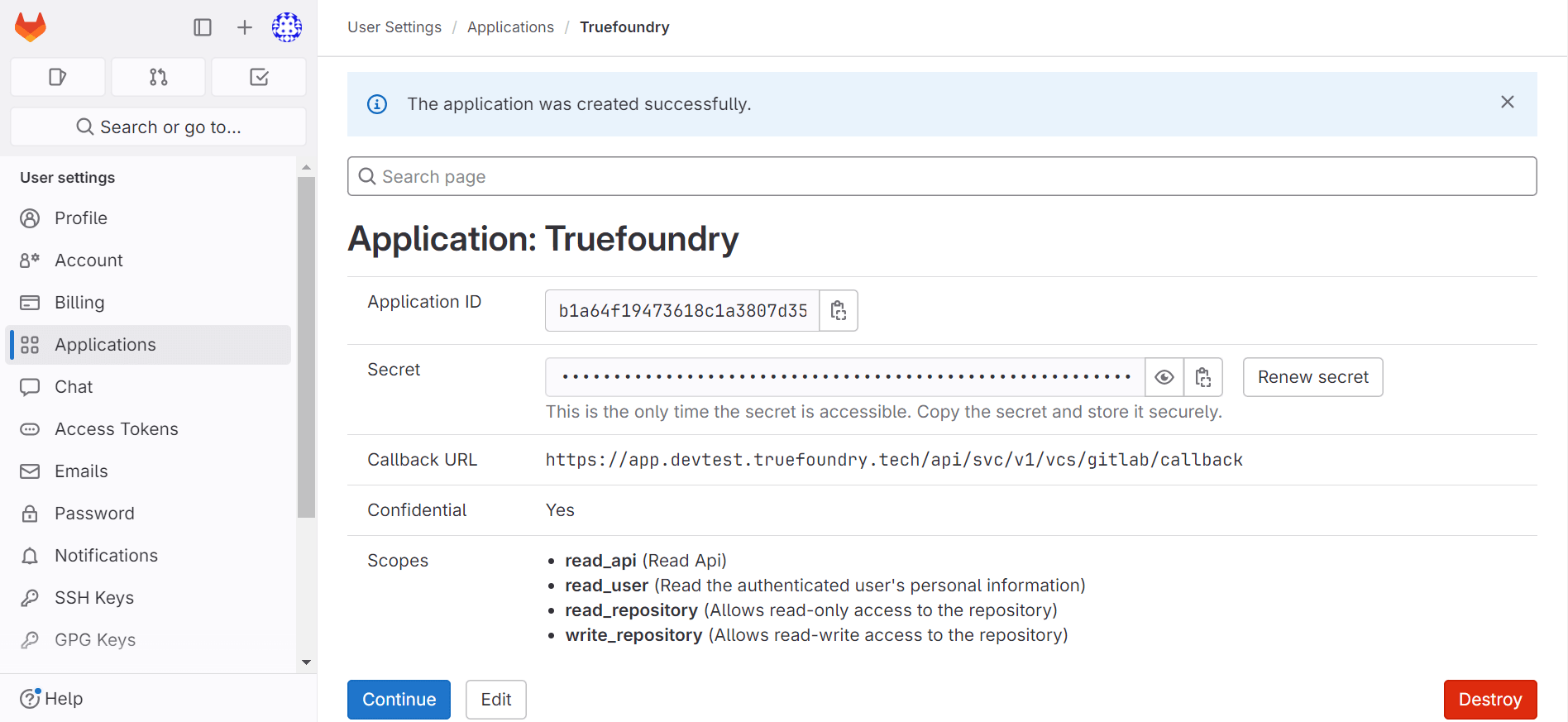
- You should now see an Application ID and Secret.
List of connected repositories
- Set environment variables in servicefoundry server :