

What Is Changing
We have launched a feature to enable MCP Guardrails from v0.116. This allows you to configure policies at the Gateway layer to apply certain guardrails to specific MCP servers and models.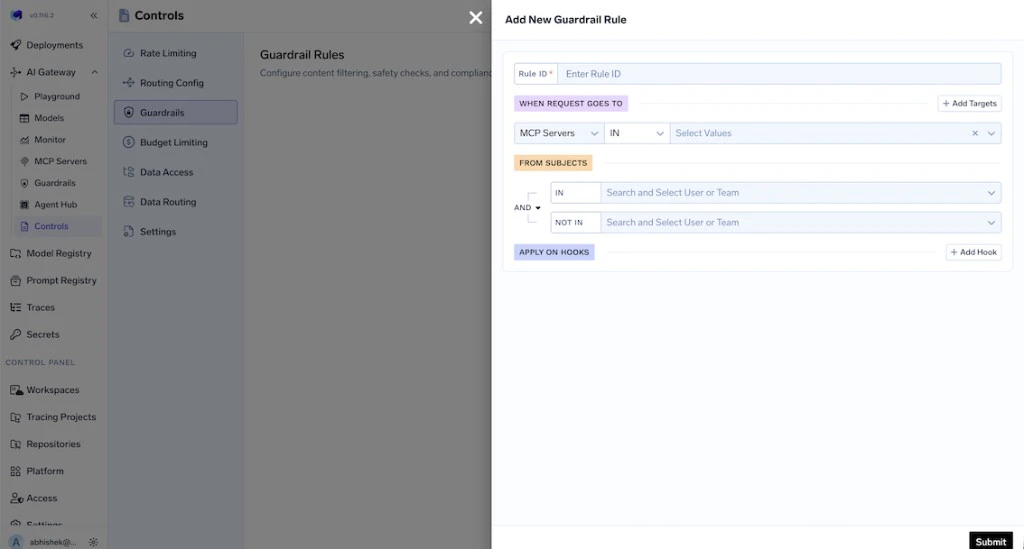
Why This Change
To bring the guardrails feature to MCP servers, we decided to merge it in the central guardrails policy instead of keeping it separate for models and MCP servers. We will be closely tracking the usage patterns here and evolve this if needed in the future.What You Need to Do
- Open the Guardrails configuration in the TrueFoundry UI.
- Copy the new YAML schema from the UI.
- Replace the old schema in your Git repository with the new one.
- Commit and apply via
tfy apply.
Changes in YAML Schema
Previous schema:Key Changes in Schema
input_guardrailsis renamed tollm_input_guardrailsin every rule.output_guardrailsis renamed tollm_output_guardrailsin every rule.- Migrate
when.subjectsfrom a list of strings to the new shape withoperatorandconditions.in(orconditions.not_in). Specify at least one ofinornot_in. Use subject formatuser:emailorteam:teamName. - Migrate
when.modelsintowhen.targetwithoperator,conditions.model,condition: inorcondition: not_in, andvalues. - Ensure
when.metadata(if used) lists only keys that must be present in the request with exact values; request may have extra keys.
If you face any issues in the migration, reach out and we’ll be happy to assist.