from dotenv import load_dotenv
from langchain_core.tools import tool
from langgraph.prebuilt import ToolNode
from langchain_openai import ChatOpenAI
from langgraph.graph import MessagesState, END, StateGraph
from langchain_core.messages import HumanMessage, SystemMessage
import random
import os
from typing import Literal

# importing traceloop sdk
from traceloop.sdk import Traceloop

load_dotenv()

# Add the traceloop init code to your application
TFY_API_KEY = os.environ.get("TFY_API_KEY")
Traceloop.init(
    api_endpoint="<enter_your_api_endpoint>",
    app_name="your tracing application name",
    headers = {
        "Authorization": f"Bearer {TFY_API_KEY}",
        "TFY-Tracing-Project": "<enter_your_tracing_project_fqn>",
    },
)

# Define a Tool the Agent Can Call
@tool("get_random_topic", parse_docstring=True)
def get_random_topic() -> str:
    """Get a random topic from a list of AI-related subjects for research."""
    topics = [
        "AI", "Machine Learning", "Data Science", "Deep Learning",
        "Computer Vision", "Natural Language Processing", "Robotics",
        "Blockchain", "Quantum Computing", "Gen AI", "LLMs", "RAG",
        "LLM Agents", "LLM Tool Calling", "LLM Planning", "LLM Self-Reflection"
    ]
    return random.choice(topics)

# Set Up the Model and Register Tools
tools = [get_random_topic]
tool_node = ToolNode(tools)
model = ChatOpenAI(model="gpt-4o", temperature=0).bind_tools(tools)

# Define Agent Behavior (Core Model Invocation Logic)
def call_model(state: MessagesState):
    messages = state["messages"]
    response = model.invoke(messages)
    return {"messages": [response]}

# Define Conditional Logic for Tool Use
def should_continue(state: MessagesState) -> Literal["tools", END]:
    messages = state["messages"]
    last_message = messages[-1]
    if last_message.tool_calls:
        return "tools"
    return END

# Build the LangGraph Workflow
workflow = StateGraph(MessagesState)
workflow.add_node("agent", call_model)
workflow.add_node("tools", tool_node)
workflow.set_entry_point("agent")
workflow.add_conditional_edges("agent", should_continue)
workflow.add_edge("tools", "agent")

app = workflow.compile()

# Craft the Initial Prompt for the Agent
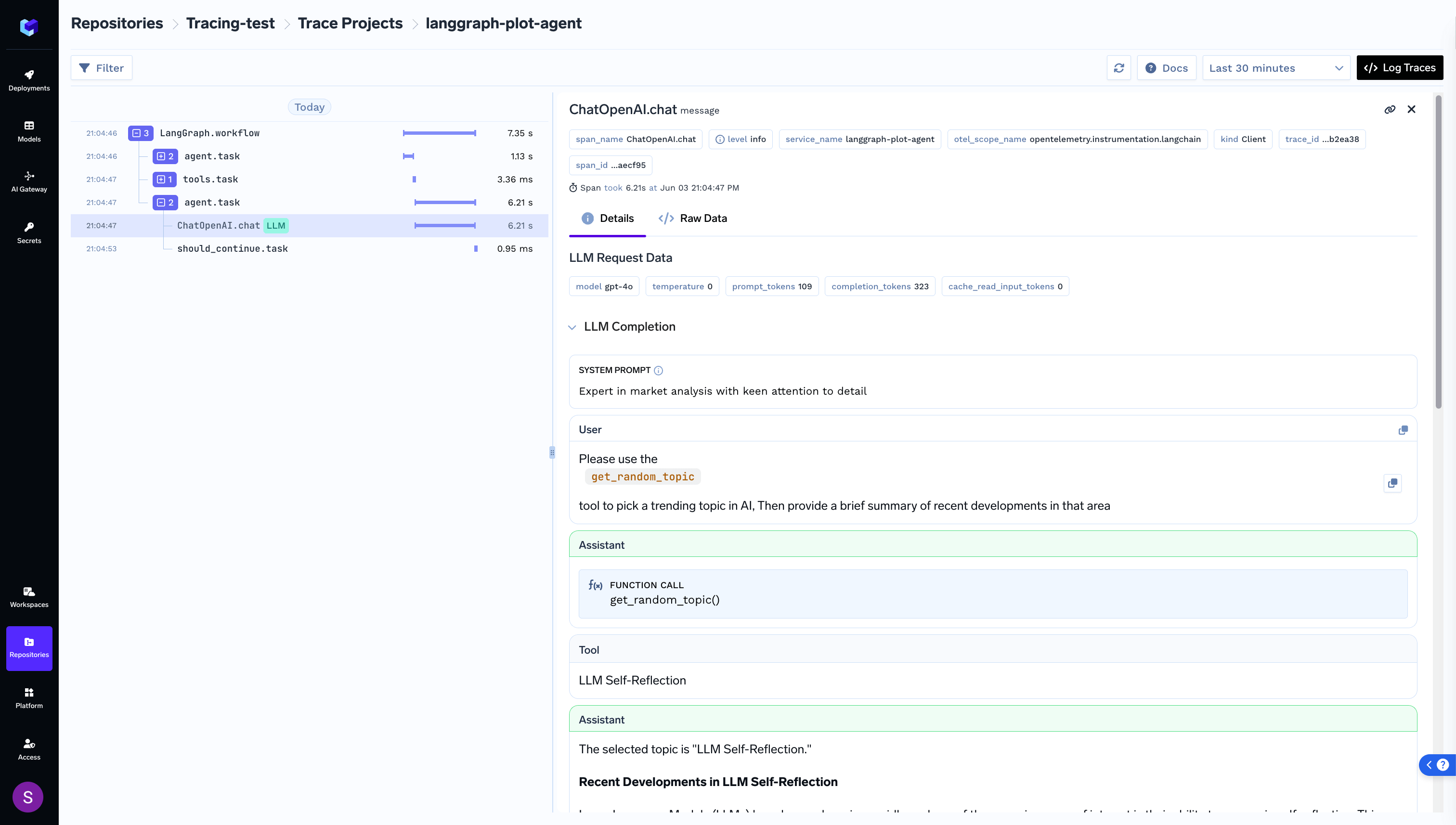
system_message = SystemMessage(content="Expert in market analysis with keen attention to detail ")
human_message  = HumanMessage(content="Please use the `get_random_topic` tool to pick a trending topic in AI, "
    "Then provide a brief summary of recent developments in that area")
initial_prompt = [system_message, human_message]

# Run the Agent Workflow and Print the Result
final_state = app.invoke({"messages": initial_prompt})
print("\n✅ Final Output:\n", final_state["messages"][-1].content)