> ## Documentation Index
> Fetch the complete documentation index at: https://www.truefoundry.com/llms.txt
> Use this file to discover all available pages before exploring further.
# Set Up CI/CD
> Configure CI/CD pipelines for your services using GitHub Actions, GitLab CI/CD, Bitbucket, or Jenkins.
Setting up CI/CD enables your code to be deployed automatically whenever you push changes to your main branch. TrueFoundry integrates seamlessly with popular CI/CD systems like GitHub Actions, GitLab CI/CD, Bitbucket Pipelines, and Jenkins.
TrueFoundry doesn't provide CI capabilities - it integrates with external
CI/CD systems. The build process always happens on TrueFoundry to save cost
and time.
## How it works
TrueFoundry's CI/CD integration is designed for simplicity and efficiency:
* **Automatic builds**: All Docker images are built on TrueFoundry's infrastructure, which is 3-15X faster than traditional CI pipelines
* **Cost optimization**: No build costs in your CI pipeline - everything happens on TrueFoundry
* **Simple decision**: You only need to decide whether to keep the TrueFoundry YAML spec in your Git repository
* **Automatic deployment**: Every commit to your main branch triggers an automatic deployment
TrueFoundry can build images 3-15X faster than your CI pipeline. You can read
[this
blog](https://www.truefoundry.com/blog/enabling-3-15x-faster-docker-image-builds-with-truefoundry-on-kubernetes)
to learn more about the performance benefits.
## Key decision: YAML spec location
The only decision you need to make is whether to keep the TrueFoundry YAML spec in your Git repository:
**Keep YAML spec in Git** (Recommended)
* Full configuration versioning and tracking
* Complete control over service configuration
**Don't keep YAML spec in Git**
* Simpler setup and maintenance
* Configuration changes via TrueFoundry UI
If you keep the YAML spec in Git and deploy via CI/CD, avoid changing
configuration via the TrueFoundry UI. Any UI changes will be overwritten by
the Git configuration on the next deployment.
{" "}
## Setting up CI/CD
TrueFoundry provides a simple setup process that generates the appropriate CI/CD configuration based on your preferences.
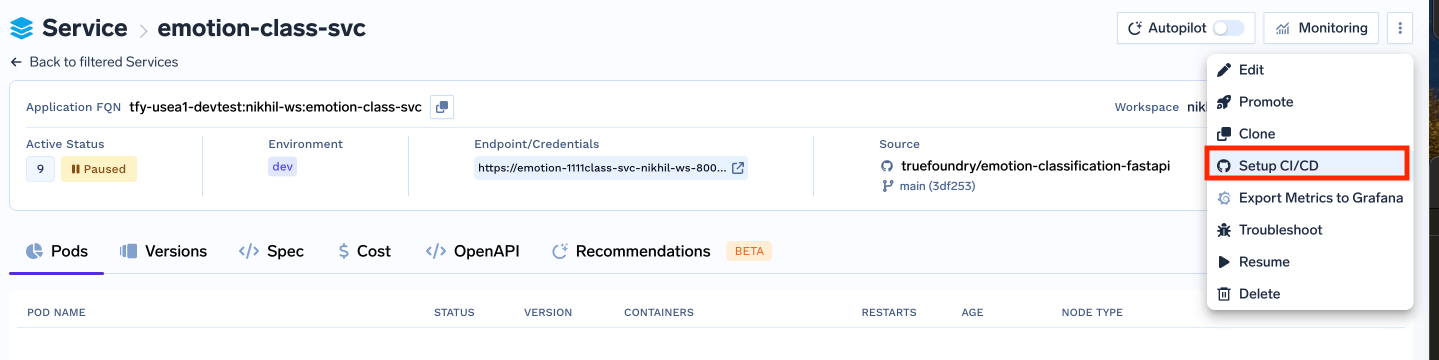
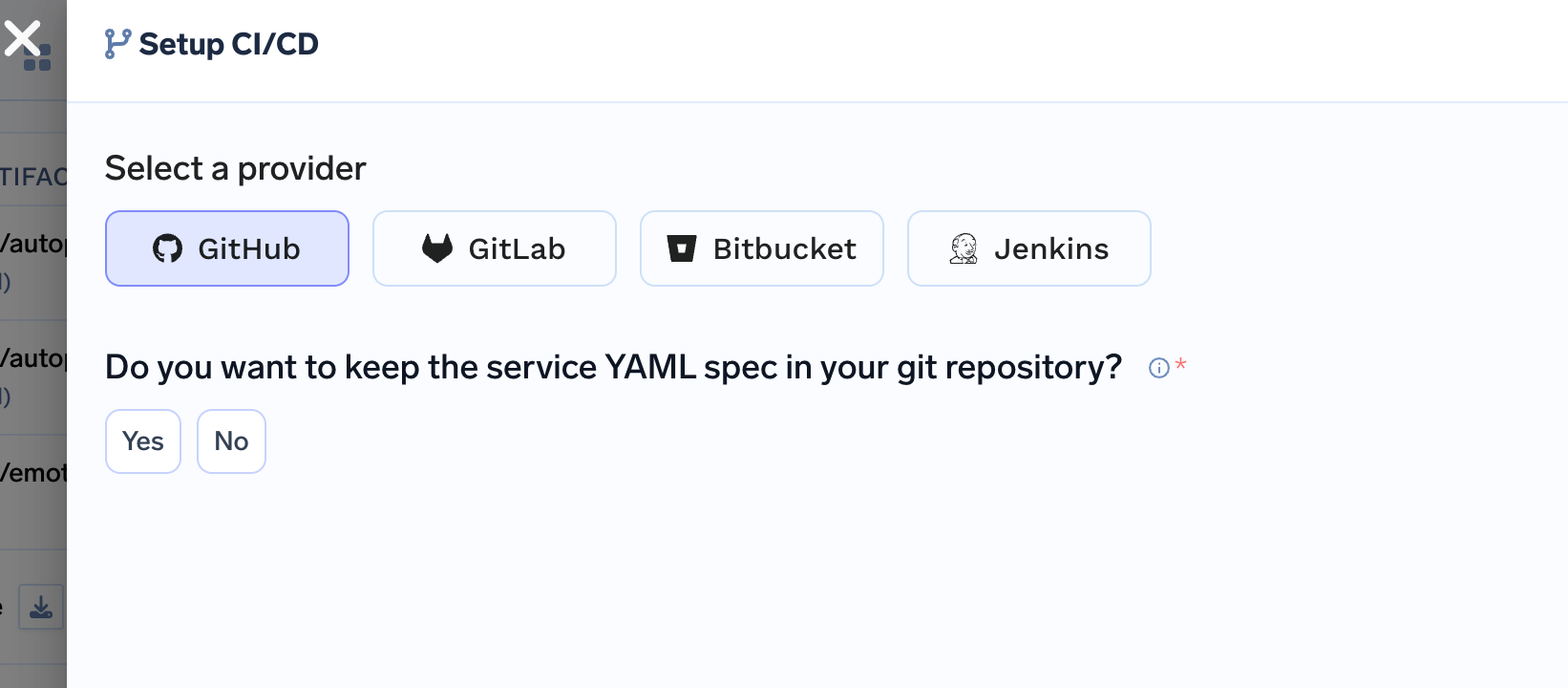 This is the only decision you need to make. TrueFoundry will automatically generate
the appropriate CI/CD configuration based on your choice.
TrueFoundry will provide you with:
* API key generation instructions, click on the button to generate the API key and copy it.
This is the only decision you need to make. TrueFoundry will automatically generate
the appropriate CI/CD configuration based on your choice.
TrueFoundry will provide you with:
* API key generation instructions, click on the button to generate the API key and copy it.
 * GitHub secrets configuration, add the API key to the GitHub secrets for the repository.
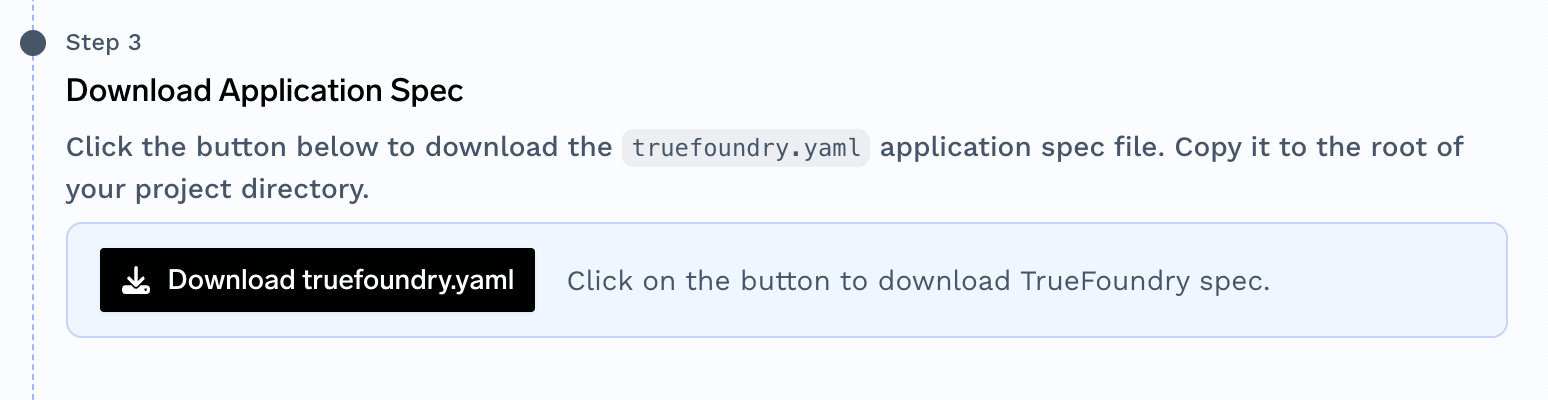
 * Download the TrueFoundry specification file(if you have selected yes to keep the YAML spec in your Git repository)
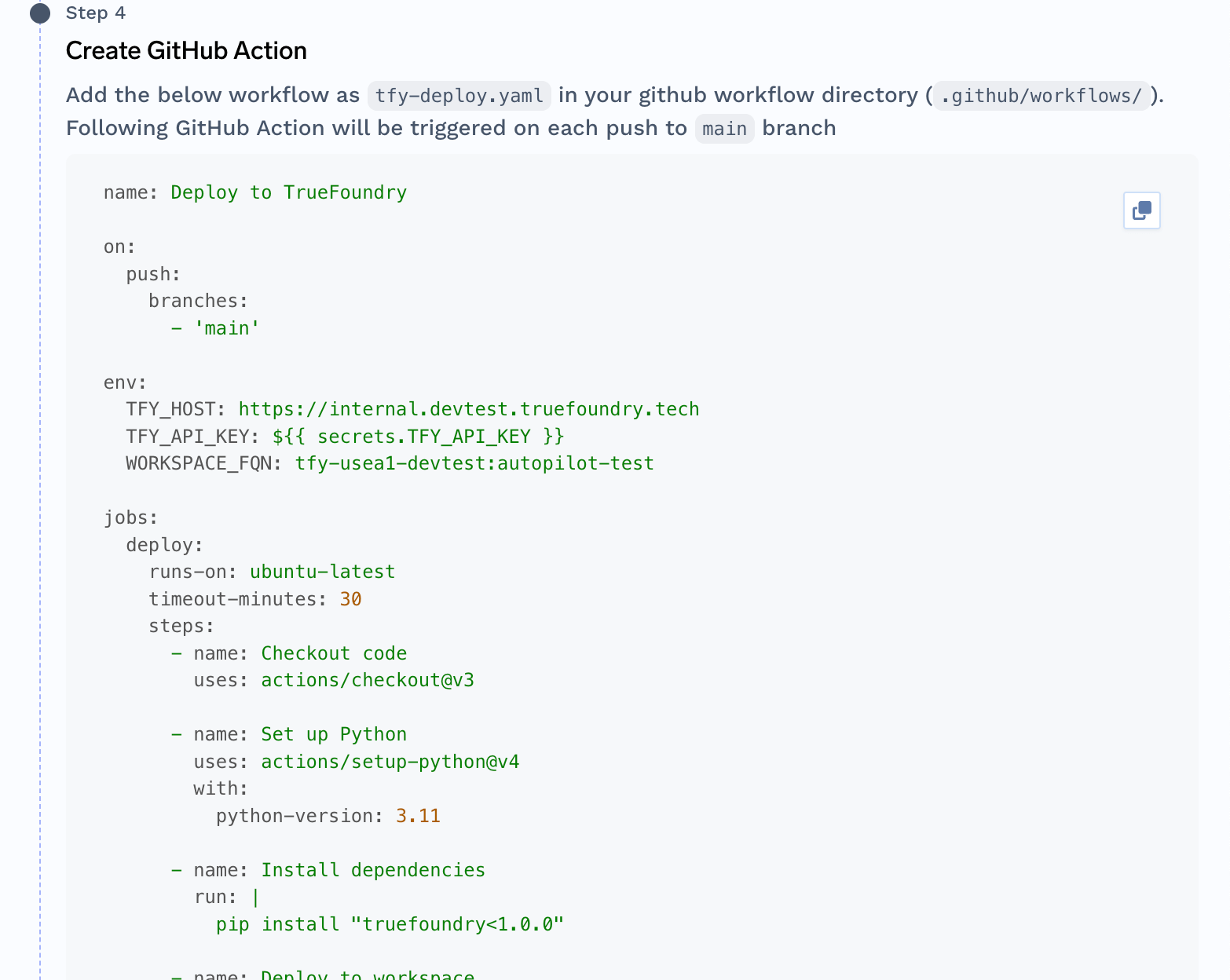
 * Copythe CI/CD workflow or action file and store it in the repository as written in the step based on your platform.
 ## Required Secrets
Make sure to configure these secrets in your CI/CD system:
| Secret Name | Description | Required For |
| -------------------------- | -------------------------------------- | ----------------------- |
| `TFY_API_KEY` | TrueFoundry API key for authentication | All deployments |
| `DOCKER_REGISTRY_USERNAME` | Docker registry username | Image-based deployments |
| `DOCKER_REGISTRY_PASSWORD` | Docker registry password/token | Image-based deployments |
## Required Secrets
Make sure to configure these secrets in your CI/CD system:
| Secret Name | Description | Required For |
| -------------------------- | -------------------------------------- | ----------------------- |
| `TFY_API_KEY` | TrueFoundry API key for authentication | All deployments |
| `DOCKER_REGISTRY_USERNAME` | Docker registry username | Image-based deployments |
| `DOCKER_REGISTRY_PASSWORD` | Docker registry password/token | Image-based deployments |