> ## Documentation Index
> Fetch the complete documentation index at: https://www.truefoundry.com/llms.txt
> Use this file to discover all available pages before exploring further.
# Getting Started
> Get started with experiment tracking by setting up the CLI, creating runs, and logging parameters, metrics, and artifacts.
Before you begin, you need a repository to log experiments into. See [Create a repository](/docs/platform/repositories#create-a-repository) if you haven't set one up yet.
### Runs and experiment metadata
In AI Engineering workflows, a **run** represents one experiment — for example, training a specific model with a fixed set of hyperparameters. Runs can log:
* **Parameters** — hyperparameters or configuration values, such as `learning_rate` or `cache_size`.
* **Metrics** — evaluation values, such as `accuracy`, `f1_score`, or `loss`.
* **Tags** — labels for filtering and grouping, such as `env: development`.
Runs can also link to models, artifacts, and prompts that were created or used during the experiment.
### Setup the TrueFoundry CLI
To get started, we need to have the truefoundry library installed. You can install it following the instructions in the [CLI Setup](/docs/setup-cli) docs.
### Add Log Lines to your code
You can use the code below to create a run, log metrics and parameters and then finally end the run.
```python Python lines theme={"dark"}
from truefoundry.ml import get_client
client = get_client()
# Create a new run
run = client.create_run(ml_repo="iris-demo", run_name="svm-model")
# Log parameters
run.log_params({"learning_rate": 0.001})
# Log metrics
run.log_metrics({"accuracy": 0.7, "loss": 0.6})
# End the run
run.end()
```
```python Python lines theme={"dark"}
from truefoundry.ml import get_client
client = get_client()
run = client.create_run(ml_repo="iris-demo", run_name="svm-model")
# Your code here.
run.end()
```
```python highlight={5} lines theme={"dark"}
from truefoundry.ml import get_client
client = get_client()
run = client.create_run(ml_repo="iris-demo", run_name="svm-model")
run.set_tags({"env": "development", "task": "classification"})
# Your code here.
run.end()
```
```python highlight={6} lines theme={"dark"}
from truefoundry.ml import get_client
client = get_client()
run = client.create_run(ml_repo="iris-demo", run_name="svm-model")
run.log_params({"cache_size": 200.0, "kernel": "linear"})
run.end()
```
```python highlight={6} lines theme={"dark"}
from truefoundry.ml import get_client
client = get_client()
run = client.create_run(ml_repo="iris-demo", run_name="svm-model")
run.log_params({"cache_size": 200.0, "kernel": "linear"})
run.log_metrics(metric_dict={"accuracy": 0.7, "loss": 0.6})
run.end()
```
```python highlight={18-31} lines theme={"dark"}
import os
from truefoundry.ml import get_client
from truefoundry.ml import ArtifactPath
client = get_client()
run = client.create_run(ml_repo="iris-demo", run_name="svm-model")
run.log_params({"cache_size": 200.0, "kernel": "linear"})
run.log_metrics(metric_dict={"accuracy": 0.7, "loss": 0.6})
# Just creating sample files to log as artifacts
# os.makedirs("my-folder", exist_ok=True)
# with open("my-folder/file-inside-folder.txt", "w") as f:
# f.write("Hello!")
# with open("just-a-file.txt", "w") as f:
# f.write("Hello from file!")
artifact_version = run.log_artifact(
name="my-artifact",
artifact_paths=[
# Add files and folders here, `ArtifactPath` takes source and destination
# source can be single file path or folder path
# destination can be file path or folder path
# Note: When source is a folder path, destination is always interpreted as folder path
ArtifactPath(src="just-a-file.txt"),
ArtifactPath(src="my-folder/", dest="cool-dir"),
ArtifactPath(src="just-a-file.txt", dest="cool-dir/copied-file.txt")
],
description="This is a sample artifact",
metadata={"created_by": "my-username"}
)
print(artifact_version.fqn)
run.end()
```
```python highlight={8-12} lines theme={"dark"}
from truefoundry.ml import get_client
client = get_client()
run = client.create_run(ml_repo="iris-demo", run_name="svm-model")
run.log_params({"cache_size": 200.0, "kernel": "linear"})
run.log_metrics(metric_dict={"accuracy": 0.7, "loss": 0.6})
model_version = run.log_model(
name="name-for-the-model",
model_file_or_folder="path/to/model/file/or/folder/on/disk",
framework= # Check
)
run.end()
```
This run will now appear on the TrueFoundry dashboard under ML Repos Tab.
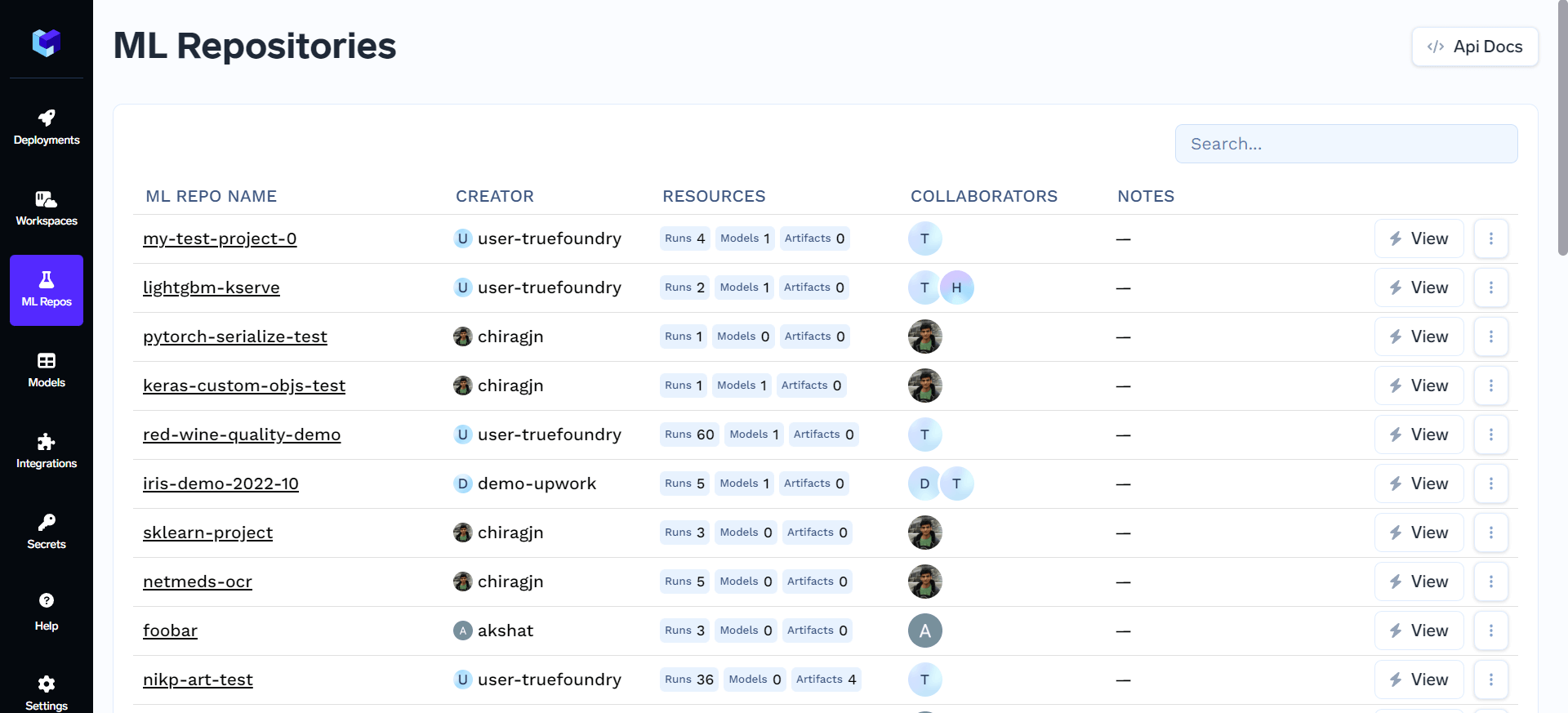
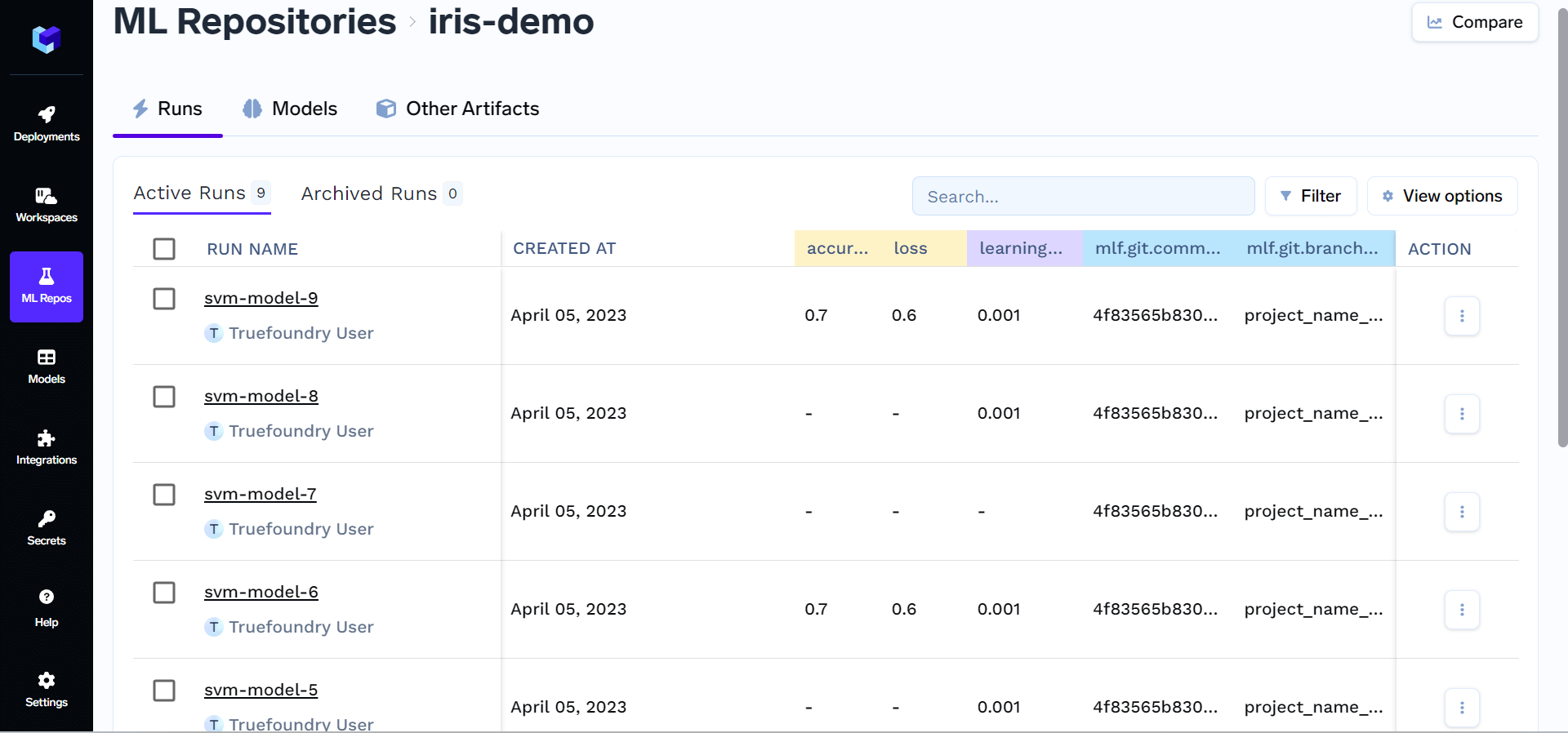
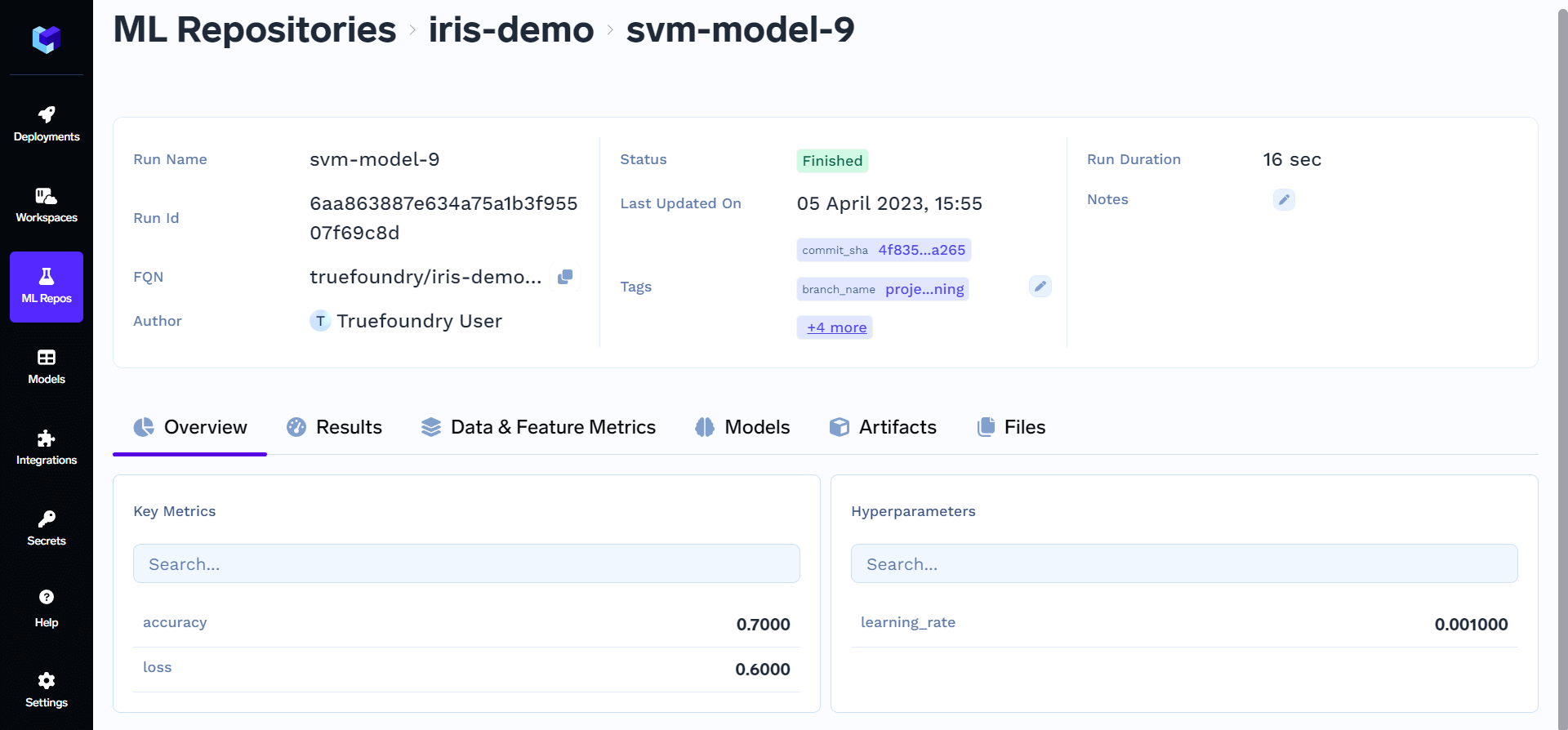 Congratulations! You have successfully tracked your first experiment. You can now view your logged metrics, parameters, and artifacts in the TrueFoundry dashboard under the ML Repos tab.