> ## Documentation Index
> Fetch the complete documentation index at: https://www.truefoundry.com/llms.txt
> Use this file to discover all available pages before exploring further.

# Deploy Programatically

> Programmatically deploy services using TrueFoundry APIs and automation workflows.

Truefoundry UI makes it really easy to configure all the settings for your service by providing descriptions of all the fields in an intuitive way. However, there are times when you might want to deploy your service programatically. You can do this by using the Truefoundry CLI or Python SDK.

<Tip>
  Truefoundry UI itself shows the instructions to deploy the service using the CLI or UI.

  **So we recommend to first deploy the service using UI and then copy the YAML or Python code generated to deploy programatically**. You can also copy the spec / Python code from an existing service and make the changes to deploy your service.
</Tip>

<Tabs>
  <Tab title="Deploy using YAML">
    <Steps>
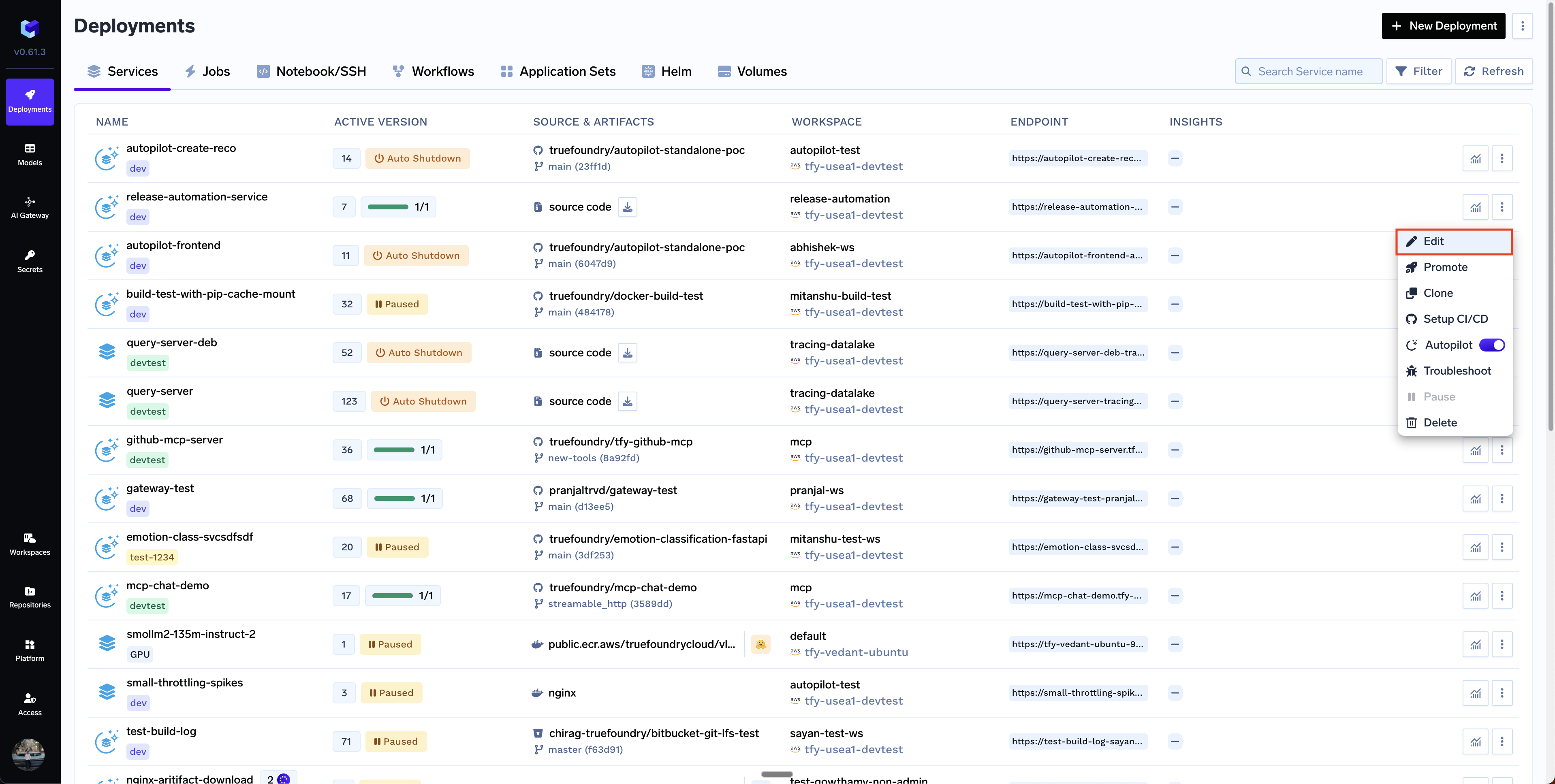
      <Step title="Click on Edit Button on a service">
        <img src="https://mintcdn.com/truefoundry/5CkapnZ7CyjQJ4bx/images/docs/edit-button-service.png?fit=max&auto=format&n=5CkapnZ7CyjQJ4bx&q=85&s=ac1e0a0577e6dde1eb6939dd3f3f54f4" alt="Deploy using YAML" width="3838" height="1936" data-path="images/docs/edit-button-service.png" />
      </Step>

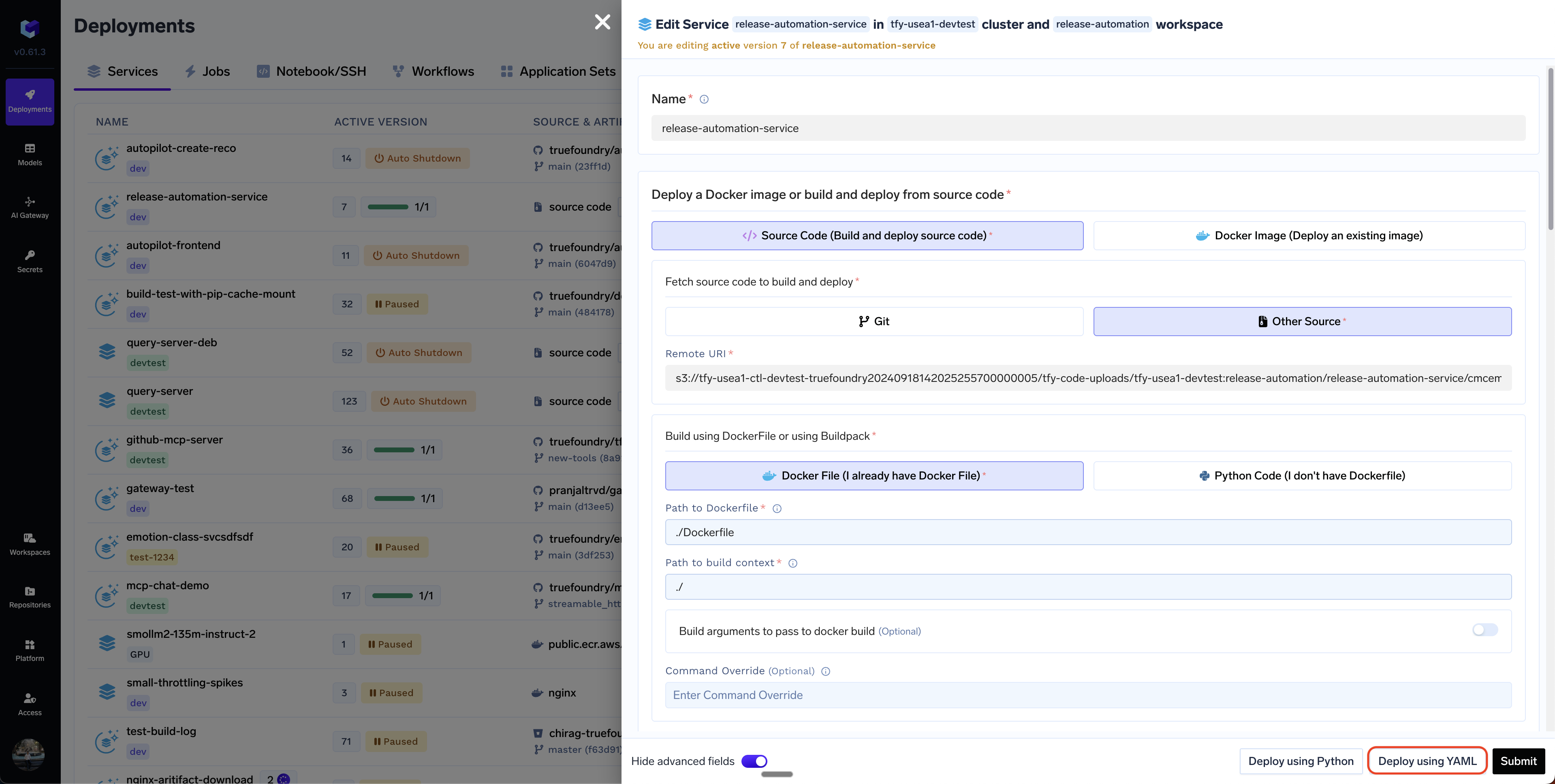
      <Step title="Click on Deploy Using YAML button">
        <img src="https://mintcdn.com/truefoundry/5CkapnZ7CyjQJ4bx/images/docs/deploy-programatically-yaml-button.png?fit=max&auto=format&n=5CkapnZ7CyjQJ4bx&q=85&s=8ba3f6a66ca9eec978c2e9b323887f78" alt="Deploy using YAML" width="3838" height="1936" data-path="images/docs/deploy-programatically-yaml-button.png" />
      </Step>

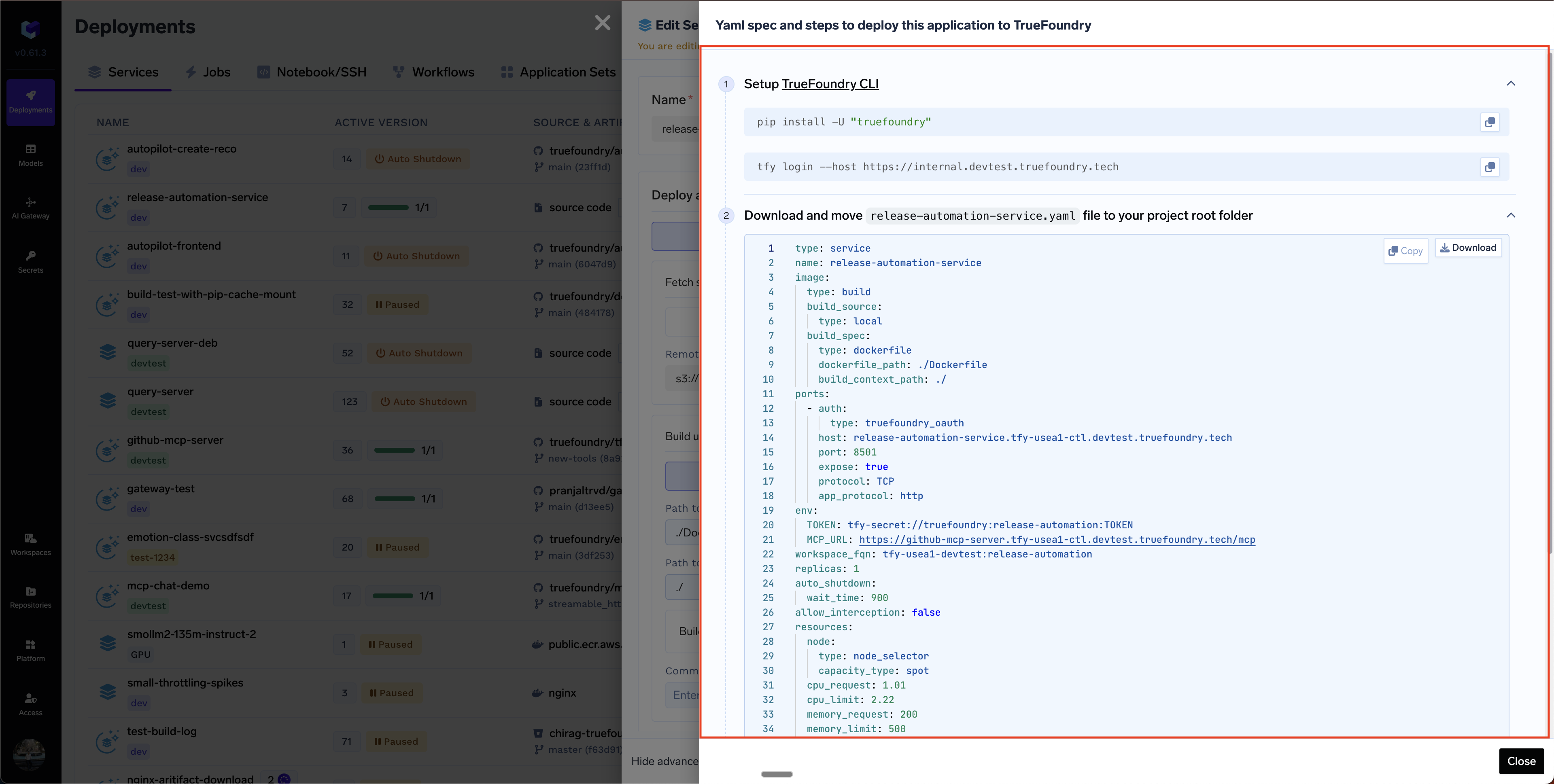
      <Step title="Copy the YAML code and follow the instructions">
        You will need to install the Truefoundry CLI, login and then execute the `tfy apply` command to deploy the service.
        <img src="https://mintcdn.com/truefoundry/5CkapnZ7CyjQJ4bx/images/docs/deploy-programatically-yaml.png?fit=max&auto=format&n=5CkapnZ7CyjQJ4bx&q=85&s=45ddc4155b5d9b29c61fb62b6e6fdfd4" alt="Deploy using YAML" width="3840" height="1938" data-path="images/docs/deploy-programatically-yaml.png" />
      </Step>
    </Steps>
  </Tab>

  <Tab title="Deploy using Python SDK">
    <Steps>
      <Step title="Click on Edit button on a service">
        <img src="https://mintcdn.com/truefoundry/5CkapnZ7CyjQJ4bx/images/docs/edit-button-service.png?fit=max&auto=format&n=5CkapnZ7CyjQJ4bx&q=85&s=ac1e0a0577e6dde1eb6939dd3f3f54f4" alt="Deploy using YAML" width="3838" height="1936" data-path="images/docs/edit-button-service.png" />
      </Step>

      <Step title="Click on Deploy Using Python button">
        <img src="https://mintcdn.com/truefoundry/5CkapnZ7CyjQJ4bx/images/docs/deploy-programatically-python-button.png?fit=max&auto=format&n=5CkapnZ7CyjQJ4bx&q=85&s=ecf87cab32ee191325d27b8bca5923e3" alt="Deploy using YAML" width="3838" height="1934" data-path="images/docs/deploy-programatically-python-button.png" />
      </Step>

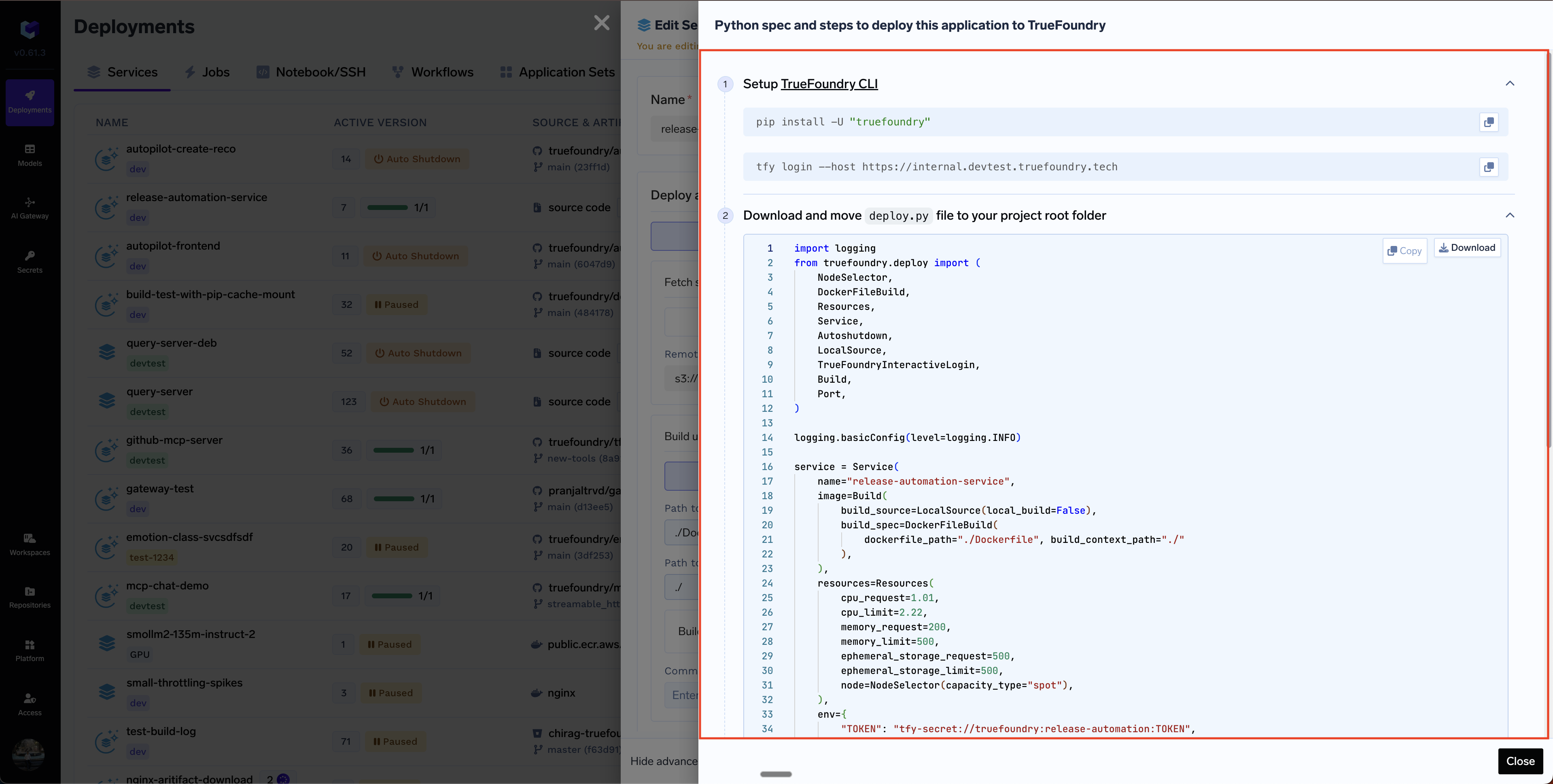
      <Step title="Copy the Python code and follow the instructions">
        You will need to install the Truefoundry CLI, login, put the Python code in `deploy.py` file and then execute the `python deploy.py` command to deploy the service.
        <img src="https://mintcdn.com/truefoundry/5CkapnZ7CyjQJ4bx/images/docs/deploy-programatically-python.png?fit=max&auto=format&n=5CkapnZ7CyjQJ4bx&q=85&s=e1ec50e132a5fd5ae5d18d633011cc47" alt="Deploy using YAML" width="3838" height="1938" data-path="images/docs/deploy-programatically-python.png" />
      </Step>
    </Steps>
  </Tab>
</Tabs>