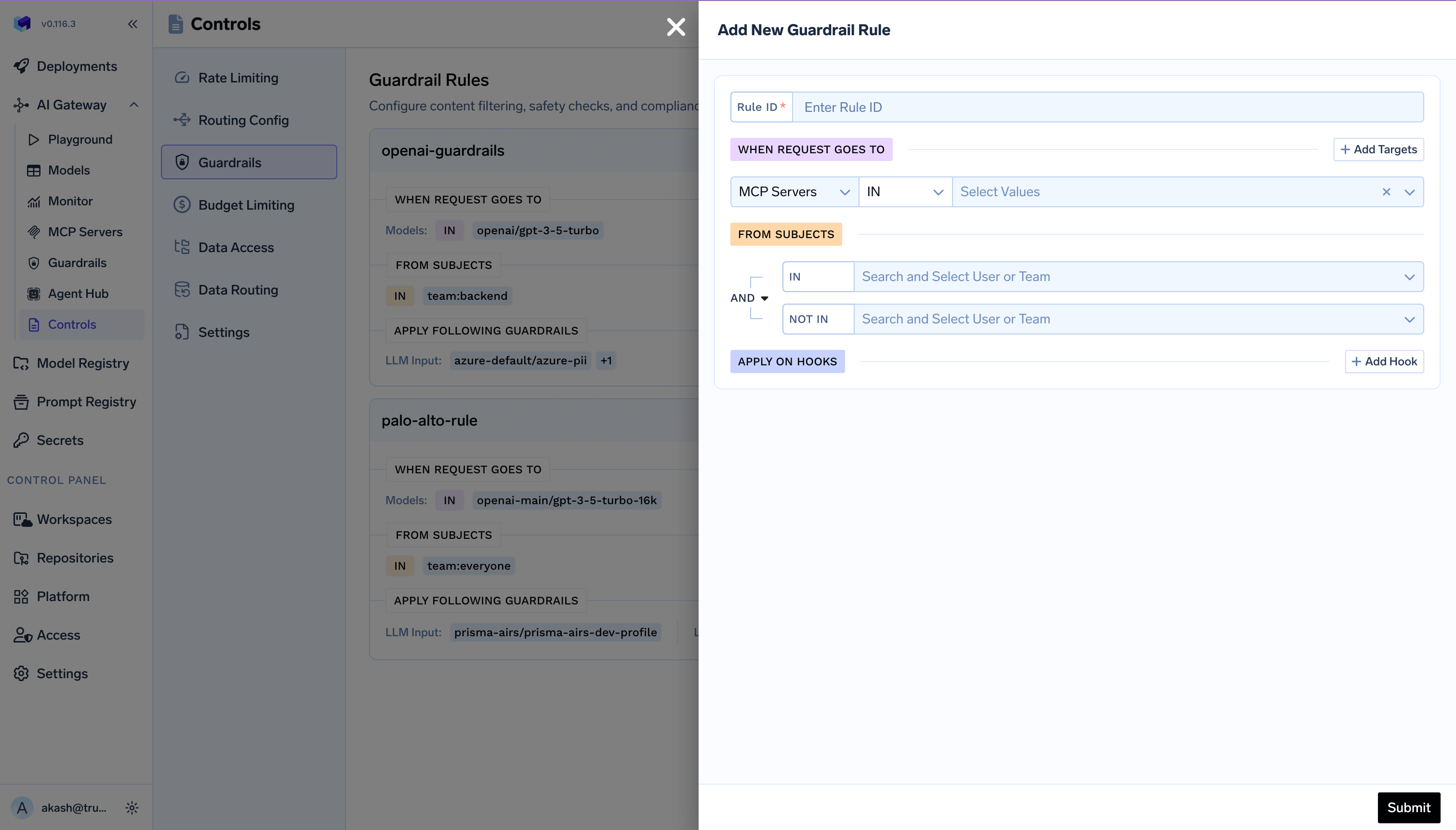
We have launched a feature to enable MCP Guardrails from v0.116.0 This allows us to configure policies at the Gateway layer to apply certain guardrails to specific MCP servers and models.
This causes the YAML schema of the guardrails to change. If you are using Git to apply the configuration of the policies of guardrails, you will need to take the new schema from the UI and then apply it to Git.

Why this change?

To bring the guardrails feature to MCP servers, we decided to merge it in the central guardrails policy instead of keeping it separate for models and MCP servers. We will be closely tracking the usage patterns here and evolve this if needed in the future.

Is this change backward compatible and is there any action item on you?

The configuration on the UI will automatically be migrated and nothing is needed from you if you are not using Gitops. If you are storing Guardrail configuration in Git and applying via tfy apply , then you will need to copy the new YAML from the UI and paste it in Git since that format has changed. If you are not storing in Git, no changes are needed from your end.

Changes in YAML Schema

Previous schema:
name: my-guardrails
type: gateway-guardrails-config
rules:
  - id: rule-1
    when:
      subjects:
        - user:foo@example.com
      models:
        - my-account/my-model
    input_guardrails:
      - group-a/guardrail-1
    output_guardrails:
      - group-a/guardrail-2
New Schema:
name: my-guardrails
type: gateway-guardrails-config
rules:
  - id: rule-1
    when:
      subjects:
        operator: and
        conditions:
          in:
            - user:foo@example.com
      target:
        operator: and
        conditions:
          model:
            condition: in
            values:
              - my-account/my-model
    llm_input_guardrails:
      - group-a/guardrail-1
    llm_output_guardrails:
      - group-a/guardrail-2

Key changes in schema

  1. input_guardrails will be renamed to llm_input_guardrails in every rule.
  2. output_guardrails will be renamed to llm_output_guardrails in every rule.
  3. Migrate when.subjects from a list of strings to the new shape with operator and conditions.in (or conditions.not_in). Specify at least one of in or not_in. Use subject format user:email or team:teamName.
  4. Migrate when.models into when.target with operator, conditions.model, condition:in or condition:not_in, and values.
  5. Ensure when.metadata (if used) lists only keys that must be present in the request with exact values; request may have extra keys.
Let us know if you face any issues in the migration and our team will be happy to assist you. We would love for you to use the MCP guardrails feature and provide us feedback.