> ## Documentation Index
> Fetch the complete documentation index at: https://www.truefoundry.com/llms.txt
> Use this file to discover all available pages before exploring further.
# Deprecation of MCP Servers in Prompts
> MCP servers can no longer be attached to new prompts starting 28th April 2026. Existing prompts with MCP servers will continue to work until 30th May 2026.
**Applicable to:** Users who save **Prompts** in TrueFoundry with **MCP servers** configured within them. If you do not attach MCP servers to your prompts, this change does not affect you.
## What Is Changing
Prompts will continue to be saved from the **Model Playground** as before — **nothing is changing about how or where you save prompts**.
What is changing is **MCP server support inside prompts**:
**Starting 28th April 2026**, you will **no longer be able to add MCP servers to new prompts**. The option to attach MCP servers in the prompt editor will be removed.
* **New prompts:** Cannot include MCP servers from **28th April 2026** onward.
* **Existing prompts:** Prompts that already have MCP servers configured will **continue to work until 30th May 2026**. After that date, support is fully removed and any prompt still referencing `mcp_servers` will stop working as expected.
This is a **breaking change** for any workflow that relies on MCP servers attached to prompts.
## What You Need to Do
Review all current prompts for MCP server dependencies (the `mcp_servers` field).
Move the MCP server functionality out of your prompts and into an **Agent**. Agents are the supported way to use MCP servers going forward (see below).
Recreate / update the affected prompts **without** `mcp_servers`, and point your application to the Agent for any MCP-driven behavior.
Test the updated prompts and agents end-to-end to ensure your workflows continue to function correctly before **30th May 2026**.
## Using MCP Servers with Agents
If you still need MCP server functionality, attach MCP servers to an **Agent** instead of embedding them in a prompt. Navigate to the **Agents** tab on the left sidebar and attach MCP servers directly to the agent configuration.
Open the **Agents** tab from the left sidebar and select **MCP Servers** from the left panel.
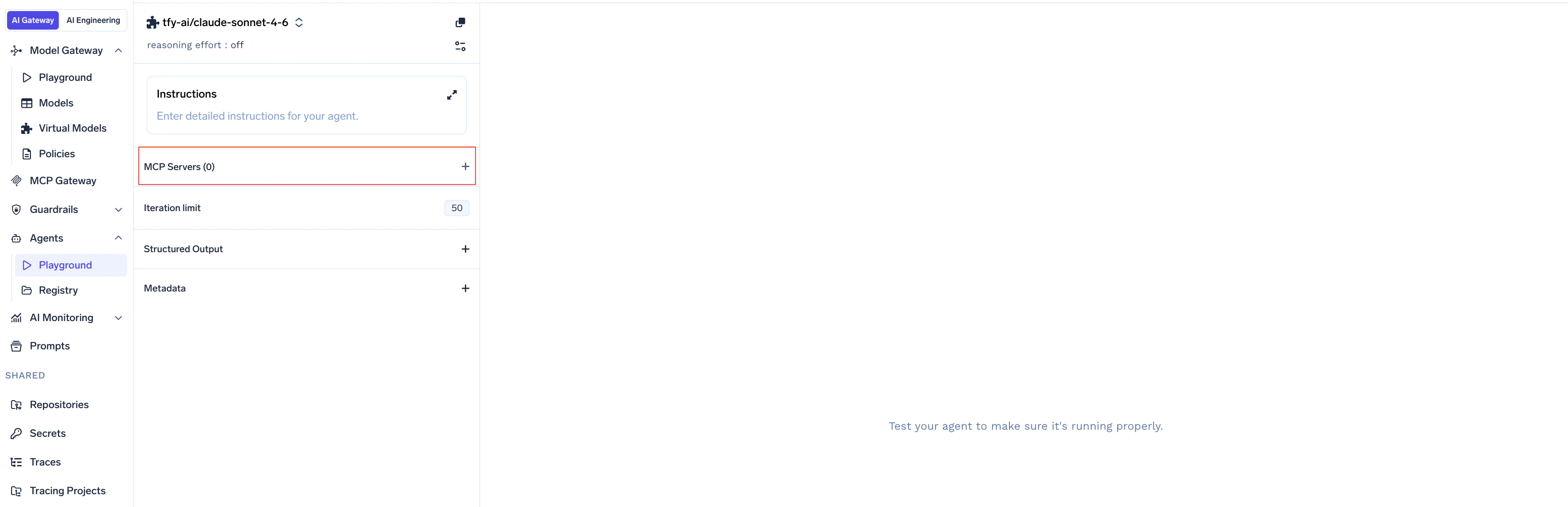 Choose the MCP servers you want to attach from the available list.
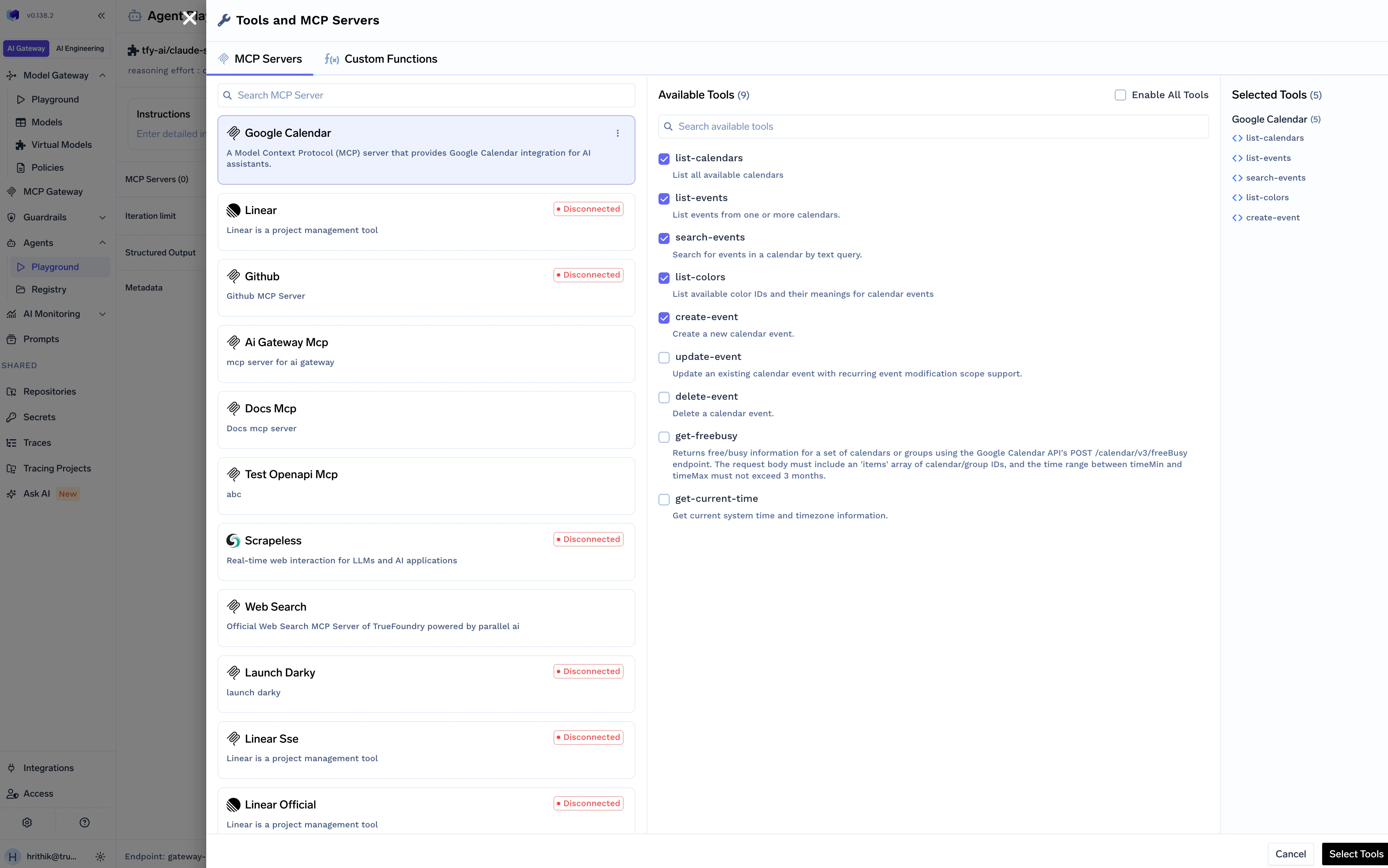 Save the agent configuration to apply the MCP server changes.
 ## Timeline
| Milestone | Date |
| ------------------------------------------------------------------ | -------------------- |
| Deprecation announcement | 17th April, 2026 |
| Adding MCP servers to **new** prompts disabled | **28th April, 2026** |
| Removal of support for **existing** prompts containing MCP servers | **30th May, 2026** |
We strongly encourage migrating MCP server usage out of prompts and into Agents well ahead of **30th May, 2026** to avoid disruptions.
***
If you have questions or need help migrating prompts that use MCP servers over to Agents, reach out to [**support@truefoundry.com**](mailto:support@truefoundry.com) — we're happy to assist.
## Timeline
| Milestone | Date |
| ------------------------------------------------------------------ | -------------------- |
| Deprecation announcement | 17th April, 2026 |
| Adding MCP servers to **new** prompts disabled | **28th April, 2026** |
| Removal of support for **existing** prompts containing MCP servers | **30th May, 2026** |
We strongly encourage migrating MCP server usage out of prompts and into Agents well ahead of **30th May, 2026** to avoid disruptions.
***
If you have questions or need help migrating prompts that use MCP servers over to Agents, reach out to [**support@truefoundry.com**](mailto:support@truefoundry.com) — we're happy to assist.