> ## Documentation Index
> Fetch the complete documentation index at: https://www.truefoundry.com/llms.txt
> Use this file to discover all available pages before exploring further.

# Deepgram

> Add and configure Deepgram Models in TrueFoundry's AI Gateway

### Adding Models

Add Deepgram models to the AI Gateway and set up access in three steps.

<Steps>
  <Step title="Navigate to Deepgram Models in AI Gateway">
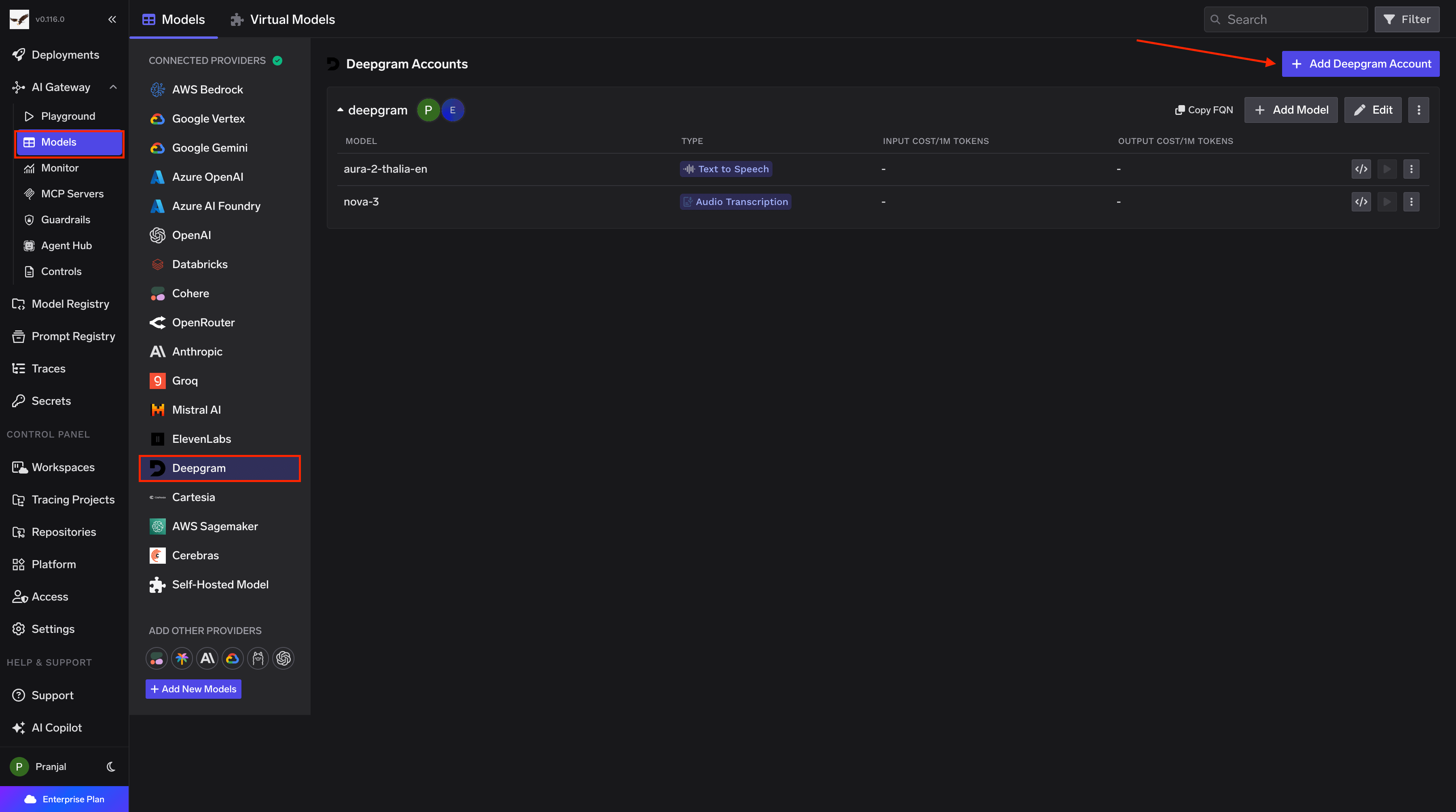
    In the TrueFoundry dashboard, go to **AI Gateway** → **Models** and select **Deepgram**.
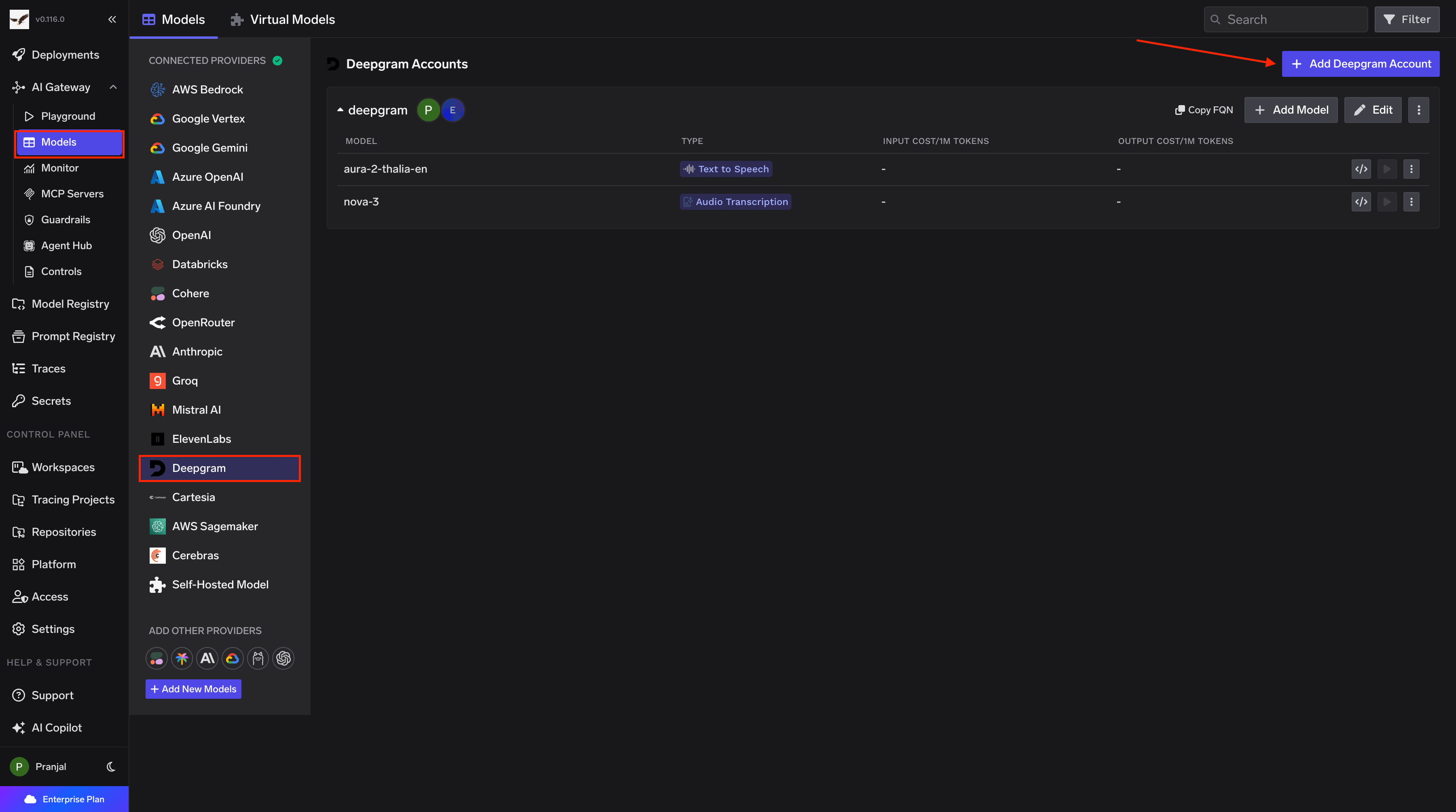
    <Frame caption="Navigate to Deepgram Models">
      <img className="hidden dark:block" src="https://mintcdn.com/truefoundry/5j9IxXGQZJVFsqLO/images/Screenshot2026-02-23at8.11.51PM-1.png?fit=max&auto=format&n=5j9IxXGQZJVFsqLO&q=85&s=81392808cb4b87e9b171f73972da915c" alt="Navigating to Deepgram Provider Account in AI Gateway" width="3600" height="2008" data-path="images/Screenshot2026-02-23at8.11.51PM-1.png" />

      <img className="dark:hidden" src="https://mintcdn.com/truefoundry/5j9IxXGQZJVFsqLO/images/Screenshot2026-02-23at8.11.51PM.png?fit=max&auto=format&n=5j9IxXGQZJVFsqLO&q=85&s=02e3053b03c49229672d93120471f946" alt="Navigating to Deepgram Provider Account in AI Gateway" width="3600" height="2008" data-path="images/Screenshot2026-02-23at8.11.51PM.png" />
    </Frame>
  </Step>

  <Step title="Add Deepgram Account Details">
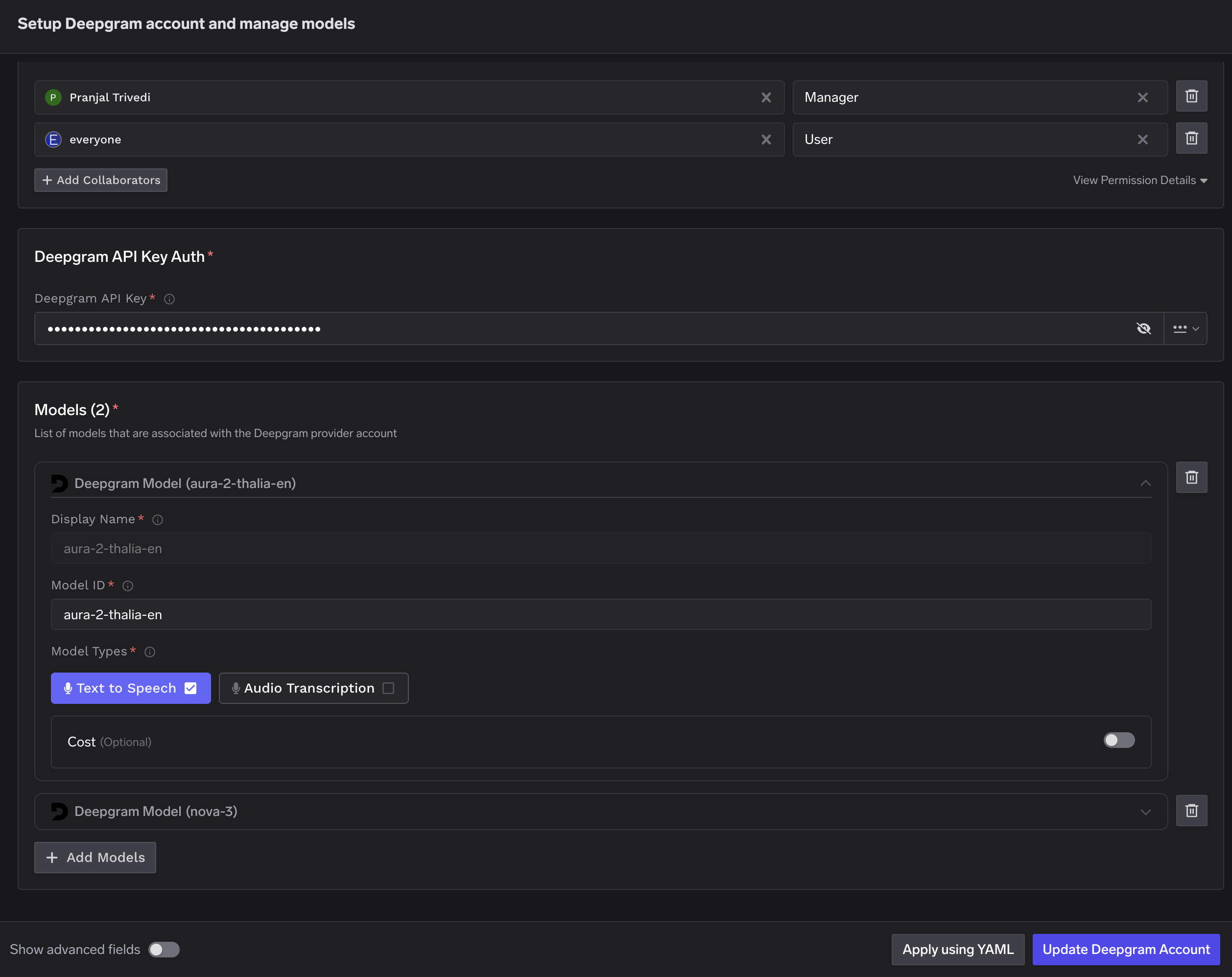
    Click **Add Deepgram Account**. Enter a unique account name and your Deepgram **API Key**. Optionally add collaborators so other users or teams can use this account. See [Gateway access control](/docs/ai-gateway/gateway-access-control) for details.
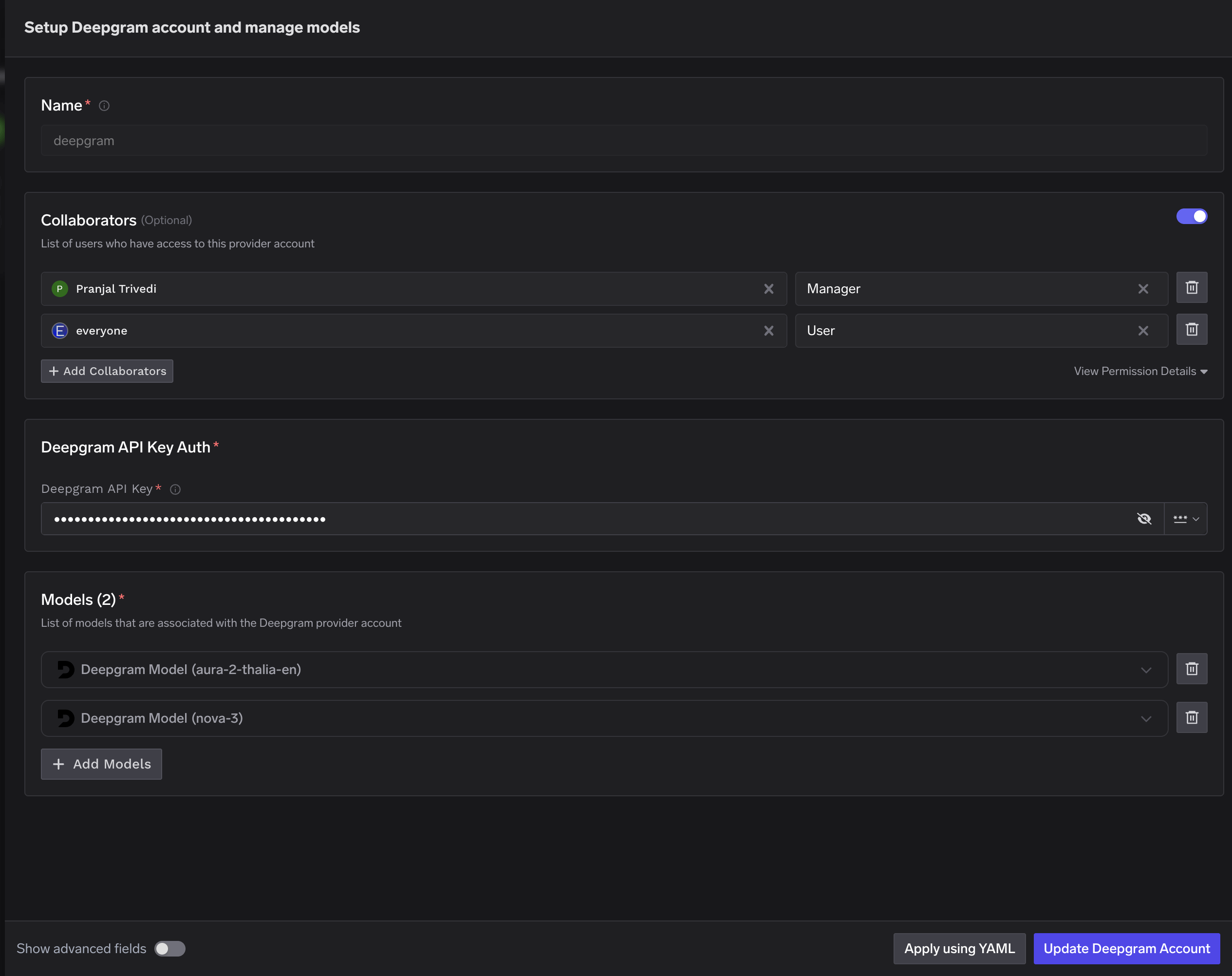
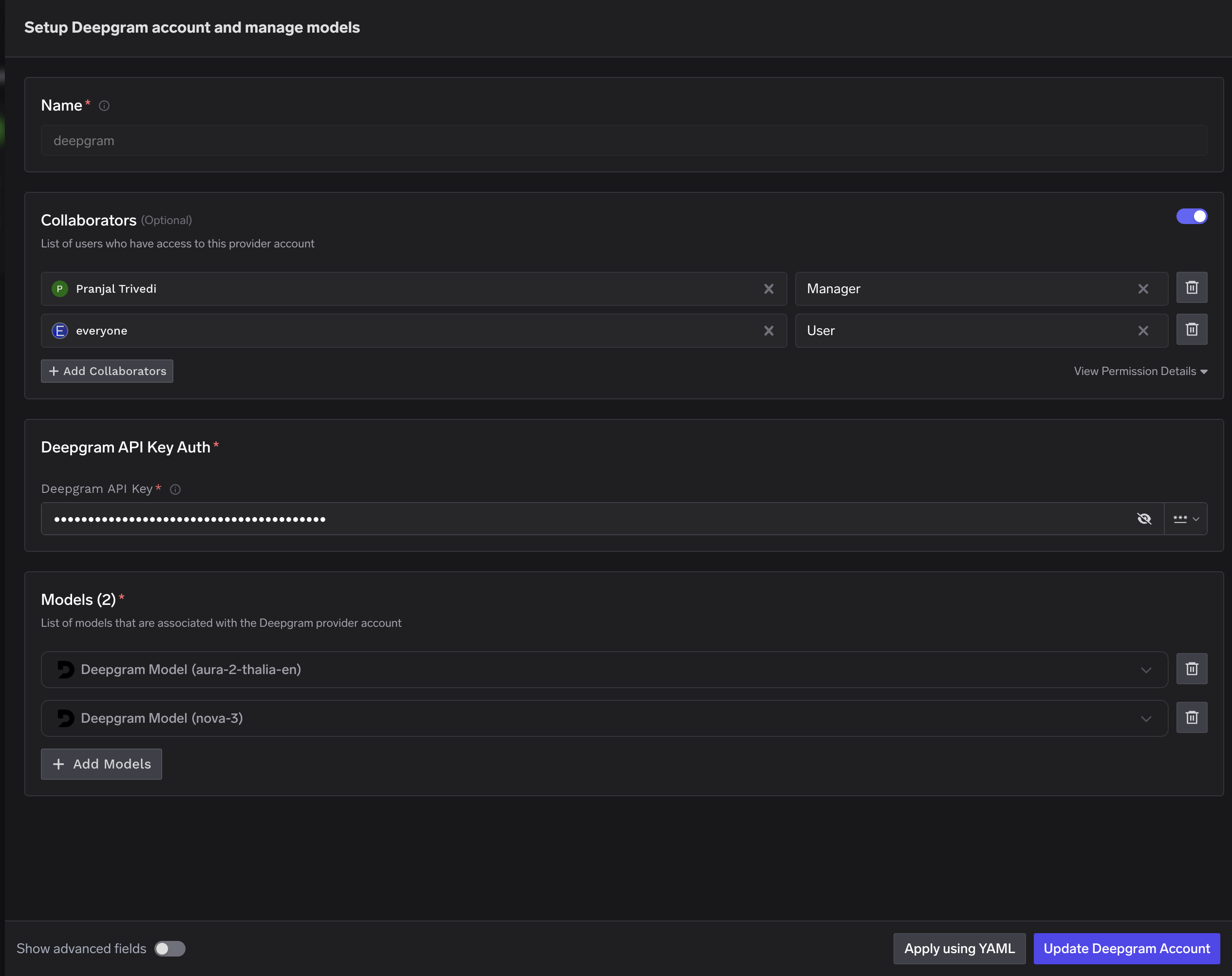
    <Frame caption="Deepgram Model Account Form">
      <img className="hidden dark:block" src="https://mintcdn.com/truefoundry/5j9IxXGQZJVFsqLO/images/Screenshot2026-02-23at8.13.34PM-1.png?fit=max&auto=format&n=5j9IxXGQZJVFsqLO&q=85&s=9ed3869556acb6d15663aee6c756e83e" alt="Deepgram account configuration form with fields for API key and collaborators" width="2530" height="2004" data-path="images/Screenshot2026-02-23at8.13.34PM-1.png" />

      <img className="dark:hidden" src="https://mintcdn.com/truefoundry/5j9IxXGQZJVFsqLO/images/Screenshot2026-02-23at8.13.34PM.png?fit=max&auto=format&n=5j9IxXGQZJVFsqLO&q=85&s=c98b0c20979b1fbaca123403b0a1055f" alt="Deepgram account configuration form with fields for API key and collaborators" width="2530" height="2004" data-path="images/Screenshot2026-02-23at8.13.34PM.png" />
    </Frame>
  </Step>

  <Step title="Add Models">
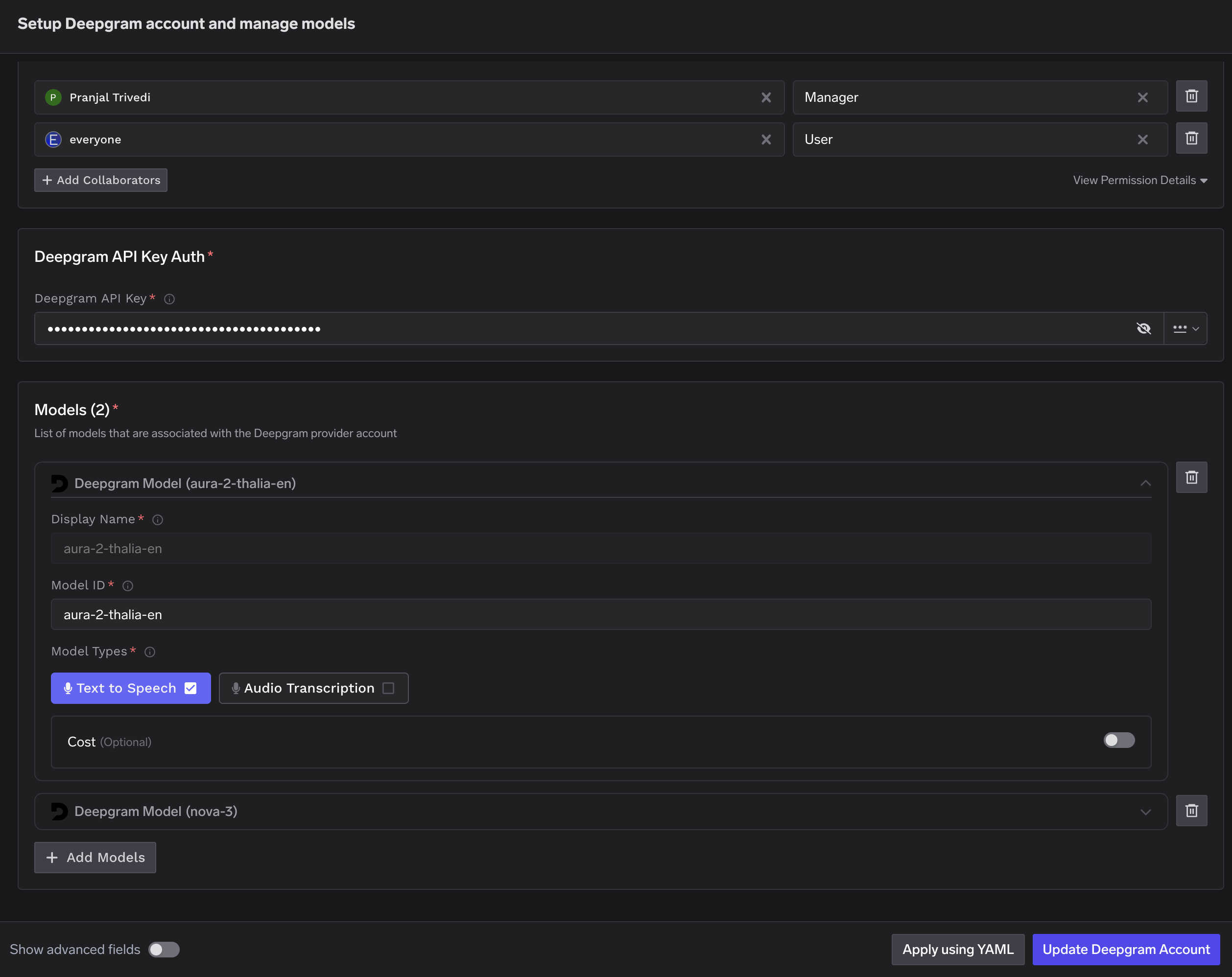
    Click **+ Add Model** and fill in the **Display name**, **Model ID**, and **Model type**.
    <Frame>
      <img src="https://mintcdn.com/truefoundry/5j9IxXGQZJVFsqLO/images/Screenshot2026-02-23at8.13.48PM-1.png?fit=max&auto=format&n=5j9IxXGQZJVFsqLO&q=85&s=cfac55f8687a830f643db213425b1e9b" alt="Screenshot2026 02 23at7 54 49PM" className="hidden dark:block" width="2516" height="1996" data-path="images/Screenshot2026-02-23at8.13.48PM-1.png" />

      <img src="https://mintcdn.com/truefoundry/5j9IxXGQZJVFsqLO/images/Screenshot2026-02-23at8.13.48PM.png?fit=max&auto=format&n=5j9IxXGQZJVFsqLO&q=85&s=31ad1575dbdaf070ce7e5b844fb4dddc" alt="Screenshot2026 02 23at7 54 49PM" className="dark:hidden" width="2516" height="1996" data-path="images/Screenshot2026-02-23at8.13.48PM.png" />
    </Frame>

    <Warning>
      For Deepgram, the **Model ID** and **Display name** must be identical.
    </Warning>
  </Step>
</Steps>

### Inference

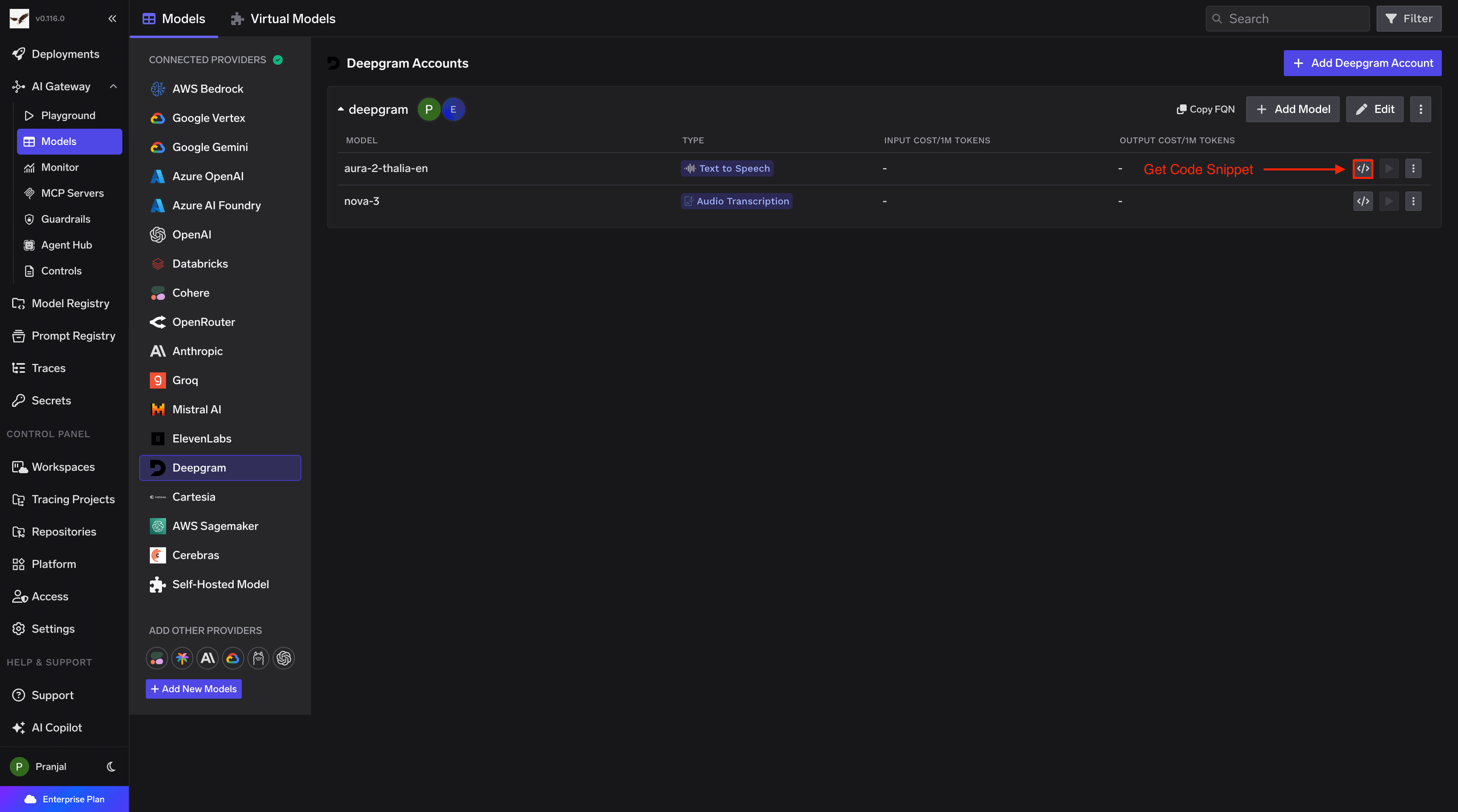
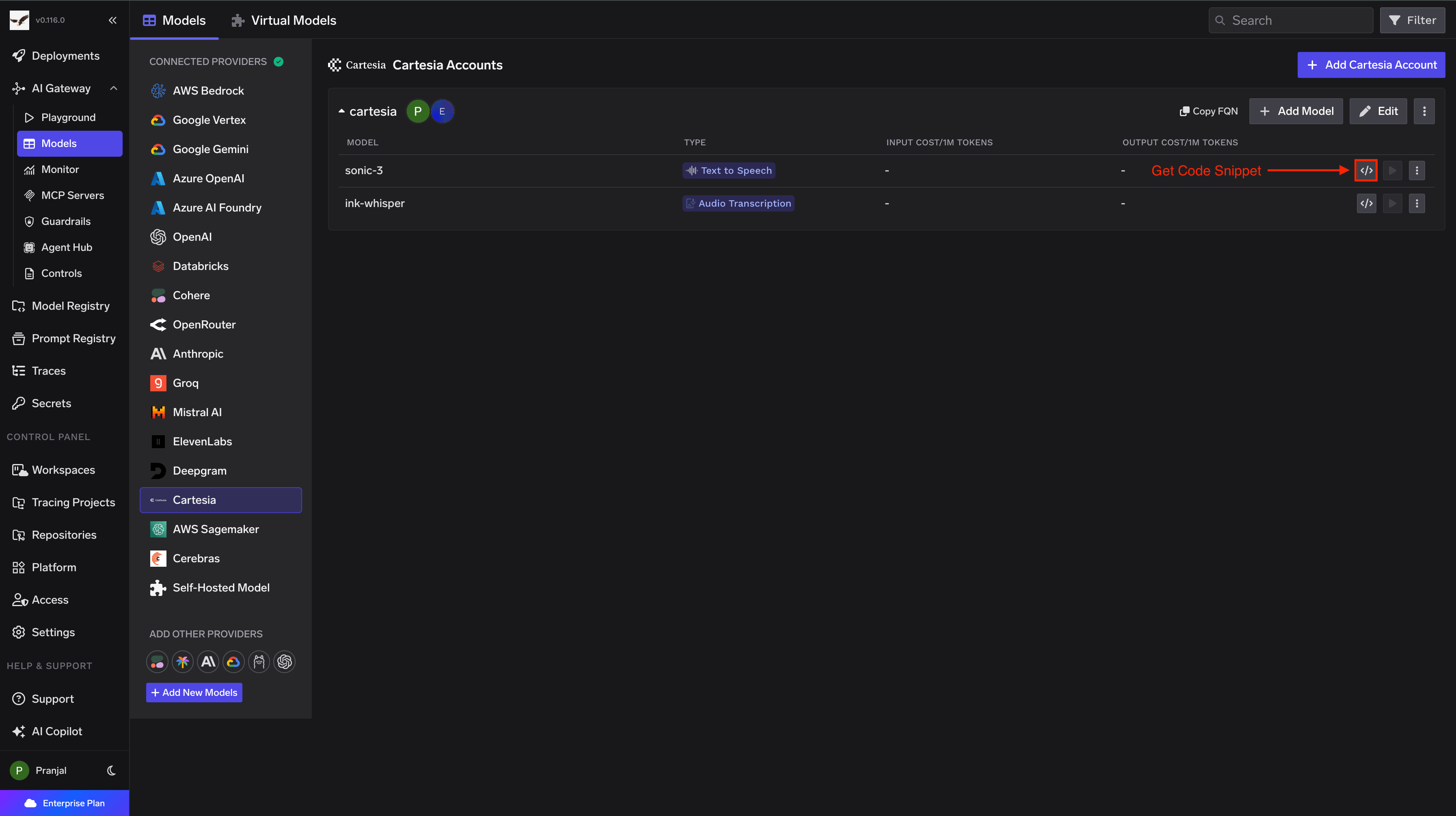
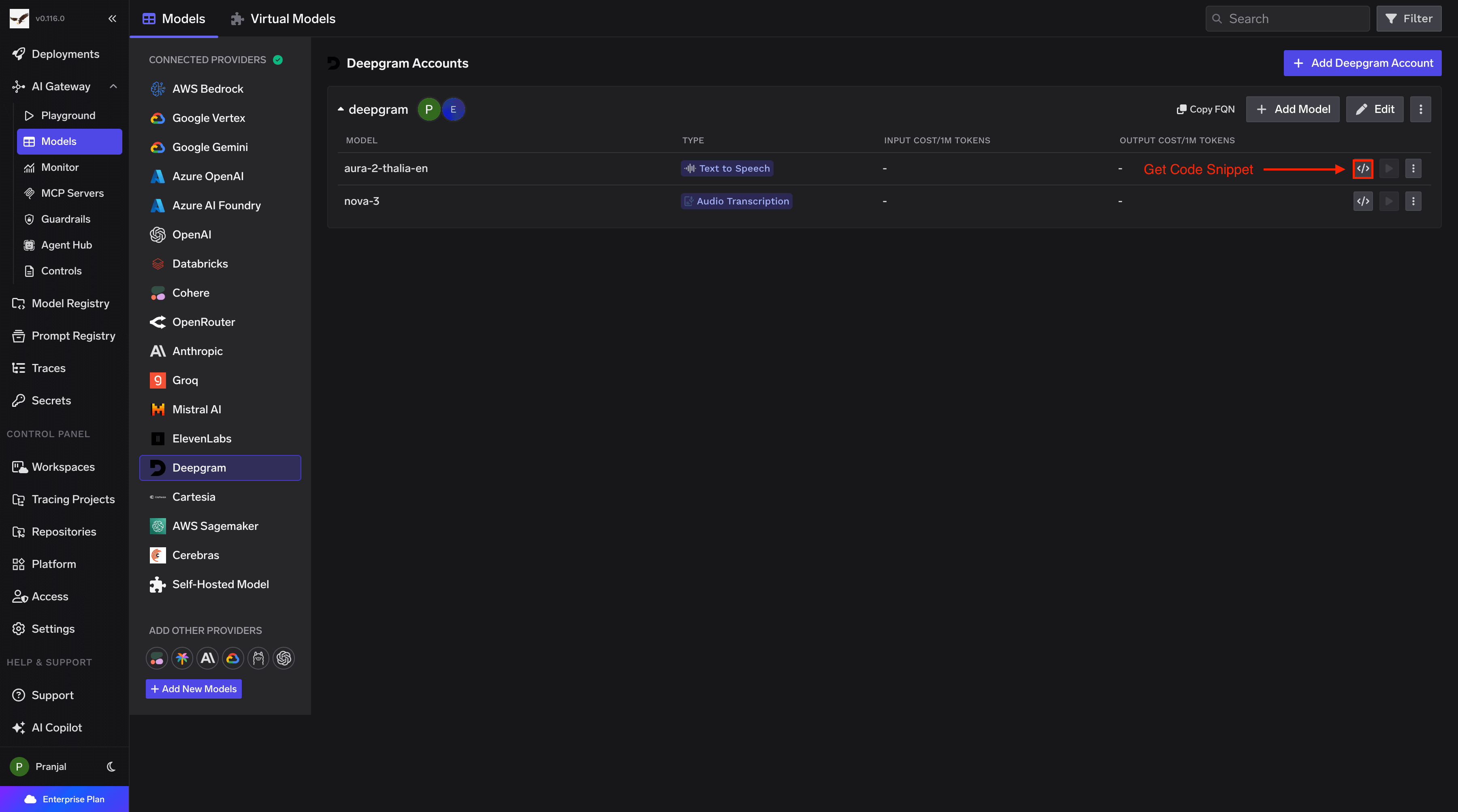
Once models are added, use the **Deepgram Native SDK** to call TTS and STT endpoints.
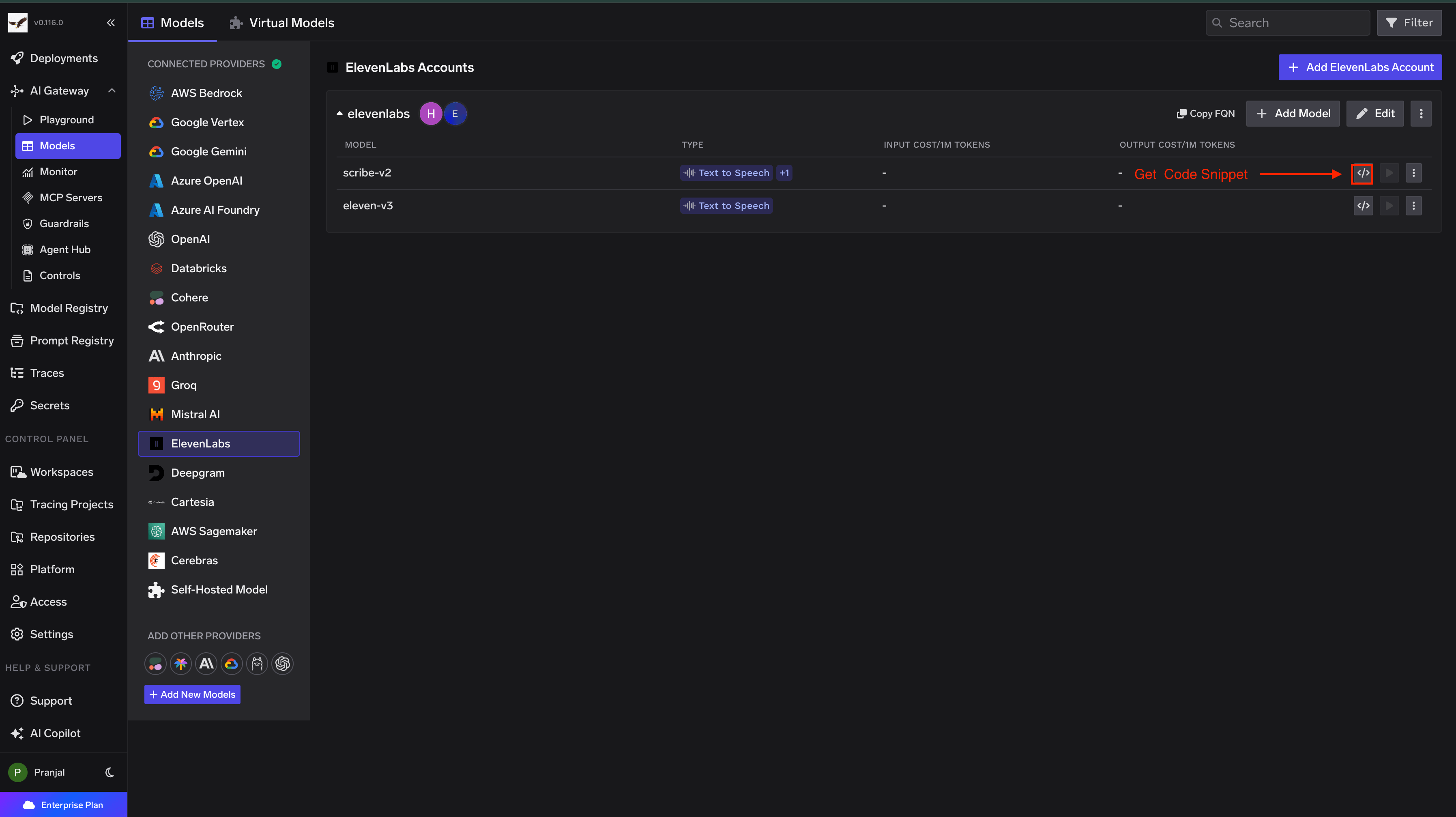
<img src="https://mintcdn.com/truefoundry/5j9IxXGQZJVFsqLO/images/Screenshot2026-02-23at8.12.46PM-1.png?fit=max&auto=format&n=5j9IxXGQZJVFsqLO&q=85&s=d1f5c3cdd4a68efd5d244ab26698ca57" alt="Code Snippet and Try in Playground Buttons for each Deepinfra model" className="hidden dark:block hidden dark:block hidden dark:block" width="3600" height="2006" data-path="images/Screenshot2026-02-23at8.12.46PM-1.png" />

<img src="https://mintcdn.com/truefoundry/5j9IxXGQZJVFsqLO/images/Screenshot2026-02-23at8.12.46PM.png?fit=max&auto=format&n=5j9IxXGQZJVFsqLO&q=85&s=9936298cd94923c16fa52aa38279cfa8" alt="Code Snippet and Try in Playground Buttons for each Deepinfra model" className="hidden dark:block hidden dark:block dark:hidden" width="3600" height="2006" data-path="images/Screenshot2026-02-23at8.12.46PM.png" />

<img src="https://mintcdn.com/truefoundry/5j9IxXGQZJVFsqLO/images/Screenshot2026-02-23at8.05.09PM-1.png?fit=max&auto=format&n=5j9IxXGQZJVFsqLO&q=85&s=a695085b03ad4866a3d61f4b4d2cf2d9" alt="Code Snippet and Try in Playground Buttons for each Deepinfra model" className="hidden dark:block dark:hidden" width="3586" height="2010" data-path="images/Screenshot2026-02-23at8.05.09PM-1.png" />

<img src="https://mintcdn.com/truefoundry/5j9IxXGQZJVFsqLO/images/Screenshot2026-02-23at7.56.04PM-1.png?fit=max&auto=format&n=5j9IxXGQZJVFsqLO&q=85&s=4a62d6d085b3d715e7ceced1aa445cfa" alt="Code Snippet and Try in Playground Buttons for each Deepinfra model" className="dark:hidden" width="3590" height="2014" data-path="images/Screenshot2026-02-23at7.56.04PM-1.png" />